Free, contract and aggregator job boards
Last updated: October 20, 2026
Connect the job boards your company uses — for free, through your own contracts, or through Kula's paid marketplace — so recruiters can distribute jobs to them when posting.
Who can do this: Requires Super Admin or Admin permissions.
Where to find it: Settings → Career page and job boards → Job boards.
The three ways to connect a job board
Job board settings are organized into three sections, and which one you use depends on your relationship with the board:
Free Job Boards — post to LinkedIn for free, directly from Kula, with no marketplace checkout or external payment. Enable the LinkedIn option, enter your LinkedIn Company ID, and save.
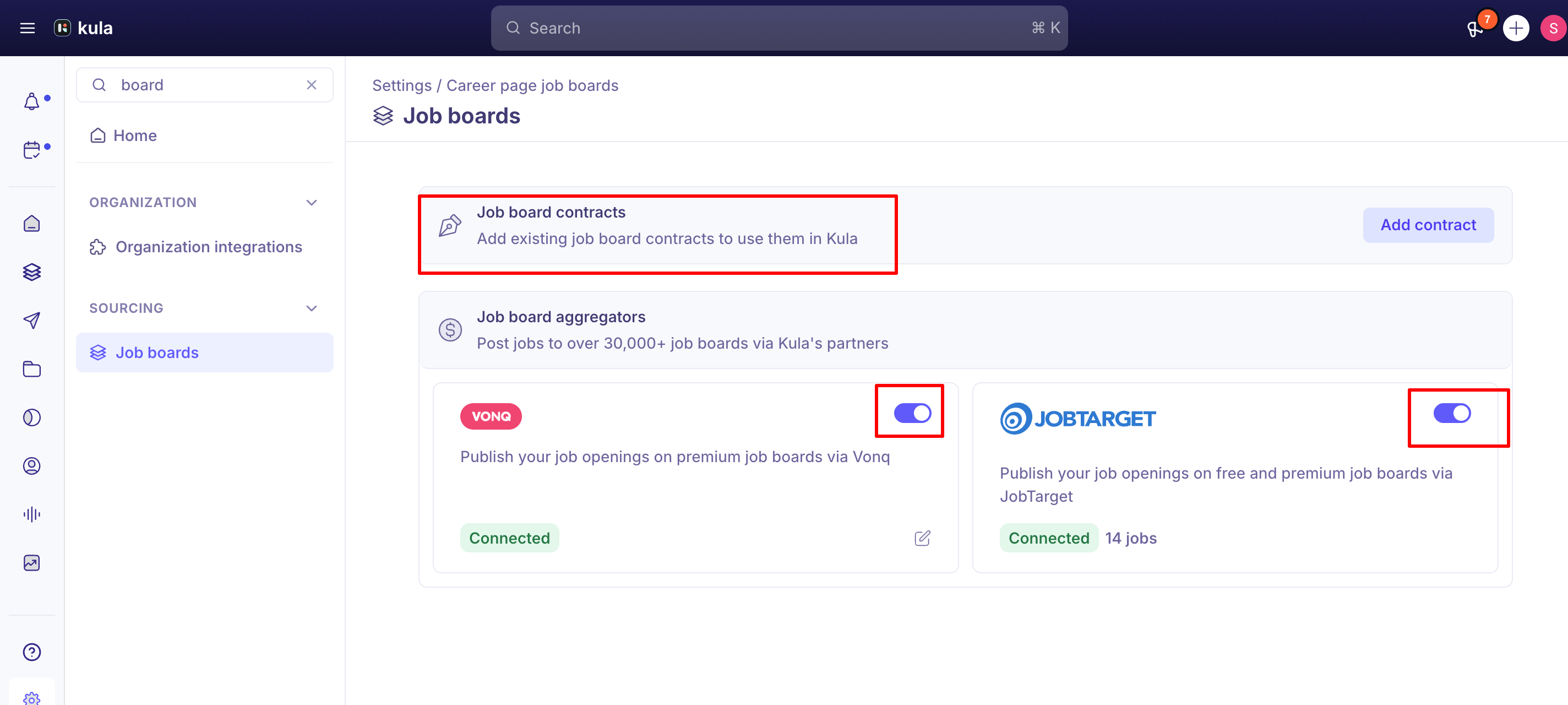
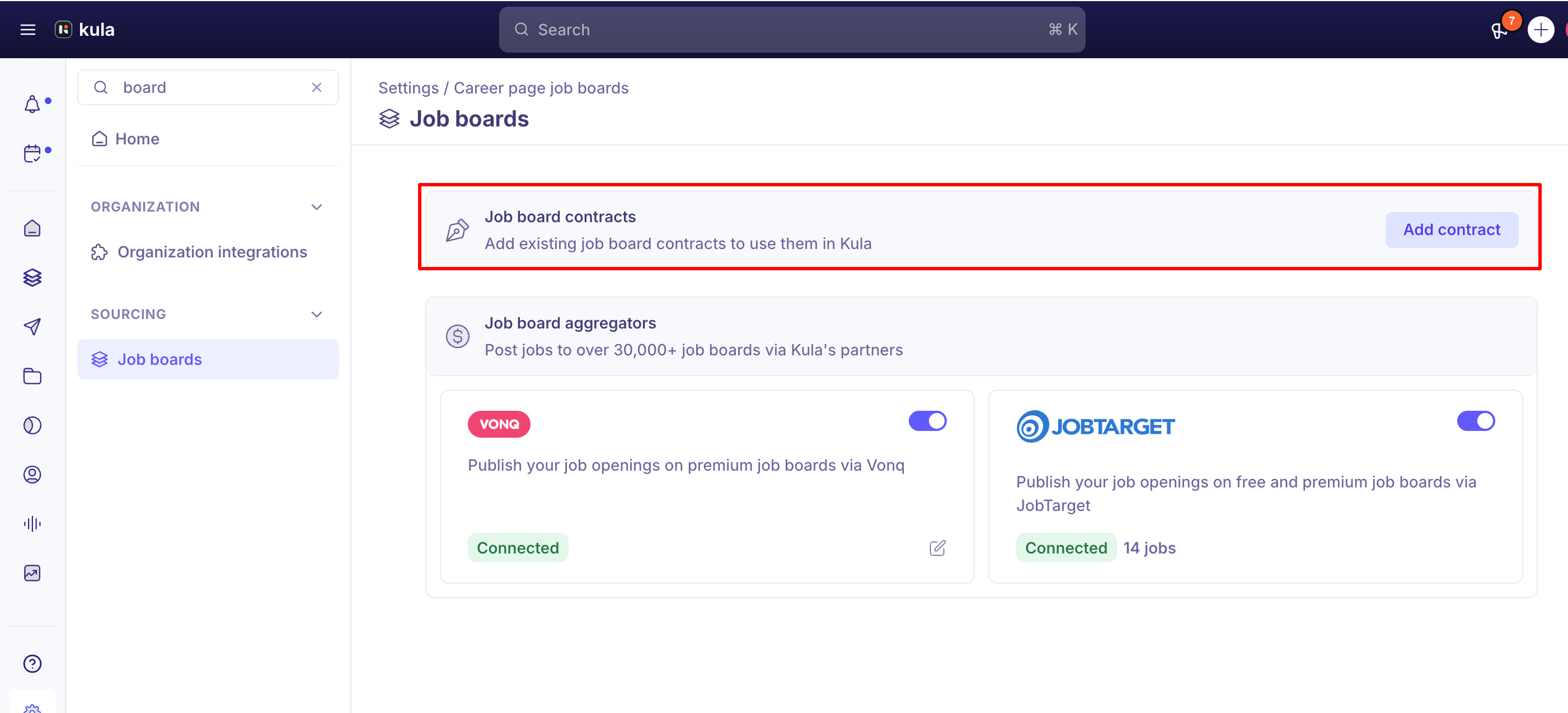
Job Board Contracts — connect a job board subscription your company already pays for outside Kula (LinkedIn, Indeed, niche boards, and others). Go to Job board contracts, click Add contract, search for the board, review its instructions, and enter the credentials it asks for. Once saved, the contract is active and available when creating job posting campaigns. Billing for these boards is handled on your existing contract, not through Kula.
Job Board Aggregators (VONQ & JobTarget) — post to 30,000+ boards through Kula's distribution partners:
VONQ gives you Kula's paid job board marketplace. Enable the VONQ toggle, then set up a wallet for payments — billing information is mandatory before you can use the paid marketplace.
JobTarget offers two modes: Paid job posting (100+ premium boards you select from) or Organic job posting (all of JobTarget's free boards at once — you can't pick individual ones). Enable JobTarget and choose one or both.
Free vs. contract vs. marketplace: which one to use
If you just want a free LinkedIn presence with no existing contract, use Free Job Boards.
If your company already has a paid subscription with a specific board, connect it under Job Board Contracts so you're not paying twice.
If you want broad reach across boards you don't already have relationships with, use the VONQ or JobTarget aggregators — VONQ requires wallet/billing setup since postings are paid per campaign.
Some boards support more than one connection path — for example, LinkedIn can be connected for free (Company ID only) or through a contract (full LinkedIn Recruiter integration with premium job slots). These are separate setups; connecting one doesn't configure the other. For a full walkthrough of connecting a LinkedIn Recruiter contract specifically, see Posting to LinkedIn.
LinkedIn Job Wrapping — an XML-feed-based auto-posting method that pulls listings from your career portal URL — is a separate, older mechanism from either of these and is set up entirely on LinkedIn's side; see Posting to LinkedIn if that's what you're after.
What does each option cost?
Option | Cost | Who bills you |
|---|---|---|
LinkedIn, free toggle | Free | No one |
JobTarget, organic | Free. Posts to all of JobTarget's free boards at once. | No one |
JobTarget, paid | Price and posting duration are shown for each board in the marketplace before you check out. | You pay at checkout in the marketplace. |
VONQ marketplace | Paid per campaign. Billing details must be set up before you can use it. | You pay when you create the campaign. |
Your own contract | Whatever your contract with that board costs. | The board, under your existing agreement. |
Posting manually on a board's own website is not tracked in Kula.
Turning JobTarget on for a job doesn't charge you. You're only charged when you add paid boards to your cart and check out.
Good to know
Deleting a contract is permanent, and it doesn't touch what's already live. If campaigns are currently running on that board, they stay live but become unmanaged from Kula's side — there's no undo, and no way to pause or edit them from Kula afterward.
Contract credentials can't be edited in place. If a board's credentials expire or change, you have to delete the contract and re-add it with the new credentials — this is also the standard fix support gives when a posting silently fails due to expired or invalid credentials.
Only one LinkedIn contract is supported per account today. If your company holds multiple LinkedIn Recruiter contracts (for example, region-specific ones), you can't pick which one to use per job — you'd need to remove and re-add contracts to switch, and jobs posted under a contract that's since been removed can no longer be edited, stopped, or unlisted.
The same limitation applies to VONQ contracts — Kula doesn't yet support multiple contracts for the same board through VONQ (e.g., two different regional Indeed contracts).
Paid job board postings only go live after payment completes. If a marketplace campaign isn't publishing, check whether it's stuck waiting on your VONQ wallet payment before assuming something's broken.
Confidential jobs never appear on any job board, connected or not — free, contract, or marketplace. Marking a job confidential removes the job board options for it entirely; this isn't a setting you disable per board.
A posting that fails to go out isn't always a Kula-side issue. The cause can be the board itself — an expired seat for the person listed as the job poster on a LinkedIn contract, or a board rejecting the credentials tied to a specific channel — that require resolving directly with the board (or via VONQ support) rather than a Kula configuration change.
Source attribution from each connected board is automatic and can't be turned off. Every board you post through auto-tags the resulting candidates with that board as their source, saved as a global system source that can't be deleted — this is by design, to keep reporting accurate.
FAQ
What's the difference between posting through a contract and posting manually to a job board? A contract connects your existing subscription so Kula can post directly and track campaign status inside the platform. Posting manually means going to the board yourself outside of Kula — Kula won't show status or manage that posting at all.
My job board postings stopped working — what should I check first? Confirm the contract's credentials haven't expired; if they have, delete the contract and re-add it with fresh credentials. If credentials look fine, the issue may be on the board's side (an expired seat, invalid channel authorization) rather than in Kula.
Can I connect more than one contract for the same board, like two different LinkedIn or Indeed contracts? Not currently — only one contract per board (and one LinkedIn contract per account) is supported.
Why can't I post my job to any job boards? Check whether the job is marked Confidential — confidential jobs are excluded from every job board option, free, contract, or marketplace, with no per-board override.
Do I need to set up billing to use paid job boards? Yes, for VONQ's marketplace — billing information is mandatory before you can enable and use paid job board postings. Contract-based (BYOC) postings are billed outside Kula, on your existing agreement with the board.
Is it free to post on VONQ, JobTarget or Indeed? It depends on how you post. See "What does each option cost?" above. VONQ is paid per campaign. JobTarget has a free organic mode and a paid mode.
For Indeed, whether you post with your own contract or through VONQ, each job also needs to be sponsored in your Indeed account. Kula can't do that for you, and without it the job won't appear on Indeed. For the steps, see Posting through VONQ.
Need help?
If a job board connection isn't saving, a contract's credentials aren't accepted, or a paid posting isn't going live after payment, contact Kula support.