Asking Application Intelligence about a candidate
Last updated: September 26, 2026
Application Intelligence reads a candidate's application for you. It writes a summary of where they are and what's happened, and answers your questions about them, with links to the source of every answer.
Who can do this: Recruiters, Hiring Managers, Admins and Super Admins. It only shows what you could already see yourself
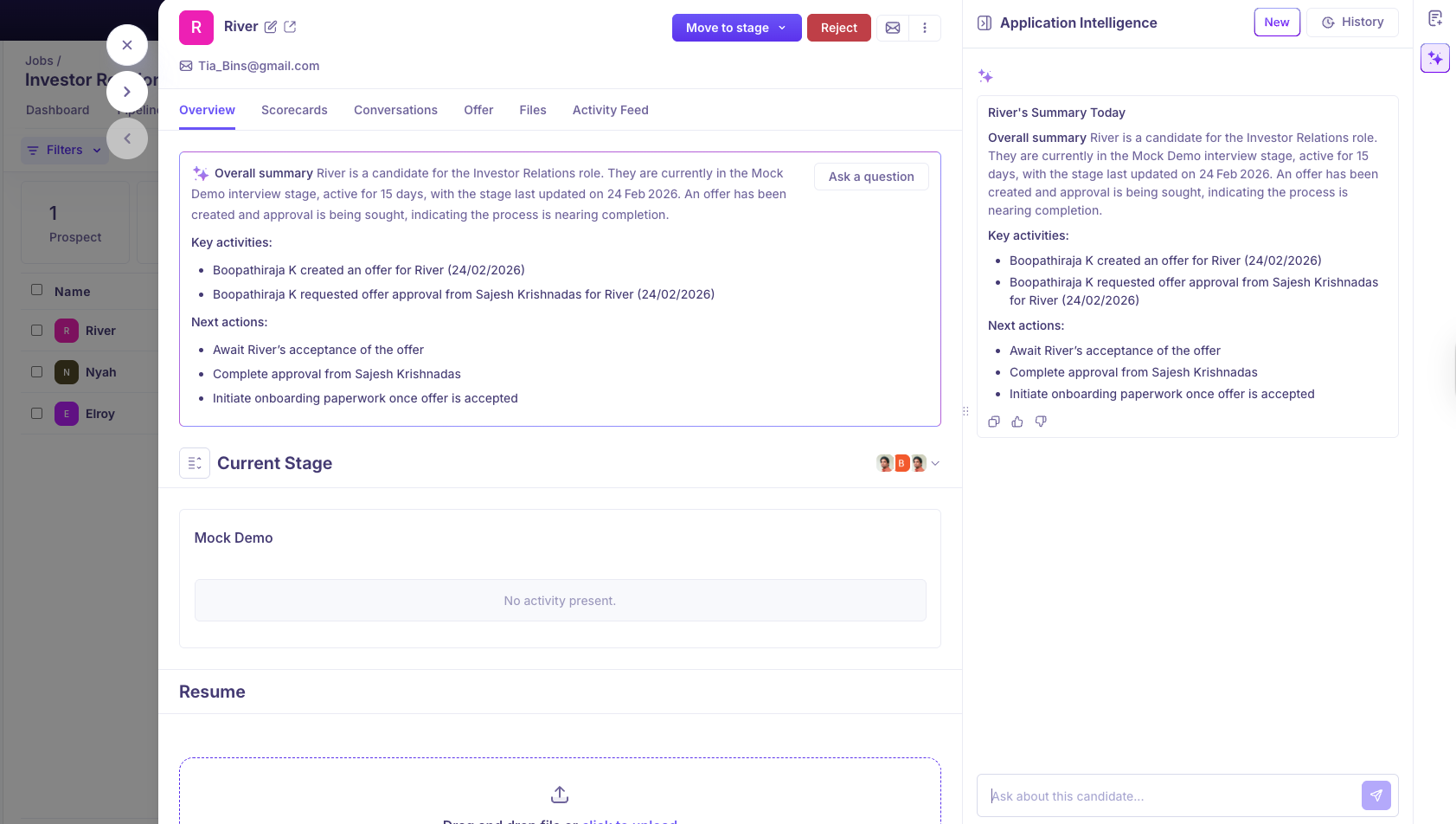
Where to find it: open a candidate's application. The summary is at the top of the Overview tab; to ask questions, click the Application Intelligence icon in the quick-actions panel on the righ
The summary
When you open an application, a summary appears at the top. It can cover when and how they applied, their background, the stages and activities so far, feedback and scorecards, emails and notes, next steps, and anything blocking progress, such as a missing scorecard or approval. It updates when something meaningful changes, such as a new stage, activity, note or scorecard.
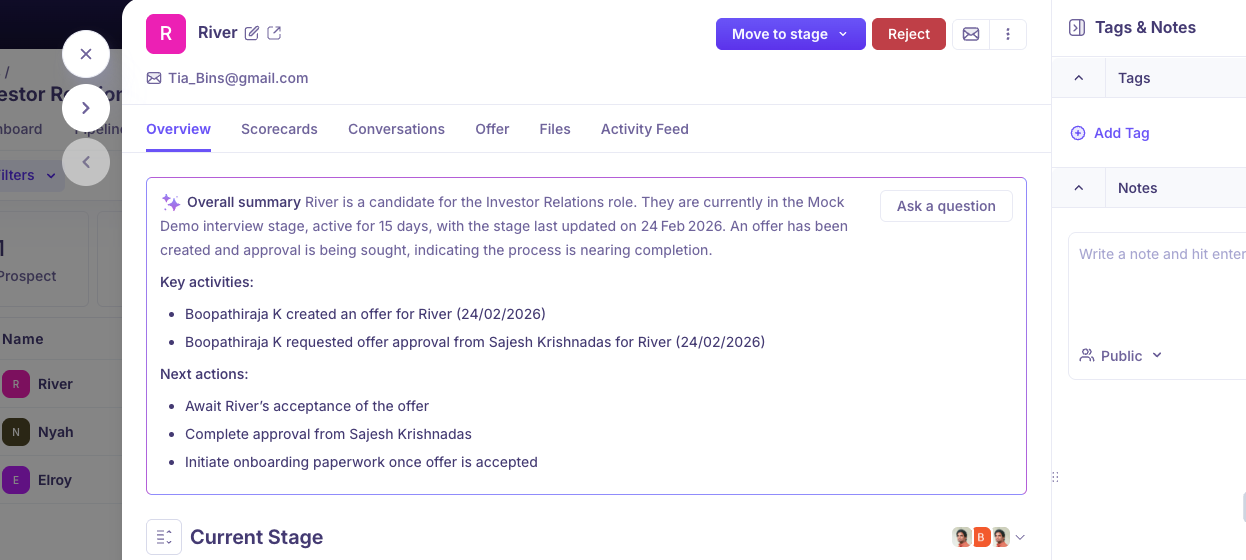
How AI Application Intelligence Works
When you open a candidate application, the AI Assistant analyses the candidate’s application data and generates insights about the candidate.
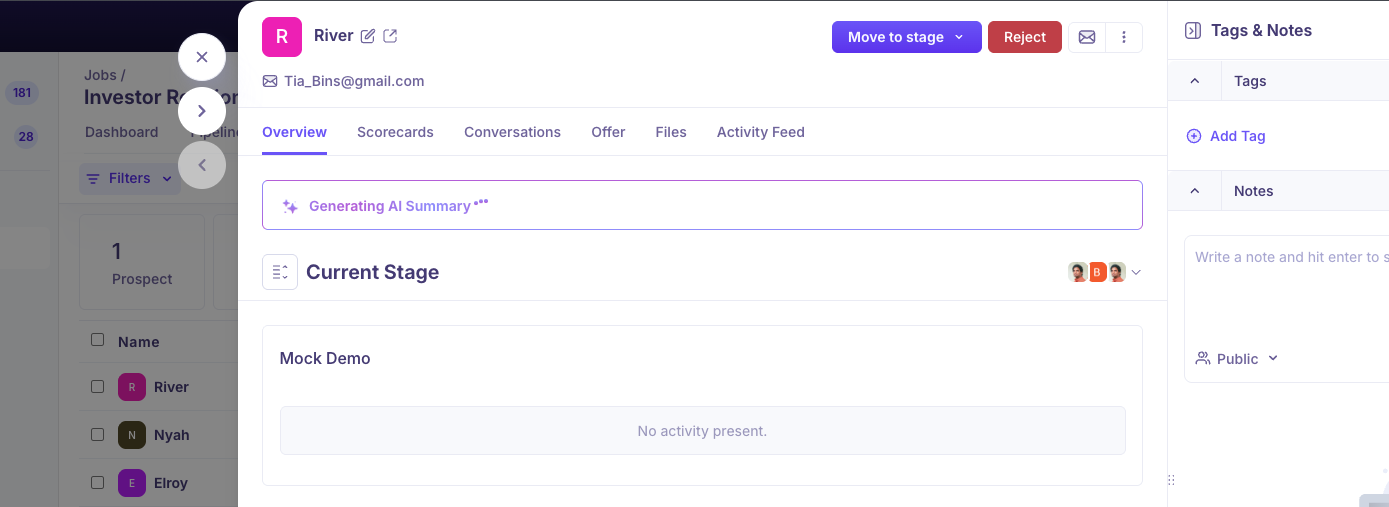
The assistant can:
Generate a quick candidate summary
Answer follow-up questions about the candidate
Summarise interview scorecards
Provide context-aware insights about the candidate’s application
All responses include citations that link to the original source of information.
Information Included in the Summary
The AI-generated summary may include:
Application date and source
Candidate background and career overview
Interview stages
Activities in each stage (interviews, assessments, reviews, offers)
Feedback and reviews
Communication with the candidate
Internal notes or discussions
Candidate performance across interviews
Next steps for the candidate
Any blockers, such as pending scorecards or approvals
This overview helps you quickly understand what has happened with the candidate and what actions are required next.
Citations
Every summary and answer from Application Intelligence includes citations. Citations link directly to the source of the information, such as:
Scorecards
Emails
Notes
Interview feedback
Conversation threads
Application details
You can:
Hover over a citation to preview the information.
Click the citation to open the original source.
This allows you to verify the context and review the complete details.
Ask Questions
To find out | Try asking |
|---|---|
The big picture | "Give me a summary of this candidate." |
What's next | "What are the next steps?" / "What's blocking progress?" |
Interview feedback | "Summarise all scorecards." |
Pending work | "Which interviews still need scheduling?" |
History | "When was the last touchpoint?" |
Source | "Where did this candidate come from?" |
You can ask Application Intelligence questions about the candidate directly from the candidate profile. It analyses the candidate's application data to provide contextual responses.
Suggested questions include:
What are the next steps for this candidate?
What is blocking this candidate's progress?
When was this candidate's last touchpoint?
Summarise the candidate's career journey.
You can also ask custom questions to explore specific details.
Information Used by the AI Assistant
The AI Assistant can reference the following data when generating responses:
Application information
Application forms
Candidate source
Candidate applications to other jobs (only the fact that they applied)
Resume
Emails
Notes (public and private)
Scorecards
Interview transcripts
Interview pipeline stages
Candidate activities (interviews, assessments, reviews, offers)
The scope of responses is limited to the current application.
AI Conversation History
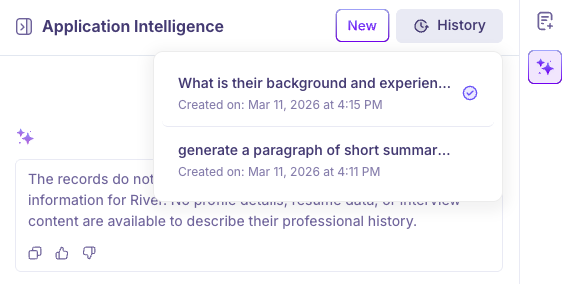
All conversations with the AI Assistant are stored at the candidate level.
This allows recruiters and hiring teams to:
Review previously asked questions
Revisit earlier AI responses
Continue conversations without repeating questions
Scorecard Summaries
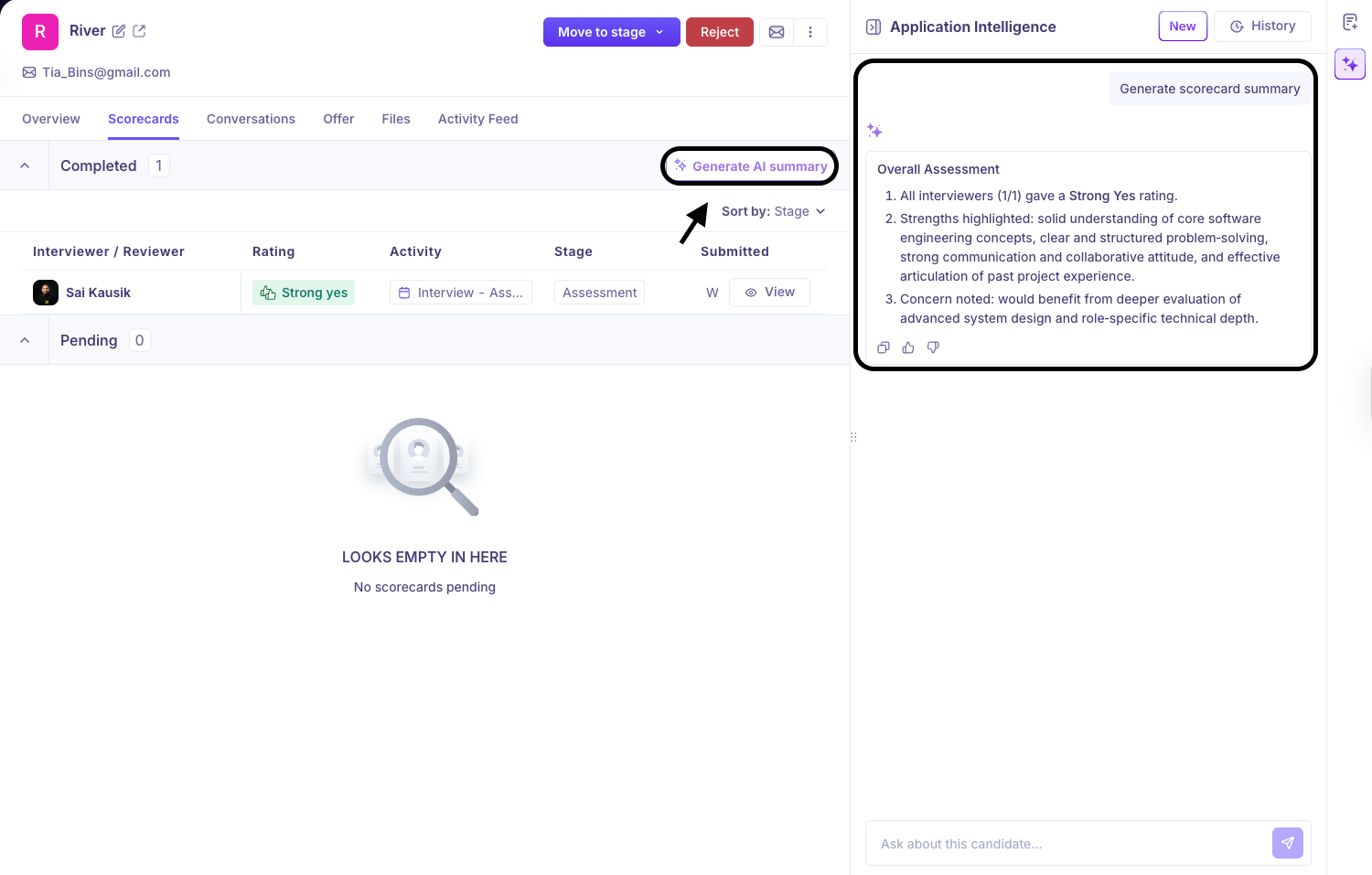
The AI Assistant can summarize interview scorecards in the Scorecard tab.
This helps you quickly understand interviewer feedback and evaluation across multiple interview rounds without reading each scorecard individually.
Context-Aware Responses
The AI Assistant interprets questions based on the currently opened candidate and job.
This prevents incorrect attribution when a candidate is associated with multiple jobs.
AI answers leave out internal identifiers such as Job IDs, so they stay easy to read.
Permission-Based Access
AI responses follow the same permission rules defined in the system.
Sensitive information is only shown to users who have access.
This includes:
Private notes
Offer details
Restricted application form fields
Private notes are visible only to:
The user who created the note
Users who are tagged in the note
Super Admins, who can see every private note regardless of who wrote it or who's tagged
The AI Assistant respects these visibility rules and does not expose restricted information.
Common Use Cases
Recruiters, Hiring Managers, and Admins can use Application Intelligence to quickly review candidate information.
Understand a Candidate Quickly
"Give me a summary of this candidate."
"What are the key highlights from this candidate's profile?"
Review Recruiter Notes
"What notes have been added for this candidate?"
"Summarise the recruiter notes."
Review Interviews
"What interviews have been completed?"
"What feedback was given in the interviews?"
Understand Interview Scorecards
"Summarise all scorecards."
"What feedback did interviewers give about this candidate?"
Check Candidate Pipeline Status
"What stage is the candidate currently in?"
"What are the next steps for this candidate?"
Identify Pending Activities
"What activities are pending for this candidate?"
"What interviews are yet to be scheduled?"
Understand Candidate Source
"Where did this candidate come from?"
"What is the application source?"
AI Behaviour and Limitations
The AI Assistant summarises information but does not make hiring decisions.
The AI will not recommend whether a candidate should be hired or rejected. Instead, it focuses on:
Presenting factual information
Highlighting feedback and activities
Identifying blockers
Showing next steps
All responses include citations so you can review the original information when needed.
Good to know
Application Intelligence doesn't make hiring decisions. It won't recommend whether a candidate should be hired or rejected — it focuses on presenting factual information, highlighting feedback and activities, identifying blockers, and showing next steps.
Every response is scoped to the currently open application — it won't mix in details from a candidate's other job applications beyond the fact that they applied.
It follows the same permission rules as the rest of Kula. Offer details, restricted form fields, and private notes only appear in a response if you'd already be able to see them yourself.
Every response includes citations linking back to the original source, so you can verify anything it tells you.
Need Help?
If you have questions or need assistance with setup, feel free to reach out to us at support@kula.ai or use the in-app chat for assistance.