Reviewing new applications
Last updated: August 6, 2026
When a candidate applies to a job or is added to its pipeline, they land in the Application Review stage. Reviewing new applications means deciding which candidates move forward to the next stage and which ones you reject, using the application form, resume, and AI score.
Use Quick Review to move through a stack of new applications one at a time without opening each candidate individually, or start from your Dashboard if you'd rather work from your daily task list.
Reviewing applications is available to anyone with the Recruiter, Hiring Manager, or Coordinator hiring team role on the job. External Recruiters (agency) can review applications only for candidates they added themselves.
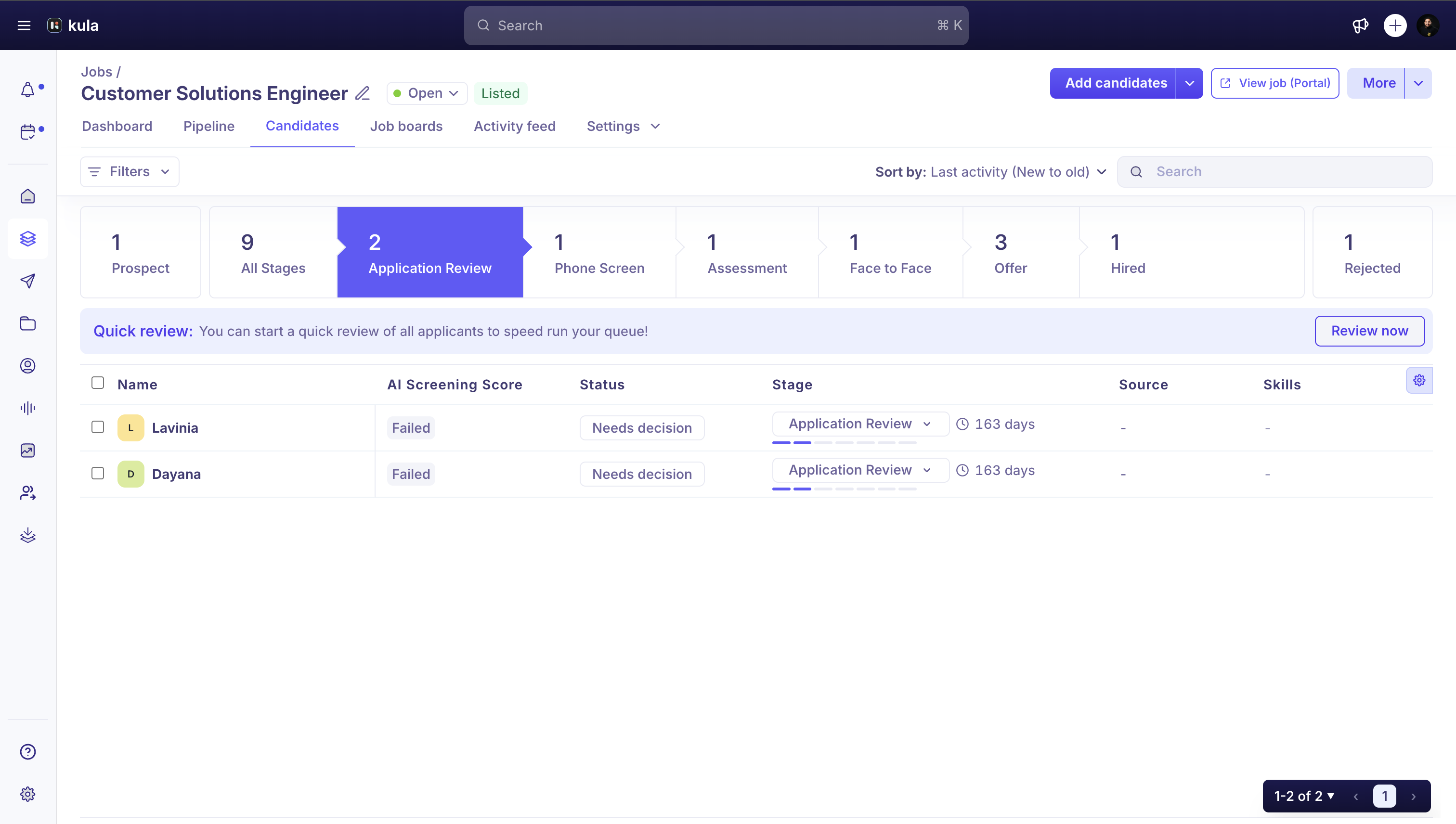
Starting a review
Open the review queue one of two ways:
From the job's Pipeline tab, find the Application Review column and click Quick Review.
From your Dashboard, click a job's count under Application Review to jump straight to its pipeline with the review panel open.
Reviewing an application
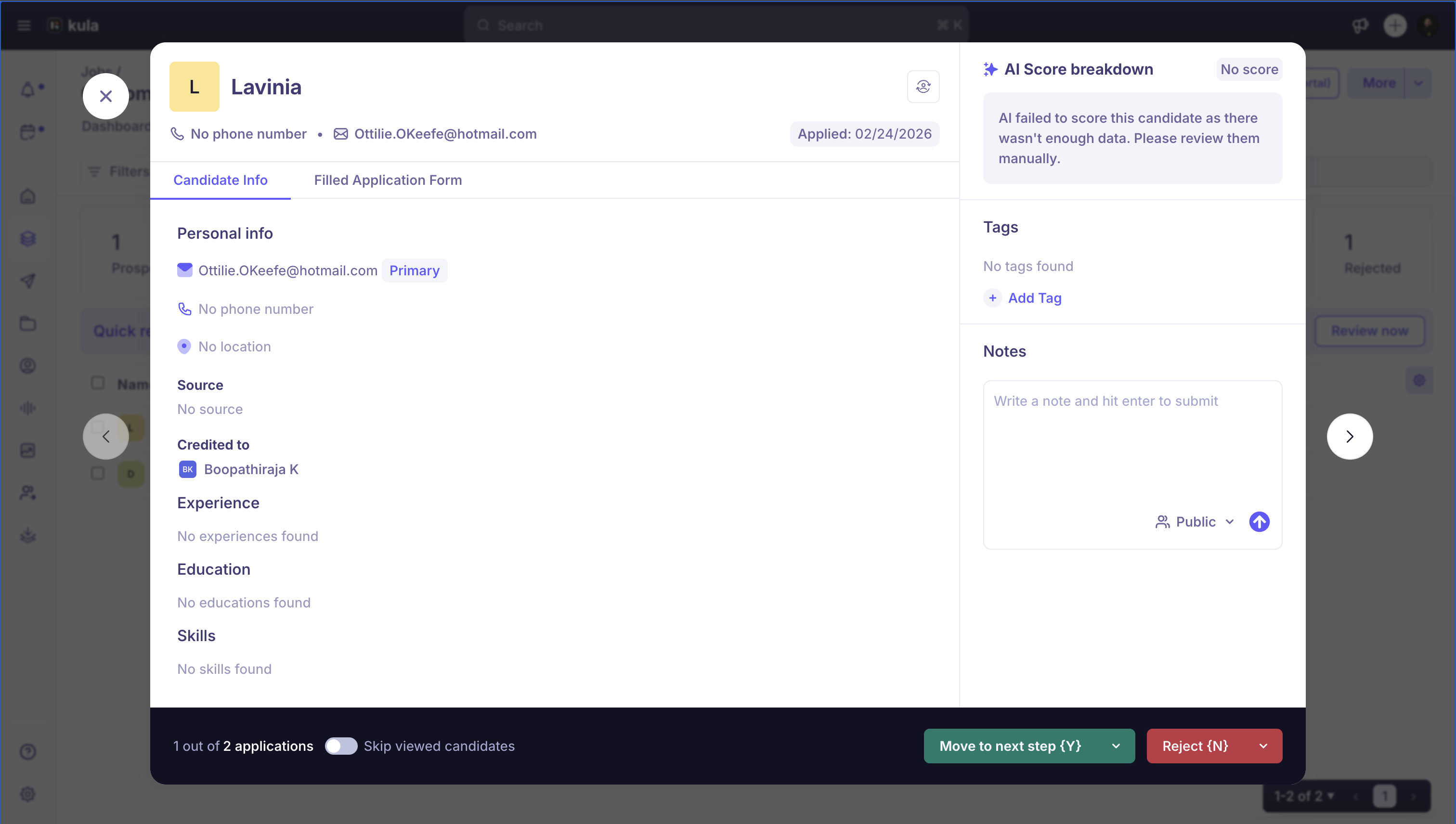
Quick Review shows two panels: the candidate's resume and application form on the left, and an AI score breakdown on the right, with each criterion rated High, Average, or Low.
From here:
Press Y to move the candidate forward to the next stage.
Press N to reject the candidate.
Use the arrow keys to move to the next or previous candidate without leaving Quick Review.
Turn on Skip viewed candidates to skip applications you've already opened.
Track your progress with the "X out of Y applications" counter.
Note: These shortcuts only work while Quick Review is open. See Keyboard shortcut reference for the full list.
Automatic rejections
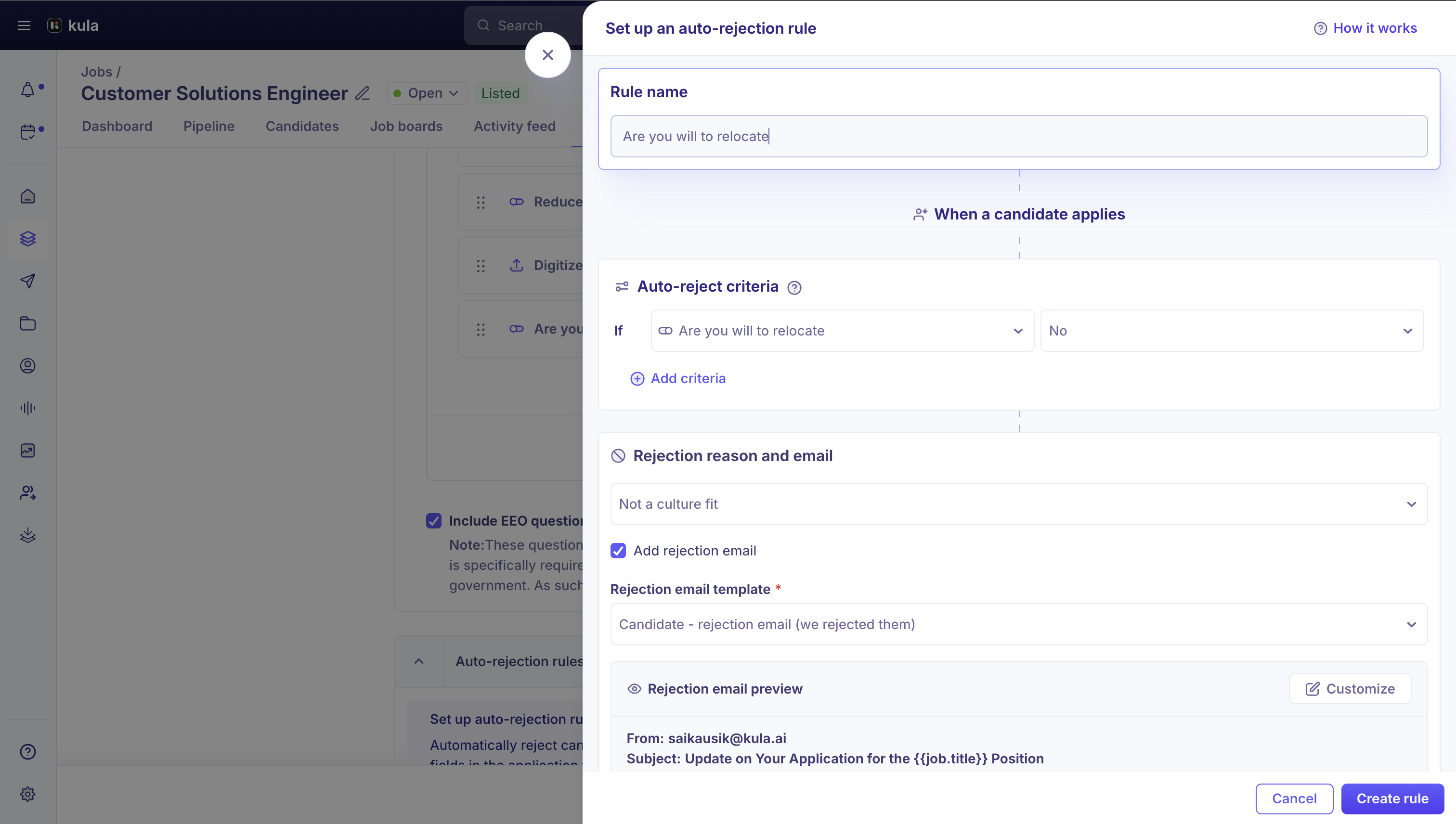
Kula may reject some applications automatically, before you review them by hand.
Application form auto-rejection rules run at the moment a candidate submits their application, before anyone reviews it.
AI auto-rejection rejects a candidate automatically if their AI score falls below your organisation's threshold.
Note: Use Re-activate to bring an auto-rejected candidate back into the pipeline.
Sorting applications
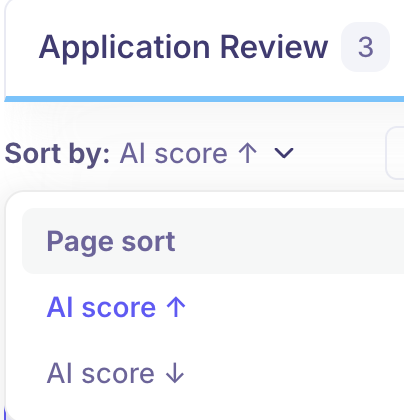
Use the Sort by AI score dropdown in the Application Review column to control review order. Candidates without an AI score yet are counted separately.
Need Help?
If you have questions or need assistance, reach out to us at support@kula.ai or use the in-app chat.