Connect Rippling to Kula
Last updated: September 26, 2026
Connecting Rippling lets you push a hired candidate into Rippling as a new employee, so your HR team is not retyping details that already exist in Kula. Rippling connects through Rippling's own app store rather than through Kula's shared HRIS connection flow.
Who can do this: Super Admin, Admin
Where to find it: Settings → Organization → Organization integrations → HRIS and onboarding
How to Integrate Rippling with Kula
Go to the Settings section in Kula.
Click on Organization Integrations from the settings menu.
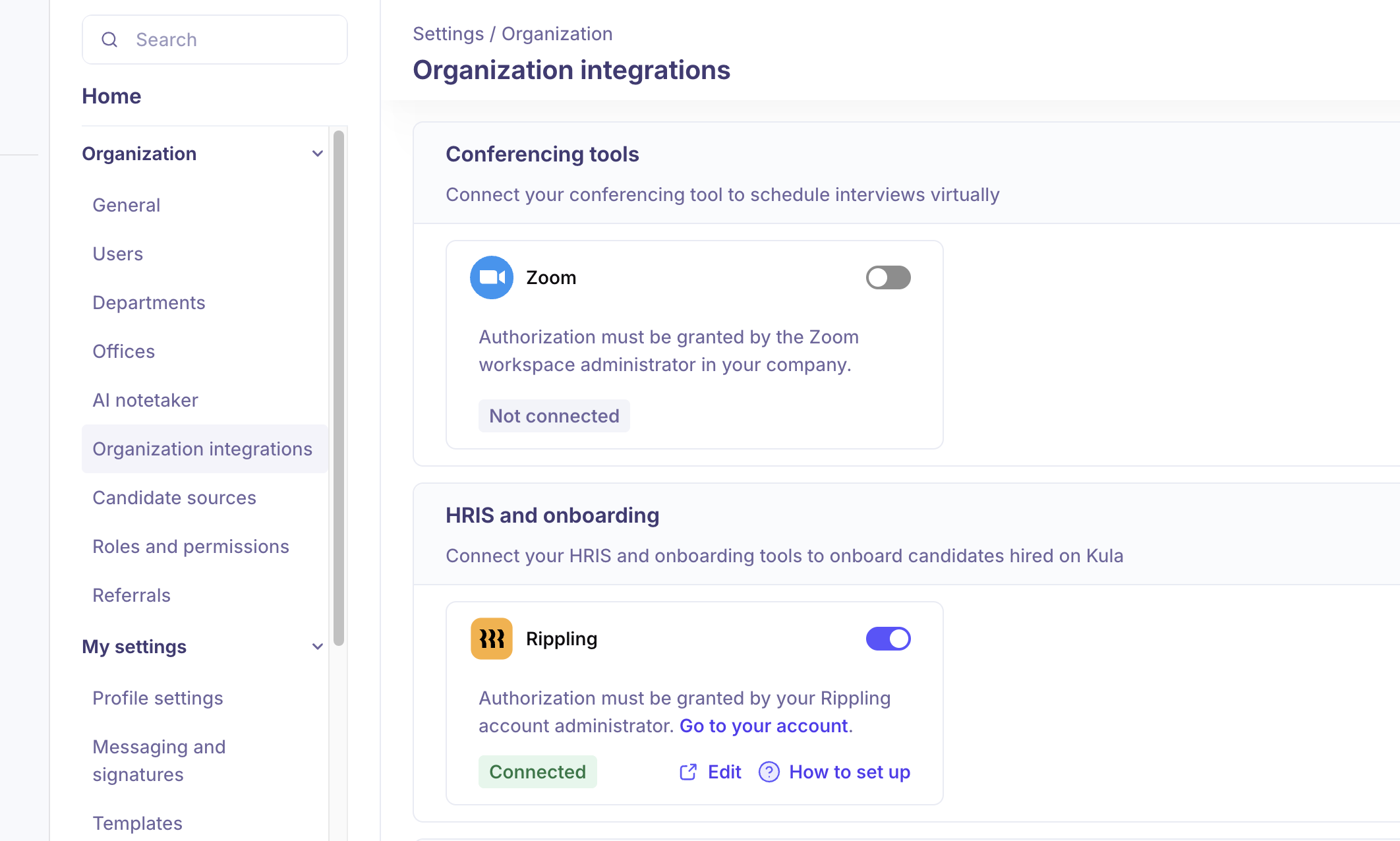
Under HRIS and Onboarding, toggle the switch to enable Rippling Integration.
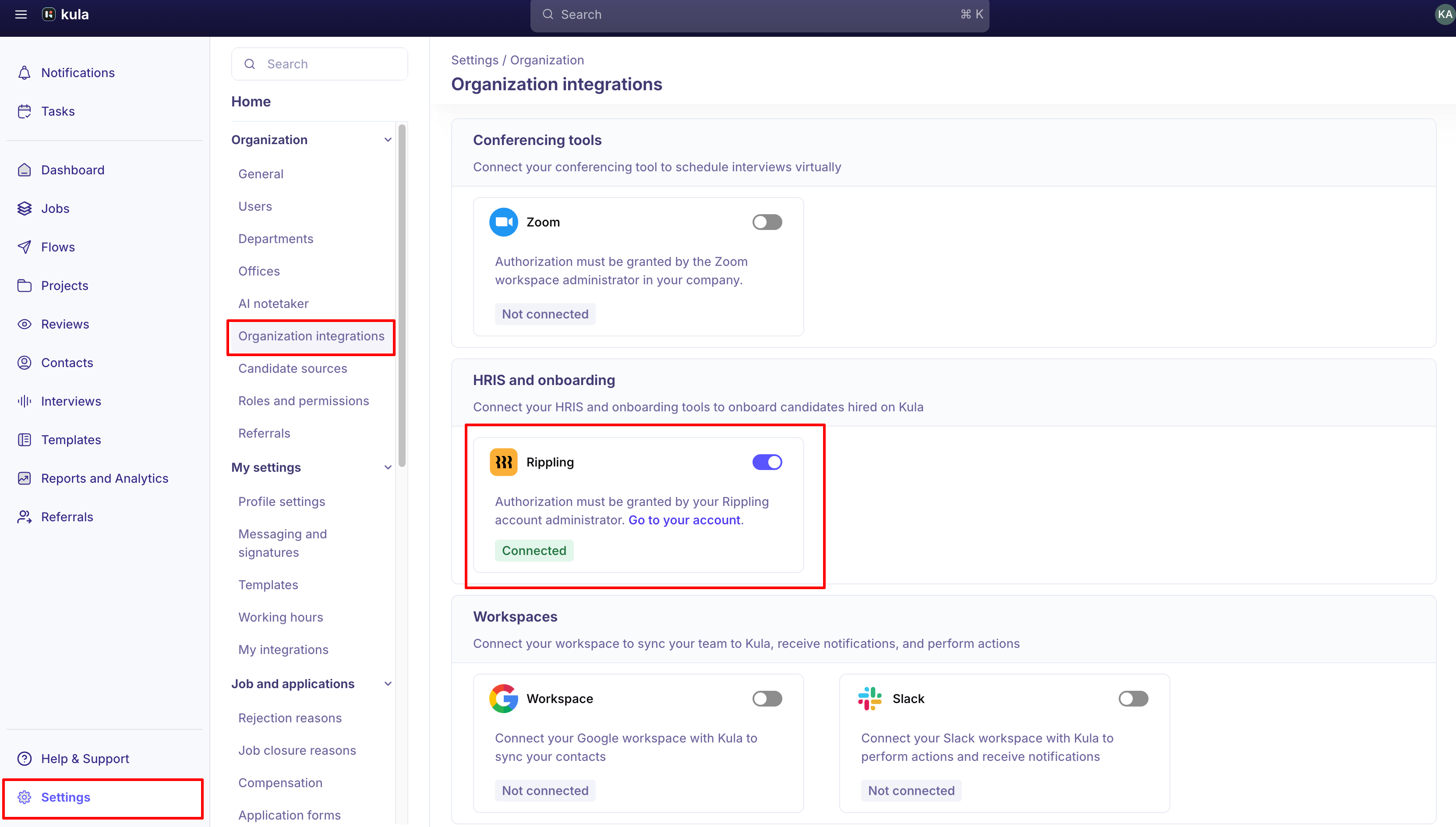
Click on Authorize to grant the necessary permissions for integration. Note: Only a Rippling Administrator can perform this integration.
Follow the steps in the video below to complete the configuration process.
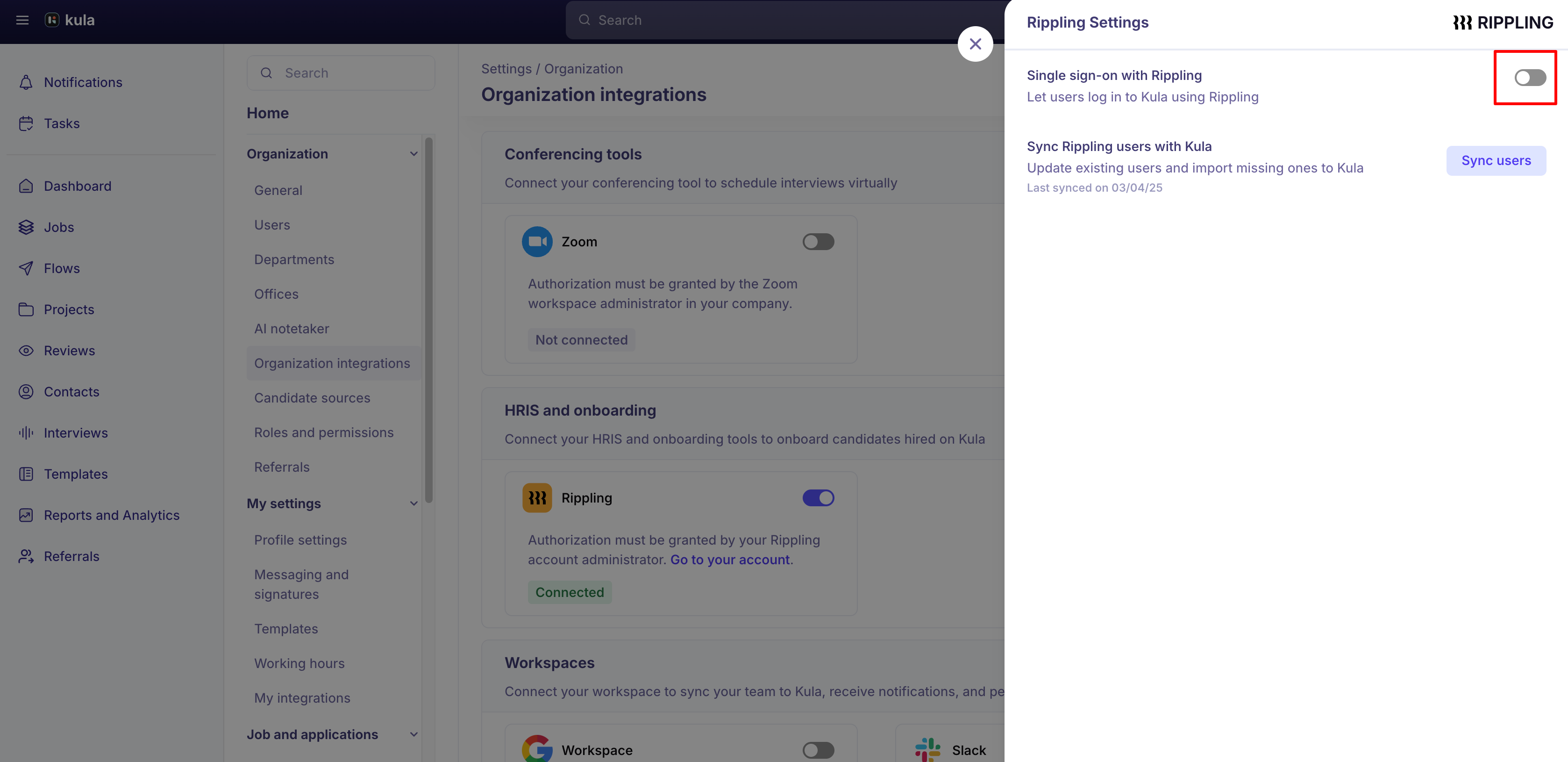
Once the integration is connected, you can enable Single Sign-On (SSO) with Rippling, so users can log in to Kula using Rippling SSO.
How to login with rippling SSO
Note: Only Rippling Administrators can configure this.
Enable SSO in Kula: click on Edit and enable Single Sign-On (SSO). Once enabled, Rippling SSO will be available directly on the Kula login page. Note: Only Kula Super Administrators can configure this.
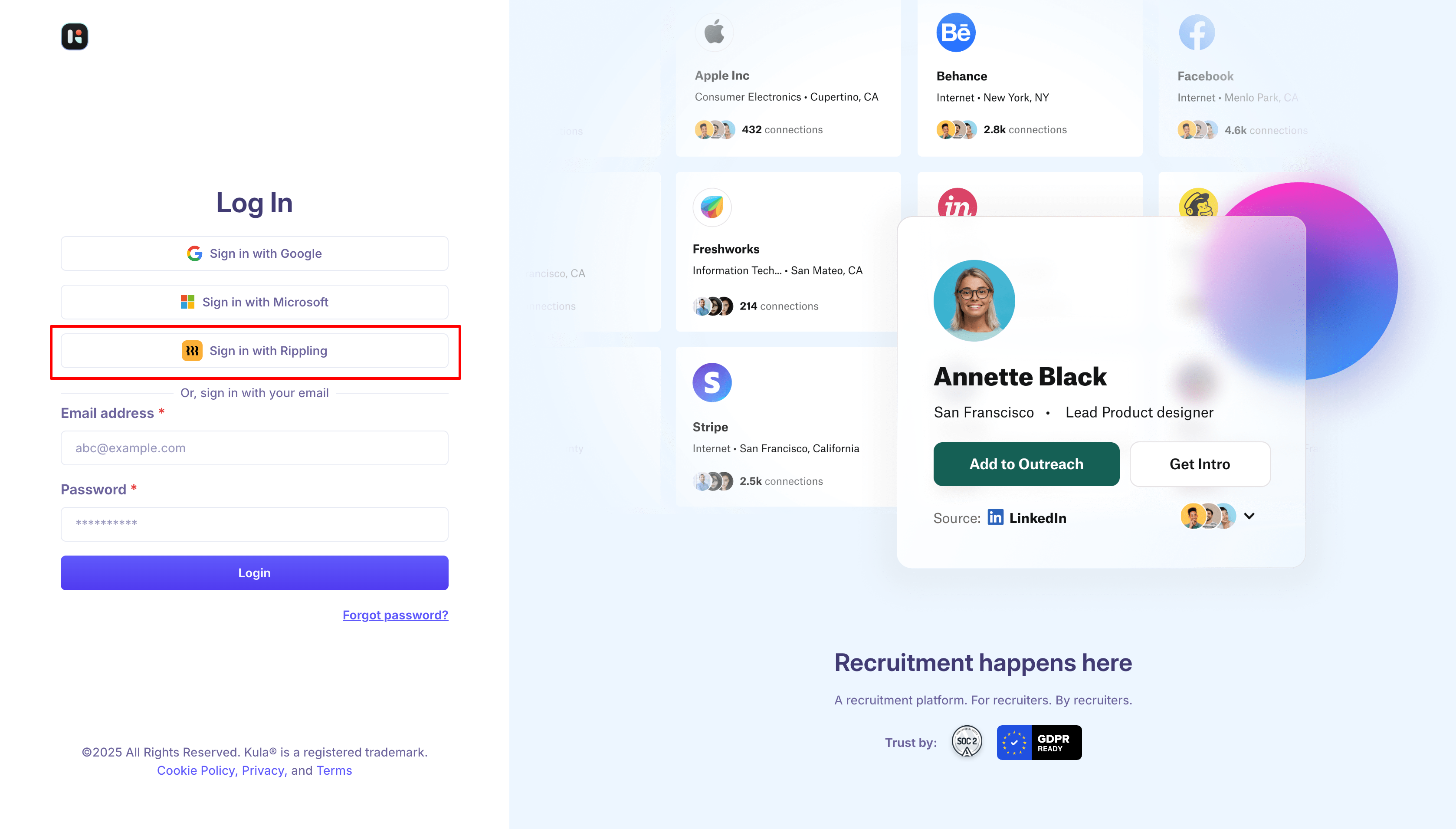
Log in to Kula from the Kula login page. Users can log in using a Service Provider (SP) Initiated Login. Watch the video below for detailed instructions.
User details sync from Rippling to Kula
User Attributes Pulled from Rippling to Kula
Only the following user attributes are created or updated in Kula for users fetched from Rippling:
first name
last name
email
title
Automatic Document Transfer to Rippling
Rippling can receive the candidate's resume and offer document along with the hire push, so nobody has to upload them again on the Rippling side.
Hover over the connected Rippling card and click Edit.
Turn on Send candidate documents to Rippling.
When it is on, pushing a hired candidate attaches their documents to the new Rippling employee profile, where they appear in the employee's Documents tab.
Document | What gets sent |
|---|---|
Resume | The resume linked to the hired candidate's application. |
Offer document | The signed offer PDF. If there is no signed version, the unsigned offer PDF is sent instead. |
Good to know
Send candidate documents to Rippling is off by default — for accounts connected before this shipped and for newly connected accounts alike. Nobody gets it automatically; you have to turn it on.
Documents are only sent on a hire push. Existing Rippling employees and candidates who have not been hired are unaffected.
Rippling always sends a fixed set of fields, so there's no mapping screen.
Disconnecting Rippling is done through Rippling, not inside Kula. Turning the toggle off opens Rippling to complete the disconnection.
FAQ
We keep uploading the resume and offer letter into Rippling by hand after every hire — can Kula send them? Yes. Hover over the Rippling card, click Edit, and turn on Send candidate documents to Rippling. It is off by default, which is why it has not been happening.
Why can't I map Kula fields to Rippling fields the way I can for BambooHR? HRIS field mapping is not supported for Rippling. It is available for the HRIS tools that connect through Kula's shared connection flow, but Rippling uses its own integration path.
Need help? If you have questions or need assistance, reach out to us at support@kula.ai or use the in-app chat.