Jobs Overview
Last updated: March 26, 2026
Learn how to manage job postings and candidate workflows in Kula. This article explains the main areas you use to track jobs, review candidates, and monitor hiring performance.
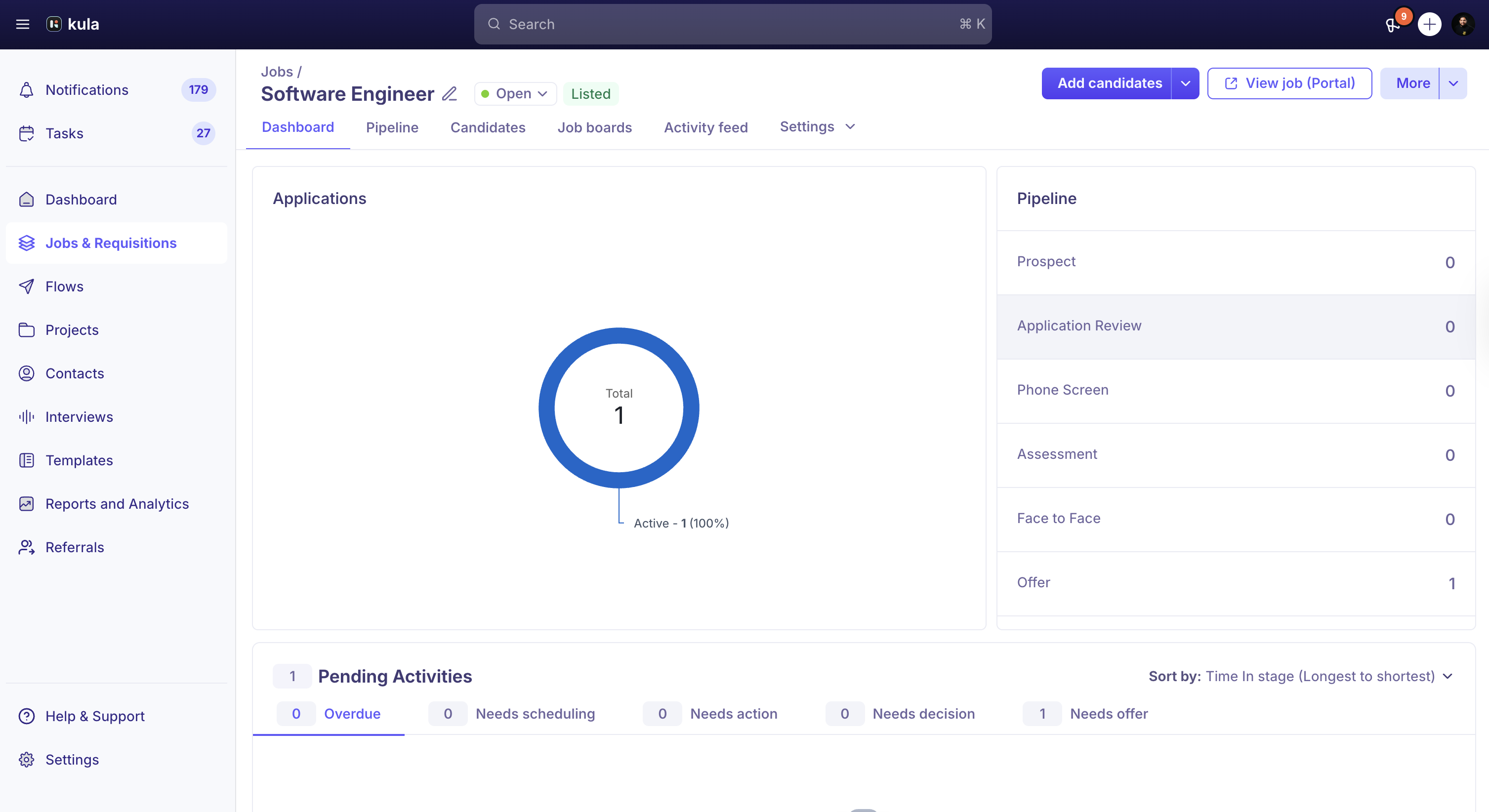
Dashboard
The Dashboard gives you a high-level view of your open jobs, pipelines, and recruitment metrics.
Key components
Number of Applications
View the total number of applications. See the percentage and count of accepted and rejected applications in a chart.Pipeline
See a breakdown of candidates in each stage. Use this to monitor flow and identify bottlenecks.Application Trend
Track how applications change over time.Source Split-Up
See where applications come from, such as job boards, social media, or referrals. Use this data to evaluate and optimize your sourcing strategy.
Pipeline
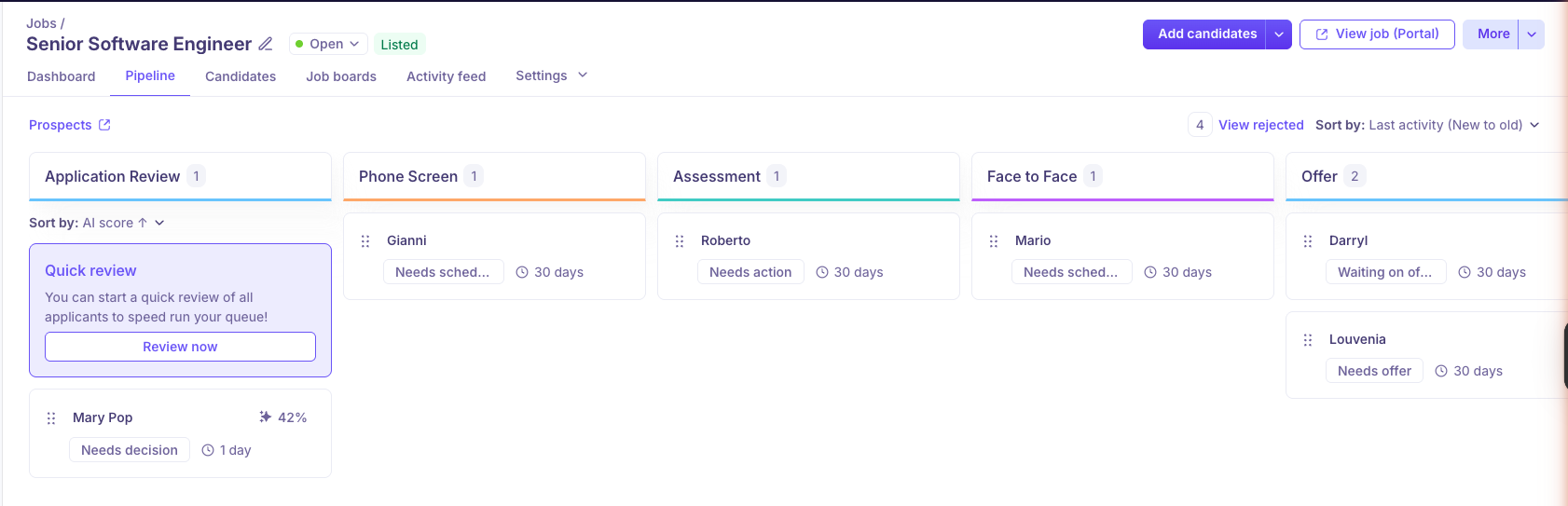
Use the Pipeline to track candidates from application to hire. Move candidates between stages and monitor overall pipeline health.
Key components
Quick Review
Start a quick review to process applicants faster.Pipeline Stages
View stages based on the selected Interview Plan. Each stage represents a step in your hiring process.Candidate Tracking
See which candidates are in each stage. Monitor progress and manage workflows.Latest Activity
View the most recent completed activity for each candidate.Stage Duration
See how many days a candidate has been in their current stage.Candidate Profile Access
Click a candidate’s name to open their profile. You can view:Current Job – The candidate’s current role or employment status
Resume – The candidate’s résumé and experience details
Notes – Internal comments added during the hiring process
Candidates
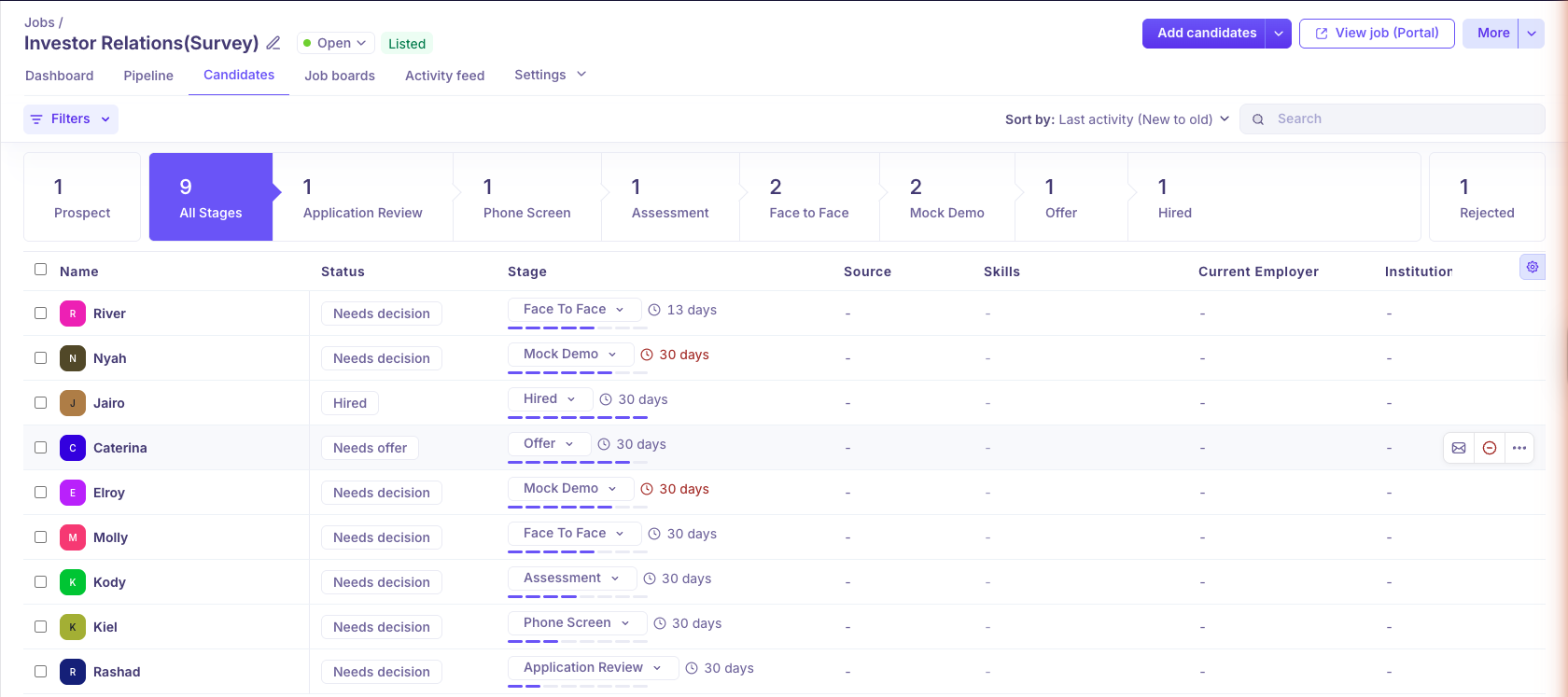
Use the Candidates section to manage all applicants and track their progress.
Key components
Candidate List
View all candidates who applied to your job postings.Search and Filters
Use filters to find candidates quickly. Filter by:Credited To – See who referred or sourced the candidate
Skills – Filter by specific skills
Tags – Categorize and filter using tags
Current Employer – Search by current company
School – Filter by educational background
Bulk Actions
Select multiple candidates to:Send emails
Reject candidates
Move candidates to another stage
Add candidates to another job
Candidate Profiles
Access detailed profiles that include application history, interview feedback, and communication logs.
Job Boards
Use Job Boards to publish jobs and increase visibility.
Key components
Job Board Integration
Multiple Job Boards
Connect with platforms such as LinkedIn, Indeed, Glassdoor, and other niche job sites.Unified Posting
Post to multiple job boards at once with a single submission. This saves time and keeps job descriptions consistent.
Activity Feed
Use the Activity Feed to track candidate and job-related actions.
Key components
Activity Logs
View detailed logs of actions taken on jobs and candidates. Maintain a complete record of activity.
Settings
Use Settings to configure job-related details.
In this section, you can review and manage:
Job Information
Hiring Team
Interview Plan
Job Post
Related Article - How to Create and Configure a Job in Kula