Connect Certn to Kula
Last updated: September 4, 2026
Connecting Certn lets you run background checks on candidates from inside Kula, pick a Certn package, and see the report without leaving the candidate's profile. Certn is the one background-check integration where you also choose a region.
Who can do this: Super Admin, Admin
Where to find it: Settings → Organization → Organization integrations → Background checks
Before you connect
You need three things from your Certn account: an API key, the region your Certn account is on, and a webhook secret. Certn's regions are separate — picking the wrong one will fail verification.
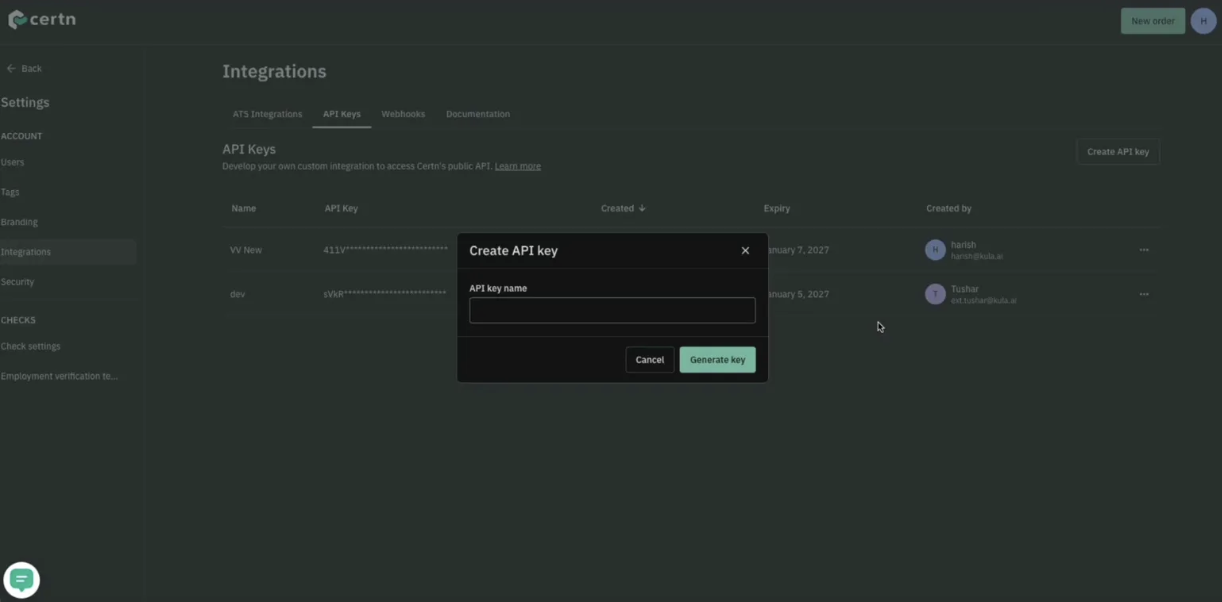
The API key comes from your Certn account settings. The webhook secret does not exist until you create a webhook in Certn pointing at Kula, so do that first.
Get your webhook secret from Certn
The webhook is how Certn tells Kula that a report has moved on. Certn only generates the secret when the webhook is created, so create the webhook before you open the Certn panel in Kula.
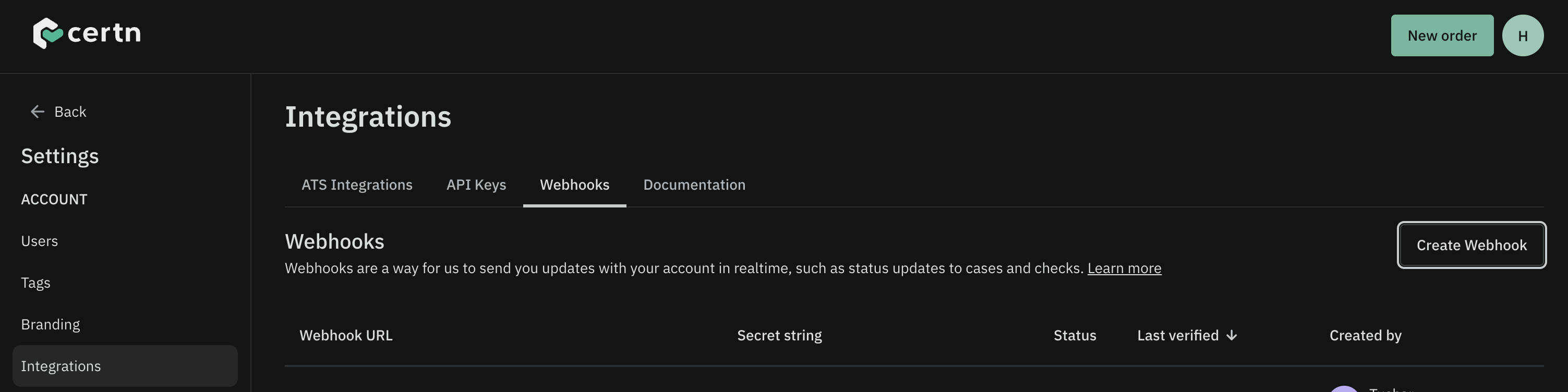
In Certn, go to Settings → Integrations and open the Webhooks tab.
Click Create Webhook.
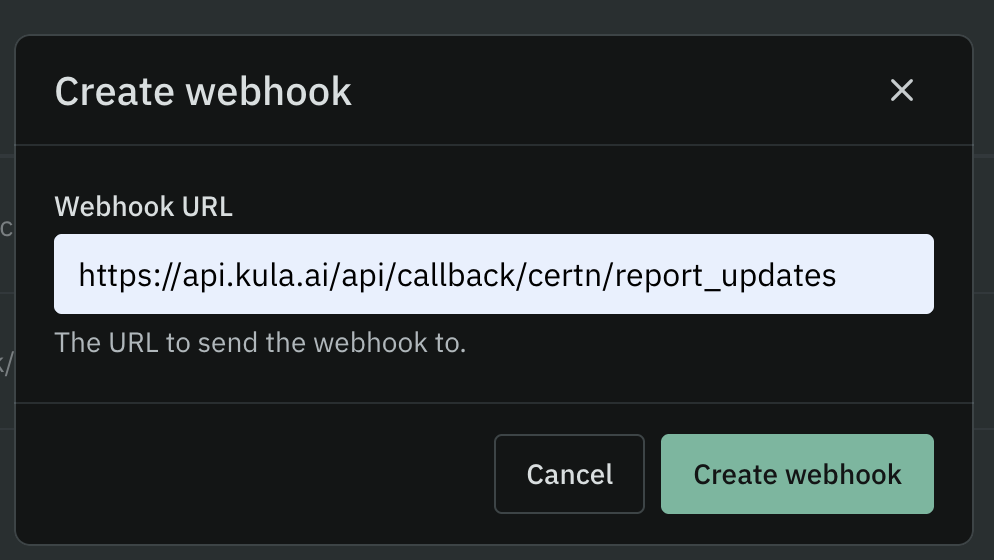
In Webhook URL, enter:
https://api.kula.ai/api/callback/certn/report_updatesClick Create webhook.
The new webhook appears in the list with a masked Secret string. Click the copy icon next to it to copy the secret.
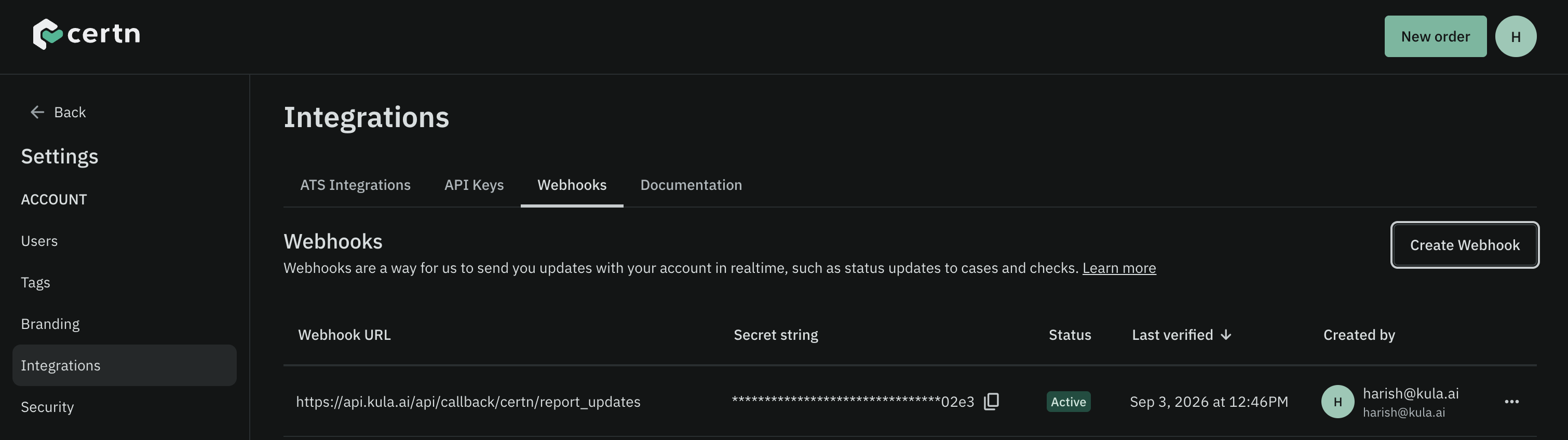
Keep the secret on your clipboard — you will paste it into Kula in the next section. Certn only shows it masked, so if you lose it, copy it again from this list.
How to Connect Certn with Kula
Go to Settings → Organization → Organization integrations.
Find the Certn card under Background checks.
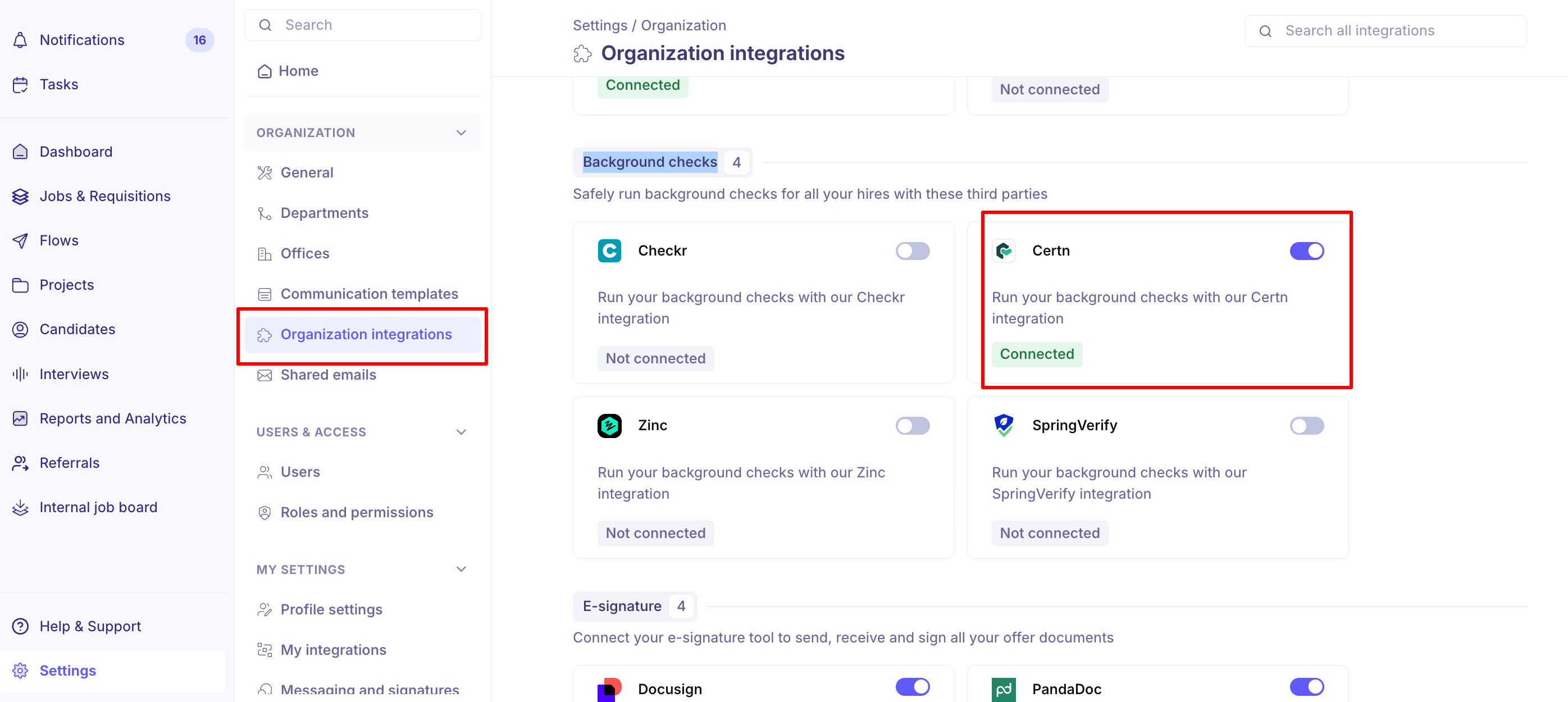
Turn the toggle on. The Certn Settings panel opens.
Paste your Certn key into API Key.
Choose your region under Select your region.
Enter your Webhook Secret.
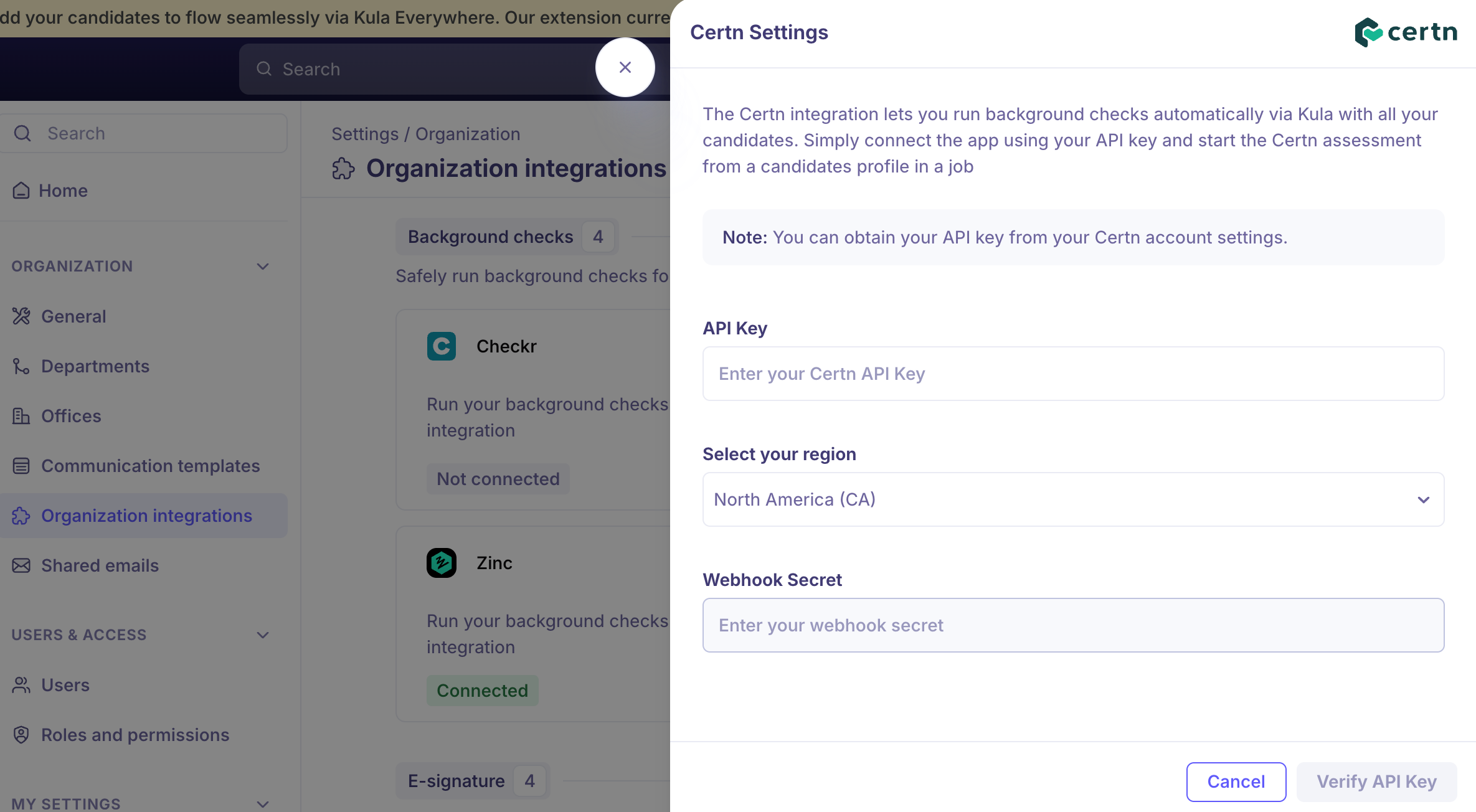
Click "Verify API key".
Choose the right region
Region option | Covers |
|---|---|
North America (CA) | Certn's North American API |
Europe, Middle East and Africa (UK) | Certn's UK API |
Asia Pacific (AU) | Certn's Australian API |
Run a background check
Once connected, you can trigger a Certn check ad hoc for any candidate who needs one. When you do, Kula shows the available Certn packages with what each one includes, and only offers checks that are supported and active on your account — so you cannot pick something that will be rejected. Statuses sync back into Kula and the report opens inside the candidate's application view.
For the full flow, see [Run a background check on a candidate]
Good to know
Certn has no bulk-invite API, so each candidate is submitted individually. There is no way to order checks for a group in one action.
The report status, not the order status, is what tells you a check is finished. A check is ready when Certn's report status reaches COMPLETE.
HR-only Certn accounts do not get tenant-only checks. Questionnaire and Income Verification are excluded for those accounts.
Disconnecting Certn while checks are in progress affects those candidates. Kula warns you before you confirm.
FAQ
We entered the right API key and Certn still says the credentials are wrong — what else could it be? Almost always the region. Certn runs separate APIs for North America, EMEA and APAC, and a valid key verified against the wrong region fails. Check which Certn region your account is on and select it in the dropdown.
Can we send background checks to a whole batch of candidates at once? No. Certn does not offer a bulk-invite API, so each candidate is submitted one at a time from their profile.
Need help? If you have questions or need assistance, reach out to us at support@kula.ai or use the in-app chat.