How to send a self-schedule link to a candidate
Last updated: August 18, 2026
A self-schedule link lets a candidate book their own interview slot from times Kula already knows the interviewer or interviewer pool is free for, instead of you going back and forth to find a time. Once the candidate picks a slot, Kula books the interview immediately and sends out calendar invites.
Use a self-schedule link whenever you'd rather let the candidate choose from real availability than propose times yourself, for a first-round screen, a panel interview, or any stage where the interviewer or pool is already set in the interview plan.
Path: Jobs > Candidates > Interviews > How to send a self-schedule link to a candidate
Send a self-schedule link from a candidate's Interview activity on their application.
Step 1: Open the scheduling menu
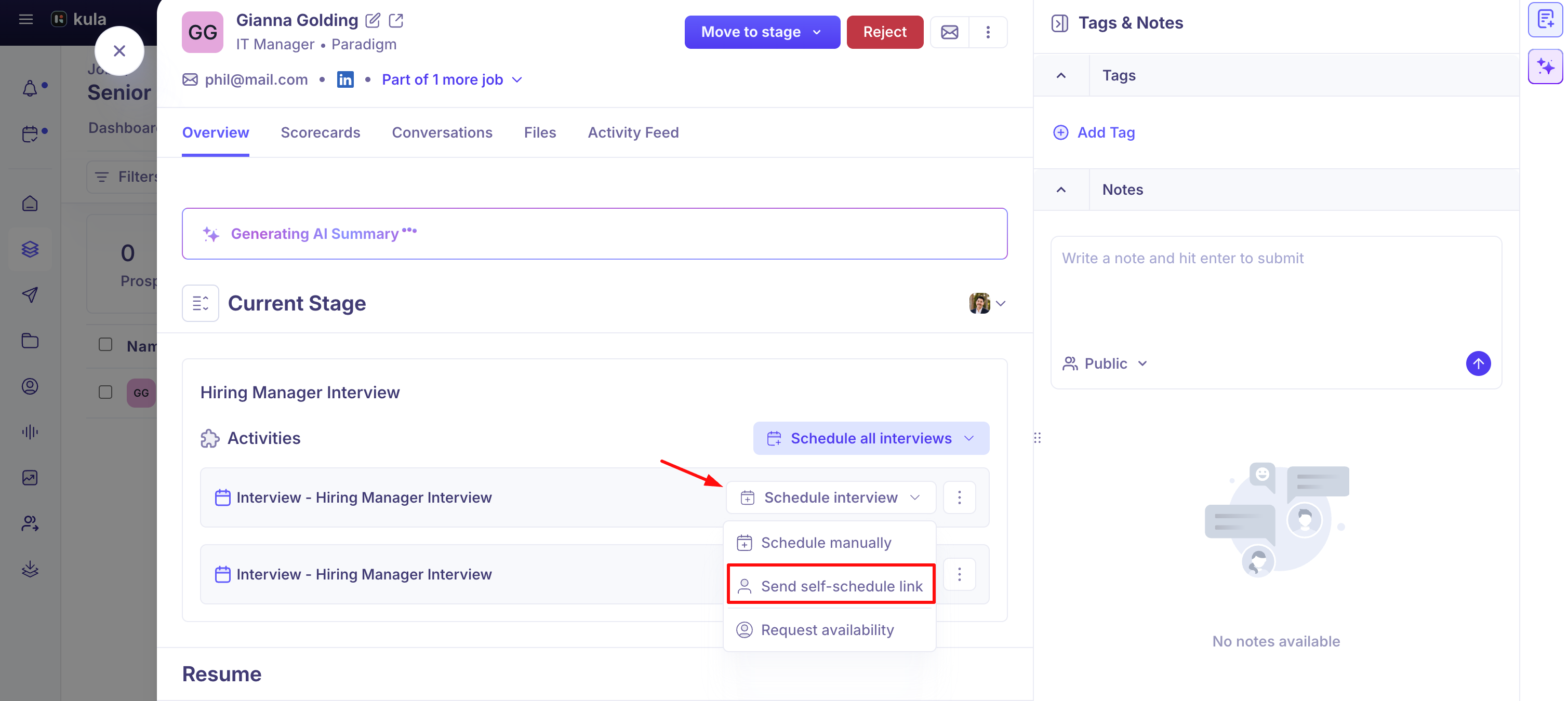
Open the candidate's application and find the Interview activity for the stage you're scheduling.
Open the scheduling options and select Send self-schedule link.
Step 2: Set the scheduling window and details
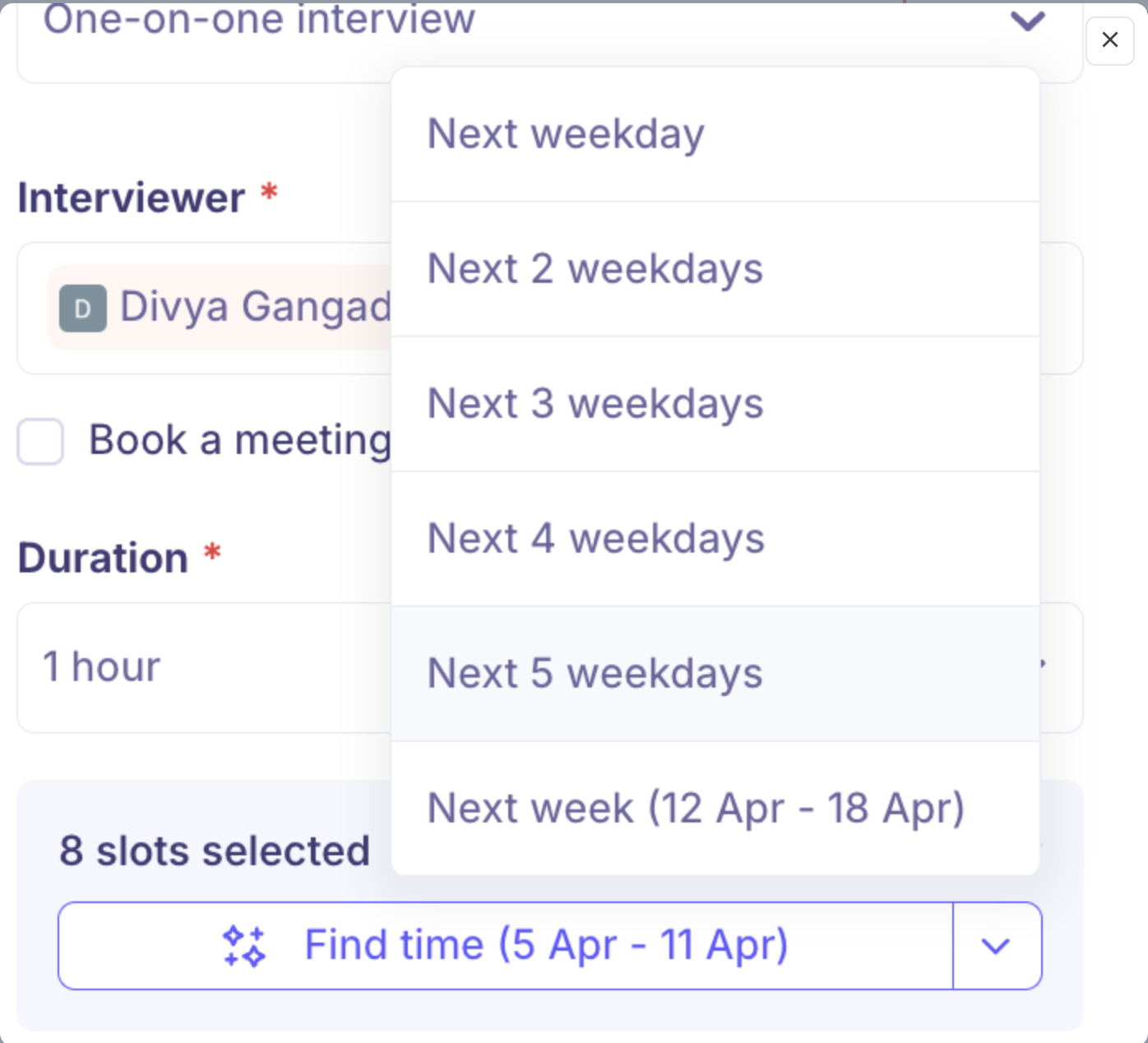
Choose a scheduling window: Next weekday, Next 2 weekdays, Next 3 weekdays, Next 4 weekdays, Next 5 weekdays, Next week, or Custom. The candidate can only book a slot inside this window, and the link stops working once it ends.
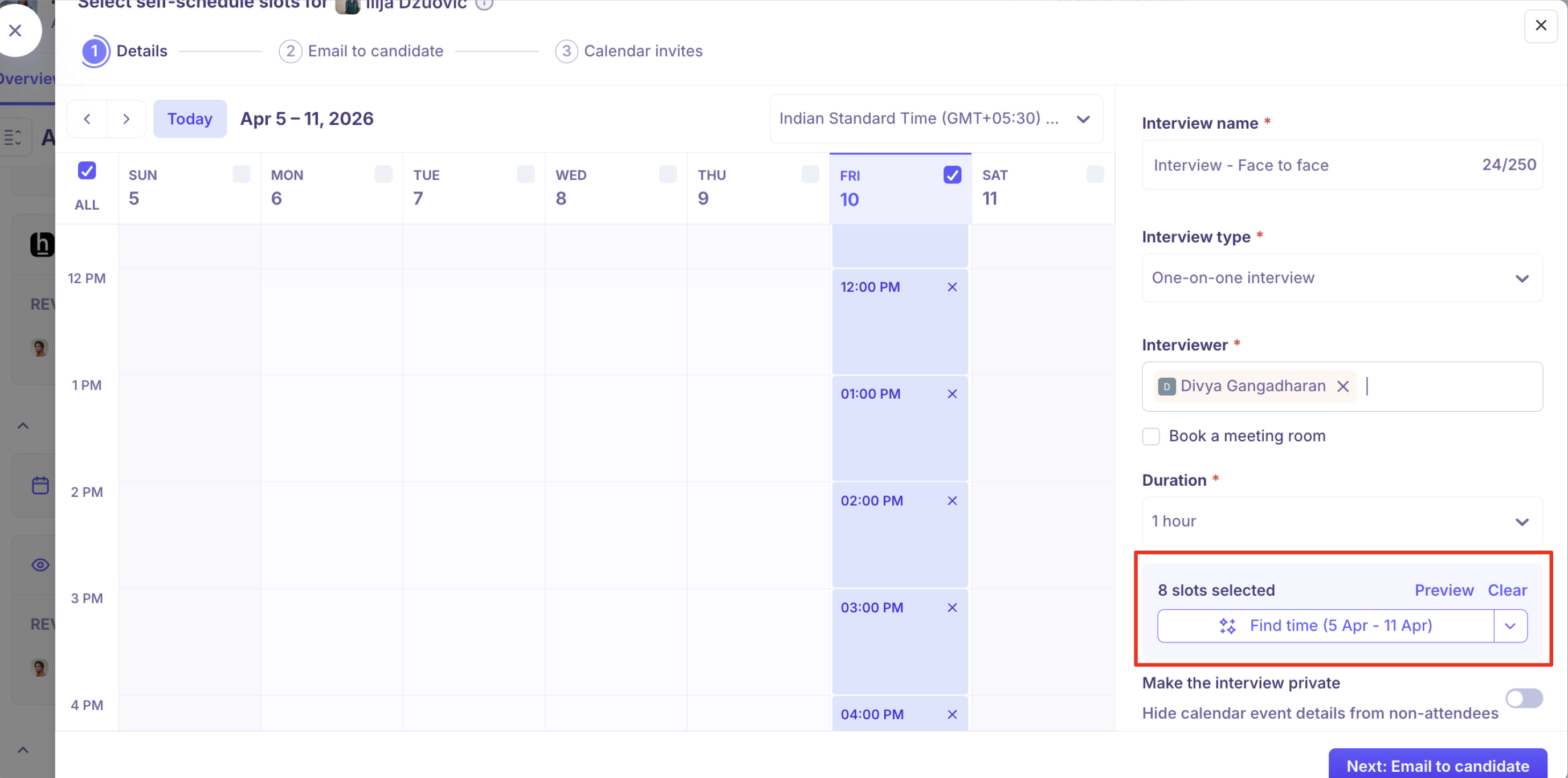
Confirm the interview duration. Kula fills this in from the interview plan by default.
Confirm the interviewer or interviewer pool for the interview, carried over from the interview plan.
Step 3: Customise and send the email
Edit the email the candidate receives if you want to change it from the default, then send it.
What the candidate sees
The candidate opens the link and sees only times when the assigned interviewer, or someone in the assigned pool, is actually free. As soon as they pick a slot, Kula books the interview and sends calendar invites; no further action needed from you.
Note: Sending a self-schedule link requires your Kula calendar to be connected. If it isn't, Kula prompts you to connect it before you can send one.