What is an interview plan?
Last updated: August 11, 2026
The structure that defines what stages a candidate goes through for a job, and what happens — interviews, emails, assessments, and more — at each one.
Who can do this: Anyone who can create or edit a job can view and configure its interview plan. Recruiters and Hiring Managers can typically view it; changing it usually sits with whoever has job-editing permissions.
Where to find it: Job → Interview Plan tab. You set this up as part of creating a job, either by selecting an existing interview plan template or starting from your account's default template.
What an interview plan is made of
An interview plan has two levels:
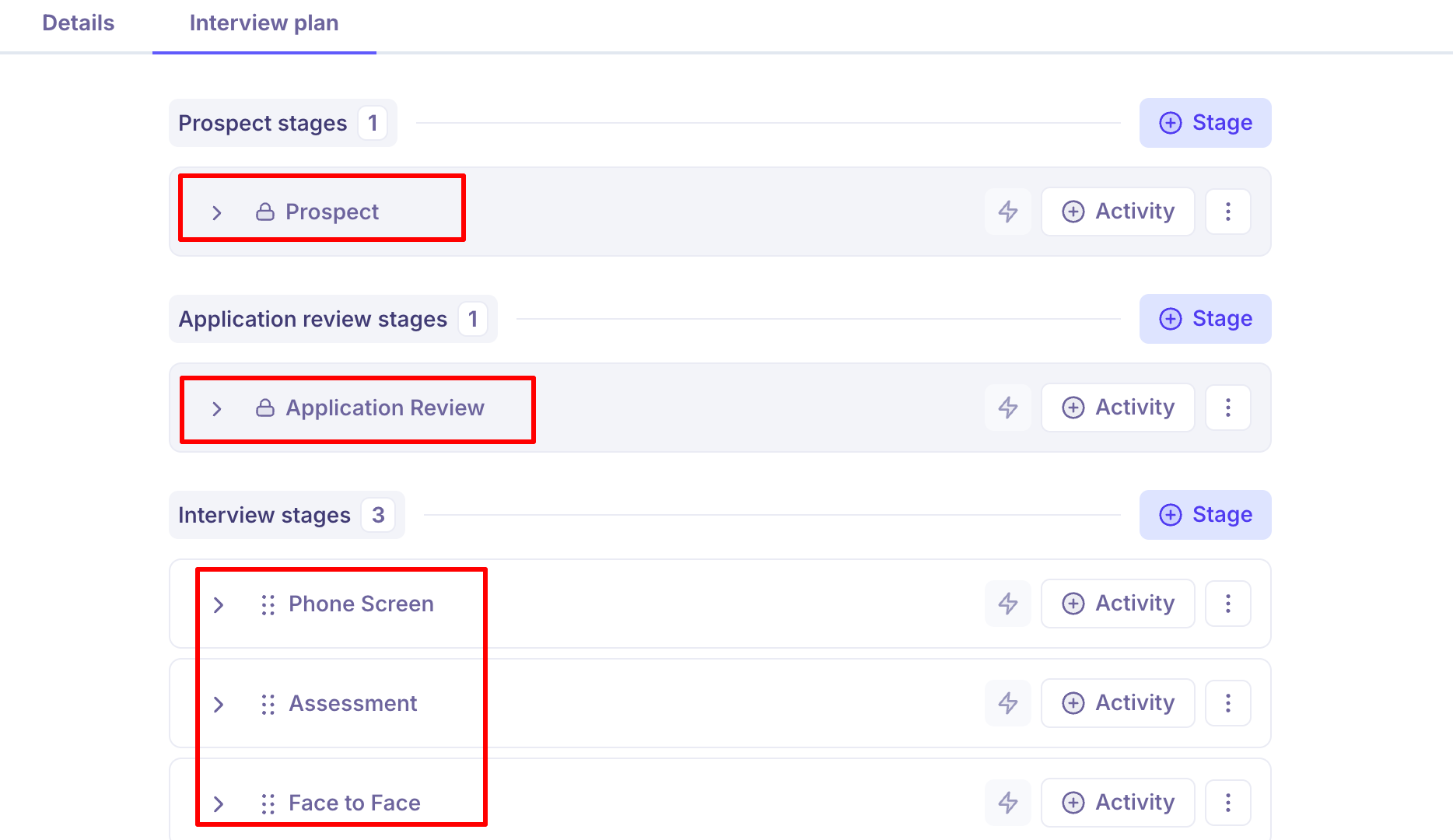
Stages — these map to the actual pipeline stages a candidate moves through on the job (for example, Recruiter Phone Screen, Hiring Manager Screen, Technical Round, Offer).
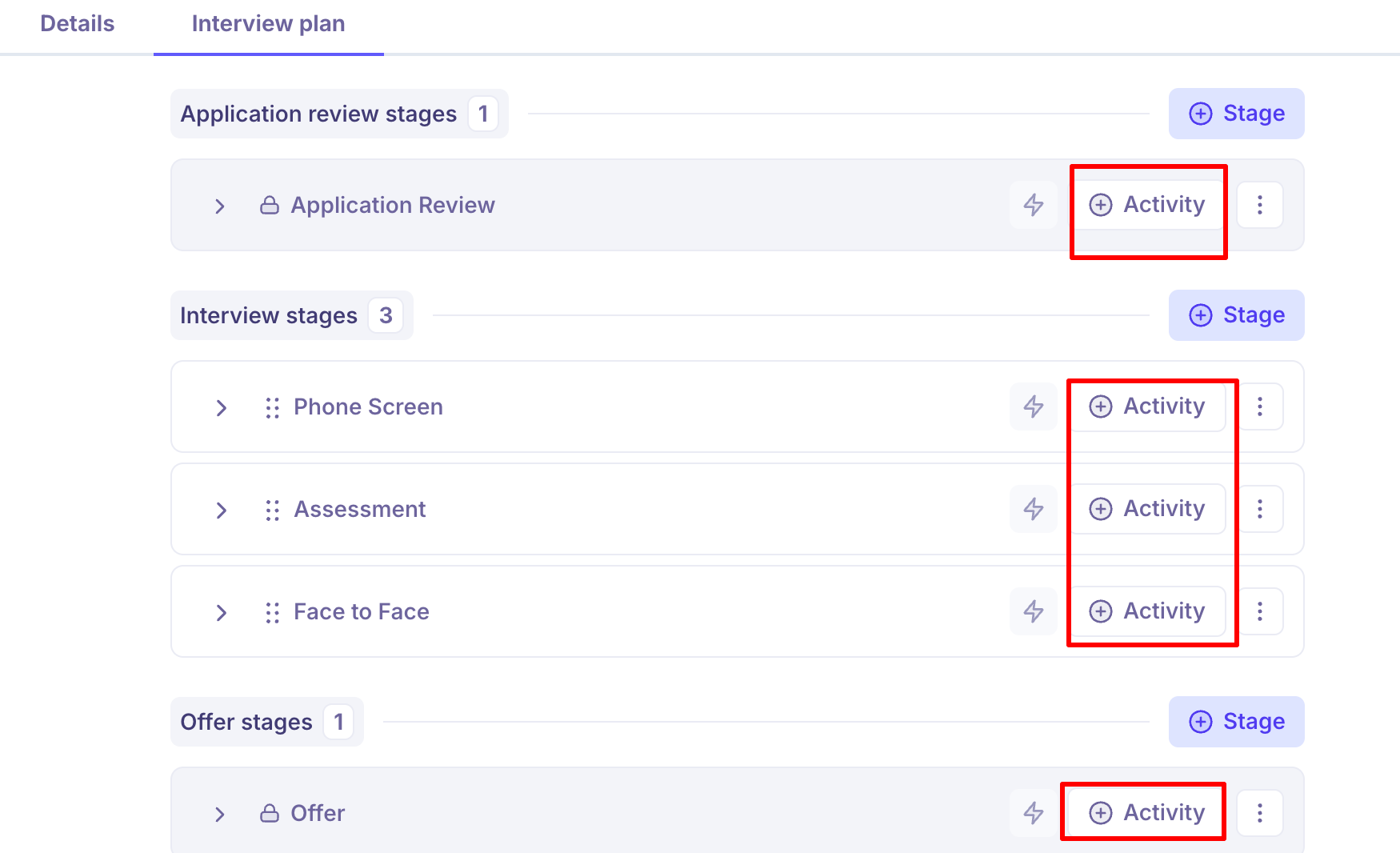
Activities — each stage can contain one or more activities: a live interview, a manually-triggered email (distinct from the automatic application-acknowledgment email), an assessment (candidates can upload responses, and multiple reviewers can be assigned), or a survey (which can be paired with a rejection template and sent in bulk).
Scorecards and interview plan activities
Each interview activity can have a scorecard template attached: Interview Plan → stage → edit activity → Scorecard tab → enable and select a template.
When an interview is scheduled through the plan, its scorecard is attached automatically — the interviewer sees it via the interview link.
If an interview is scheduled ad hoc (added manually, outside the plan), the scorecard isn't auto-attached and has to be added by hand.
Templates and scoping
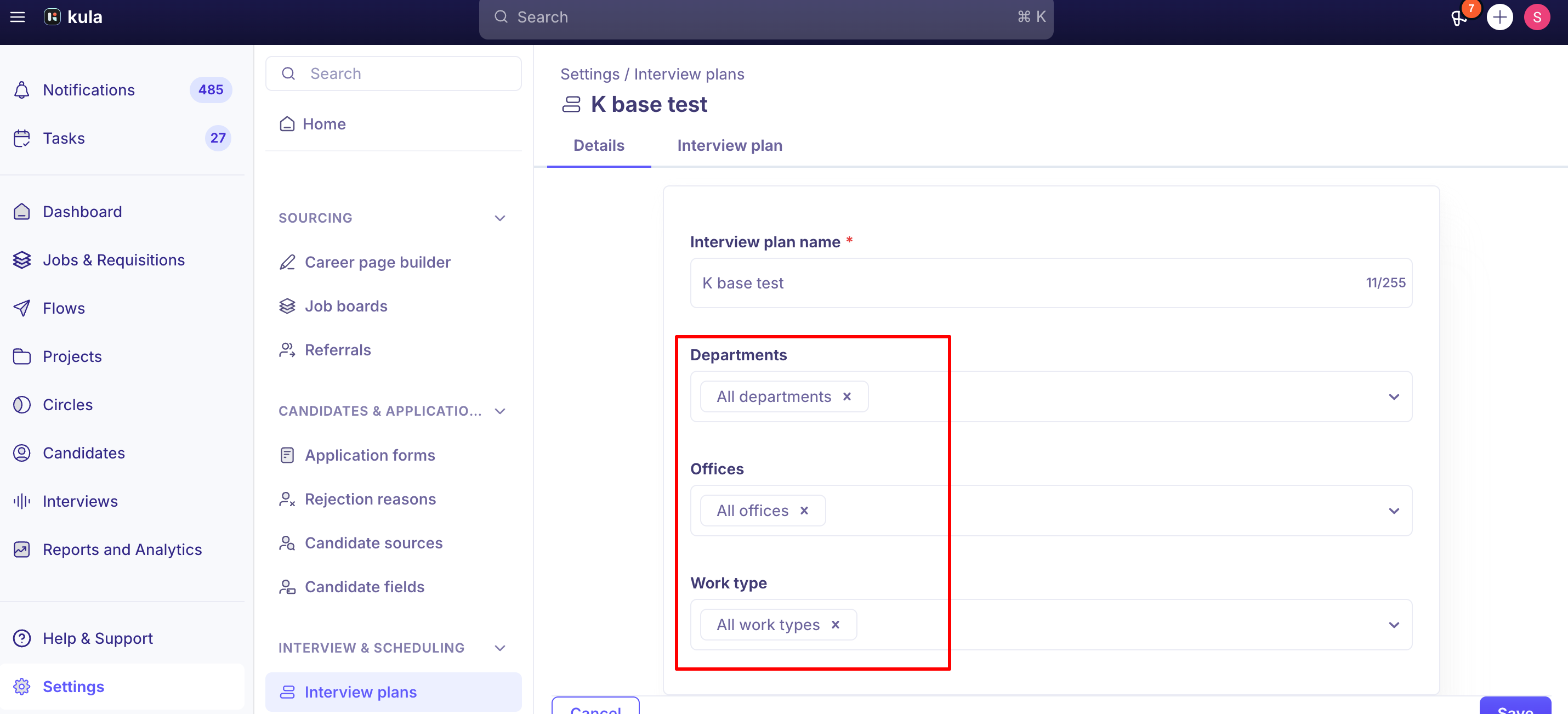
Interview plan templates can be scoped by department, office, and work type, so the right starting plan loads automatically depending on how a job is categorized. Your account can also have a default template that's used when nothing more specific applies.
Good to know
Once an interview is scheduled, its scorecard is locked to that point in time. Later changes to the interview plan or scorecard template won't apply retroactively — they only affect newly scheduled interviews, or interviews that are cancelled and then rescheduled. An interview that's simply edited and rescheduled keeps its original scorecard. This is a deliberate design choice, meant to keep evaluation criteria consistent across everyone interviewed for the same role.
There's no dedicated debrief or roundtable stage/activity type today. Teams that want a structured post-interview debrief currently handle it outside the interview plan. This is a real, longstanding, currently open feature request. See "Run a debrief / hiring huddle" for how teams handle this today.
Updating an interview plan template doesn't propagate to jobs that already used it. If you edit a template after jobs have already been created from it, those existing jobs keep their own copy of the plan as it was — you'd need to update each job's plan individually. This is a real, currently open gap, not a bug.
Per-activity scorecard and self-schedule template defaults are matched to activity type, not just list position — a bug that briefly caused wrong defaults to auto-populate (for example, a Recruiter Screen activity picking up a Focus Round template) was identified and fixed in early August 2026.
Some users have reported a scorecard selection on an interview plan activity not saving reliably. This has come up in real support conversations; if you notice a scorecard you selected doesn't seem to have stuck, re-check the activity and re-save, and reach out to support if it keeps happening.
A handful of interview plan management actions have known rough edges: there's no way to permanently delete a plan (only Edit, Clone, or Archive), no drag-and-drop reordering of stages or activities yet, no per-activity enable/disable toggle, no direct way to switch which named plan a job uses mid-pipeline, and duplicate plan names are currently allowed without warning.
FAQ
What's the difference between an interview plan and a scorecard? The interview plan is the overall structure — the stages a candidate goes through and the activities within each. A scorecard is the evaluation form attached to a specific interview activity within that plan.
If I edit my interview plan, does it affect interviews that are already scheduled? No — scorecards are locked to the version that existed when the interview was scheduled. Your changes apply to newly scheduled interviews, or ones that are cancelled and rescheduled, not ones that are simply edited and rescheduled.
If I update an interview plan template, will it update jobs that already use it? No — existing jobs keep their own copy of the plan as it was when they were created from the template. You'd need to update each job individually.
Can I add a debrief or roundtable discussion as a stage in the interview plan? Not as a dedicated stage/activity type today — this is a known, open feature request. See "Run a debrief / hiring huddle" for how to handle this in the meantime.
Why isn't a scorecard showing up on an interview I scheduled manually? Scorecards only auto-attach when an interview is scheduled through the interview plan. For ad hoc/manually scheduled interviews, you'll need to add the scorecard yourself.
Can interview plans differ by department or office? Yes — interview plan templates can be scoped by department, office, and work type.
Need help?
If an interview plan isn't behaving as expected — a scorecard not attaching, saving, or showing up correctly — contact Kula support.