Application form
Last updated: August 6, 2026
Your application form is what candidates fill out when they apply to a job, and what your hiring team sees in the Application Review stage. You build it per job, from the job's Job Post settings.
Use the application form builder to decide what information you collect from candidates, add custom fields specific to the job, and control what each hiring team role can see.
Where to configure it
Per job: open the job, go to Settings, then Job Post, and scroll to the Application form builder.
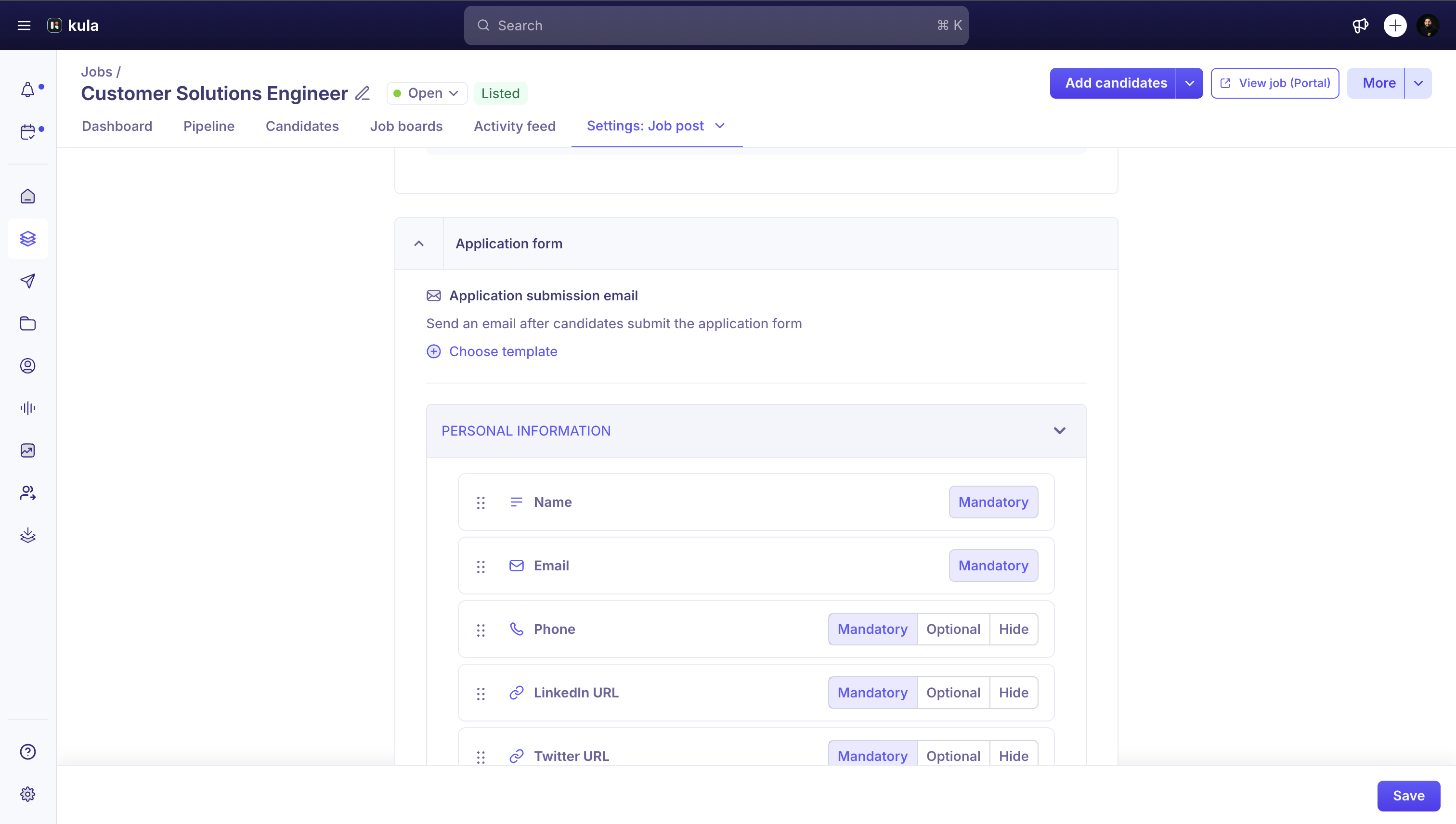
Org-wide templates: go to Settings, then Application Forms, to manage reusable form templates across jobs.
What the builder includes
The application form builder is organized into sections: Personal info, Profile, Application stage fields, an EEO questions toggle, and Auto-rejection rules.
Different forms for different applicants
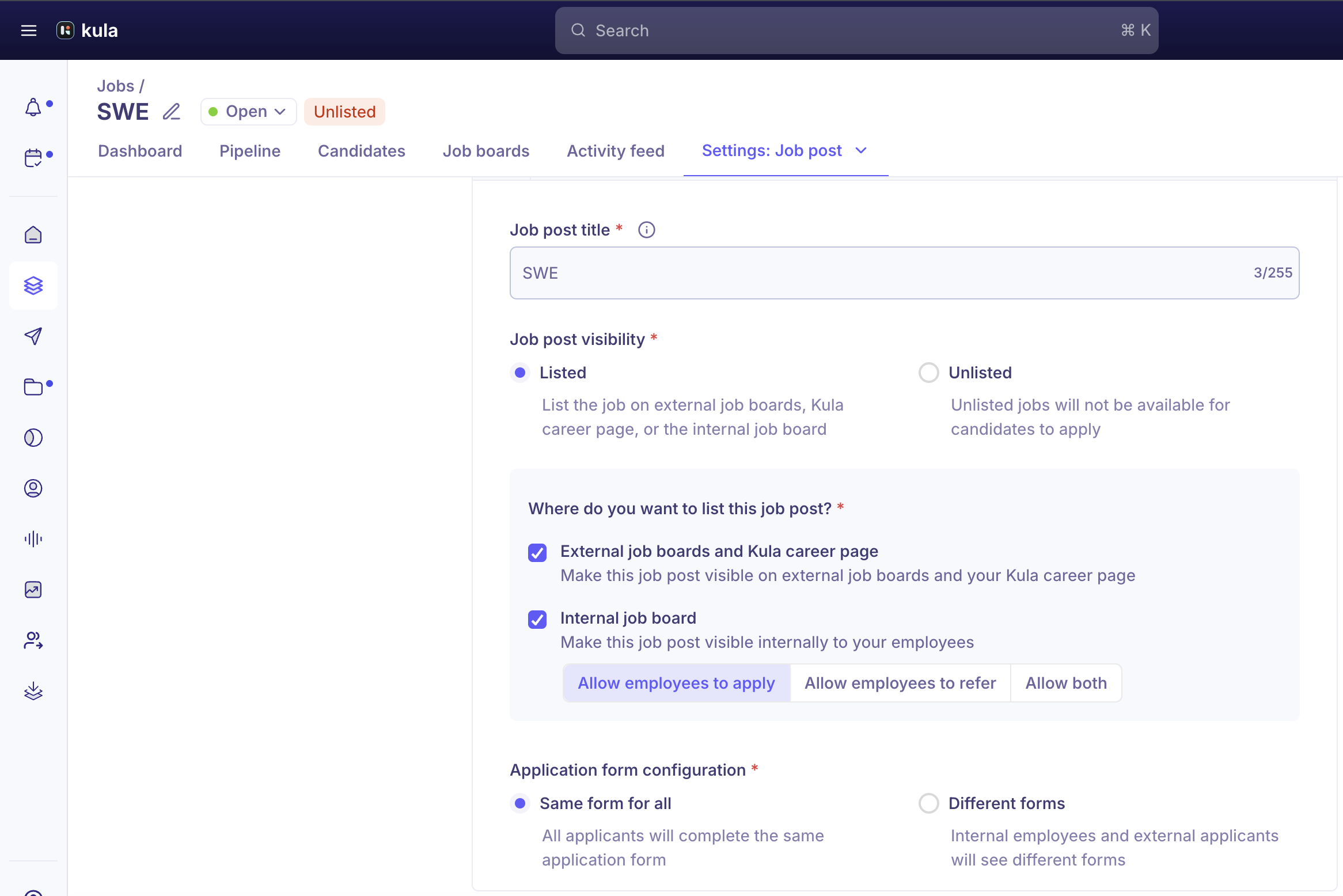
By default, every applicant sees the same form. Turn on Different forms to split it into a separate External candidate form and Internal employee form. The internal form lets you pick a template from a Select application form template dropdown.
Adding fields to the form
Note: To add custom fields to the application form, see Adding custom questions to applications.
Need Help?
If you have questions or need assistance, reach out to us at support@kula.ai or use the in-app chat.