Creating a shareable self-schedule link
Last updated: November 20, 2026
Every interview activity in a job's interview plan has its own self-schedule link. Share it anywhere: in a job post, an email, a LinkedIn message or a chat. Anyone with the link can book the interview themselves, even if they aren't a candidate in Kula yet.
Who can do this: Super Admin, Admin, and Recruiters on the job's hiring team
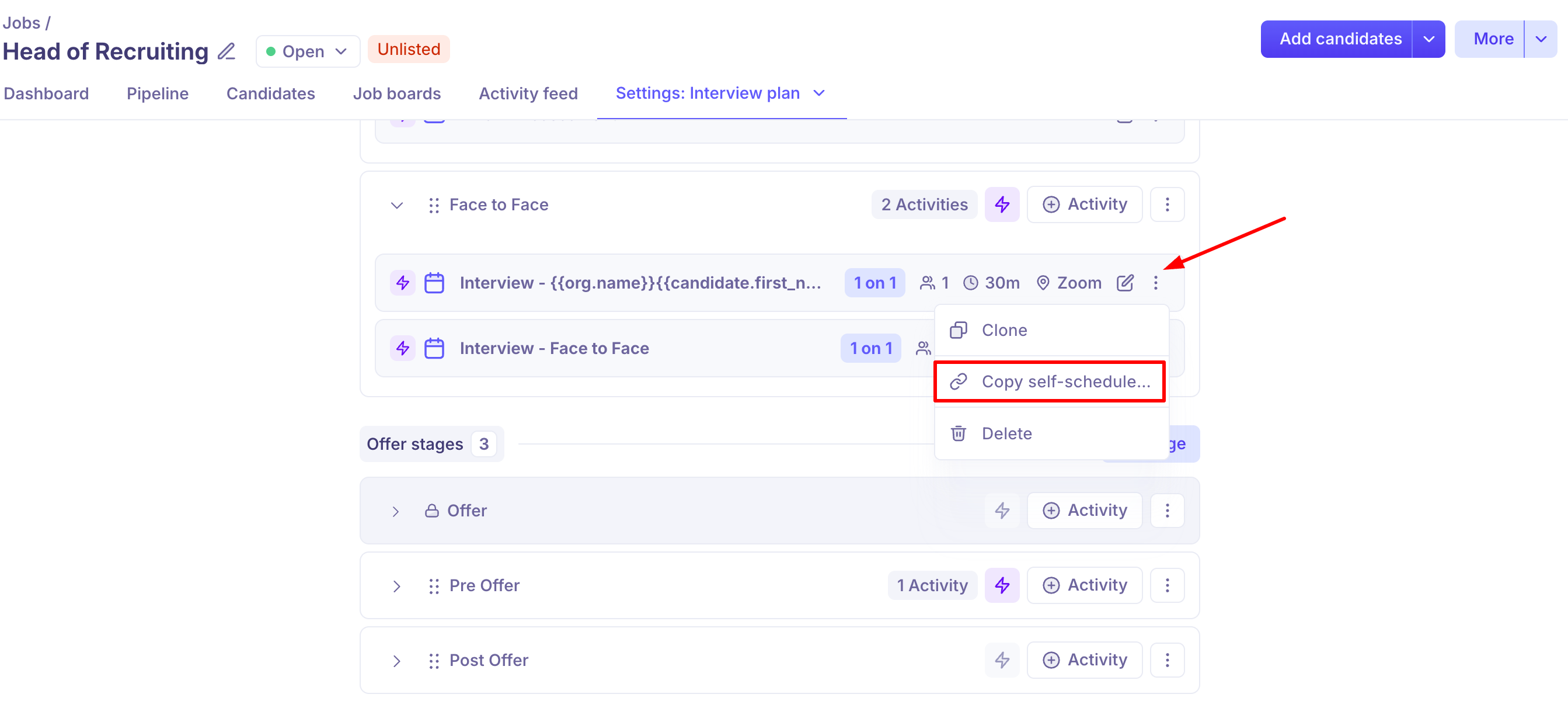
Where to find it: Jobs → your job → Job settings → Interview plan → ⋮ on the interview activity → Copy self-schedule link
Copy the link
1. Open the job and go to Job settings.
2. Open the Interview plan.
3. Find the interview activity you want candidates to book.
4. Click the ⋮ menu on that activity.
5. Select Copy self-schedule link.
6. Paste the link wherever you want to share it.
The link stays the same for that interview activity. You can reuse it in as many places as you like.
The interview plan for a job, with the options menu open on an interview activity and the Copy self-schedule link option highlighted:
Before you share it
The link only works when all of these are true:
The job is Open. Listed and unlisted jobs both work.
At least one interviewer on the activity is active
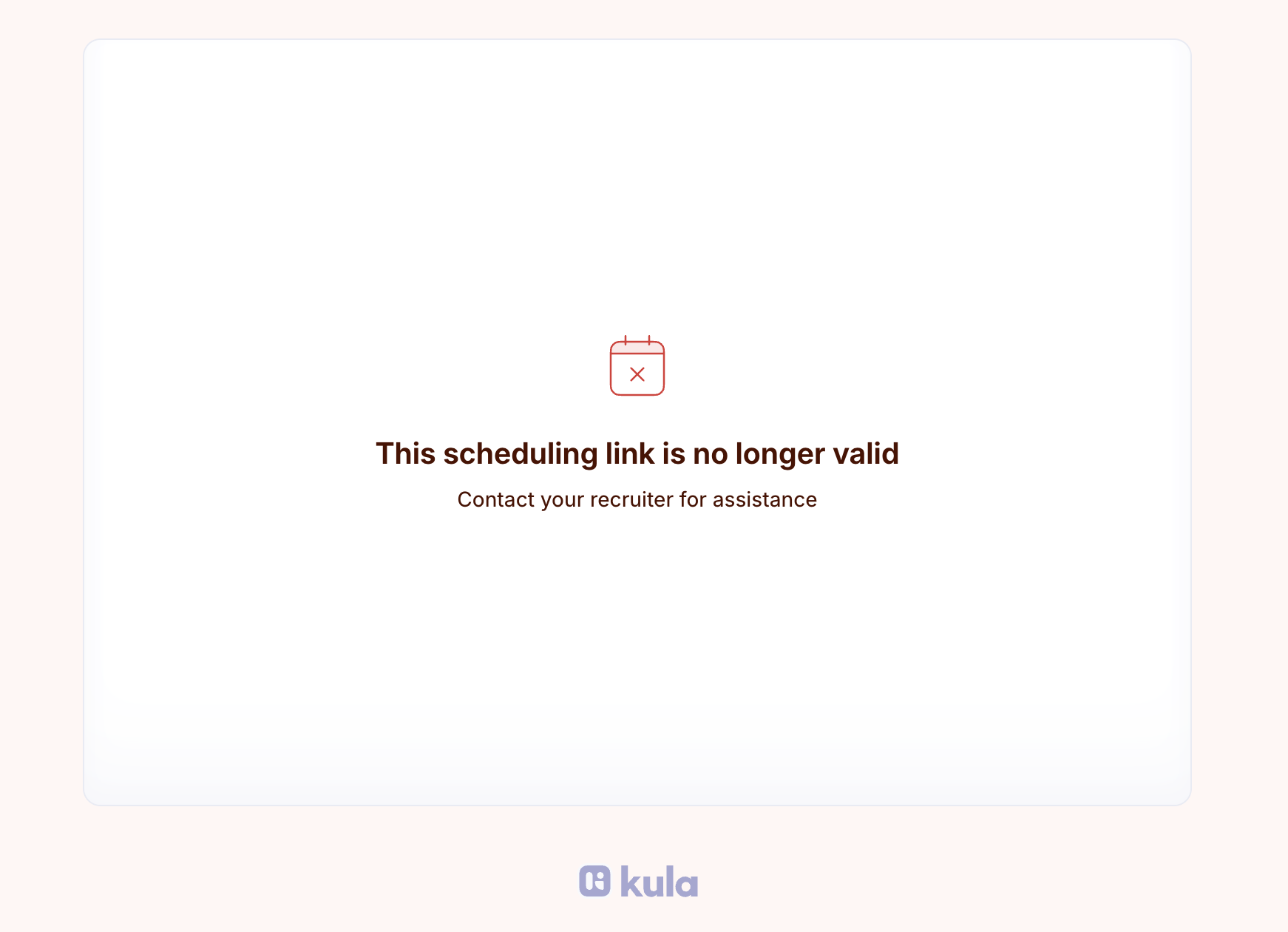
If any of these stops being true, anyone who opens the link sees "This scheduling link is no longer valid". This also happens if the interview activity is deleted.
What the candidate sees
1. The candidate opens the link.
2. They see the interview name, duration and location.
3. They pick a slot from the interviewers' live availability. Times are shown in the candidate's own timezone.
4. They enter their name, email address and any notes (notes are optional).
5. They confirm the booking.
If your organisation has candidate consent turned on, the booking page also shows a consent notice with a link to your privacy policy. Kula records the candidate's consent when they book.
What Kula does when someone books
Kula books the interview, creates the meeting link and sends calendar invites automatically. What happens to the candidate depends on whether Kula already knows them.
In both cases:
The stage automations for the new stage run as usual. Pending automations from the previous stage stop, the same as a manual Move to stage.
The activity feed records the booking and any candidate creation or stage move.
When someone can't book
Kula blocks the booking when the candidate:
Has already completed or scheduled this interview with a recruiter.
Was already sent a self-schedule link for this interview by a recruiter or an automation.
Has an application that is rejected, hired or archived.
A candidate who has already booked through the link and opens it again sees: "You've already booked this interview. Check your email for the details."
Good to know
The link offers every free slot inside the interviewers' working hours. You can't choose specific slots for this link. To keep times off the link, block them as busy in the interviewer's calendar, or change their working hours (see Needs verification 2). Working hours apply to all scheduling in Kula, not just this link.
One link per interview activity, one interview per booking. Each person who books gets their own interview slot. The link doesn't create group or batch interviews.
This is different from sending a self-schedule link to a candidate. That flow still works as before, and it sends a personal link with slots you choose. See Sending self-schedule links
Consent is recorded only if candidate consent is turned on for your organisation.
FAQ
Can I choose which time slots candidates can book from the link?
Not at the moment. The link offers all free slots within the interviewers' working hours. Busy events on their calendar are skipped, so you can block time there. For more, see Setting your working hours.
How do I stop candidates booking over my lunch break?
Block lunch as busy on your calendar, and the link skips that time. You can also split your working hours around lunch, for example 9:00–12:00 and 13:00–18:00. For more, see Setting your working hours
Does the link work if my job is unlisted?
Yes. The link works for any Open job, listed or unlisted. For more, see Job statuses
Can I post the link on LinkedIn or WhatsApp?
Yes. The link isn't tied to one candidate, so you can share it in any message, post or email. Kula adds whoever books to the job at the interview's stage.
Can I use this link to run a bulk or group interview?
No. Each booking creates one interview for one candidate. The link saves you sending individual invites, but it doesn't put several candidates into one meeting. For more, see Sending self-schedule links
Does the candidate need to apply first?
No. If Kula doesn't recognise their email address, it creates them as a candidate on the job when they book.
Need help?
If you have questions or need assistance, reach out to us at support@kula.ai or use the in-app chat.