Pausing and stopping sequences
Last updated: July 31, 2026
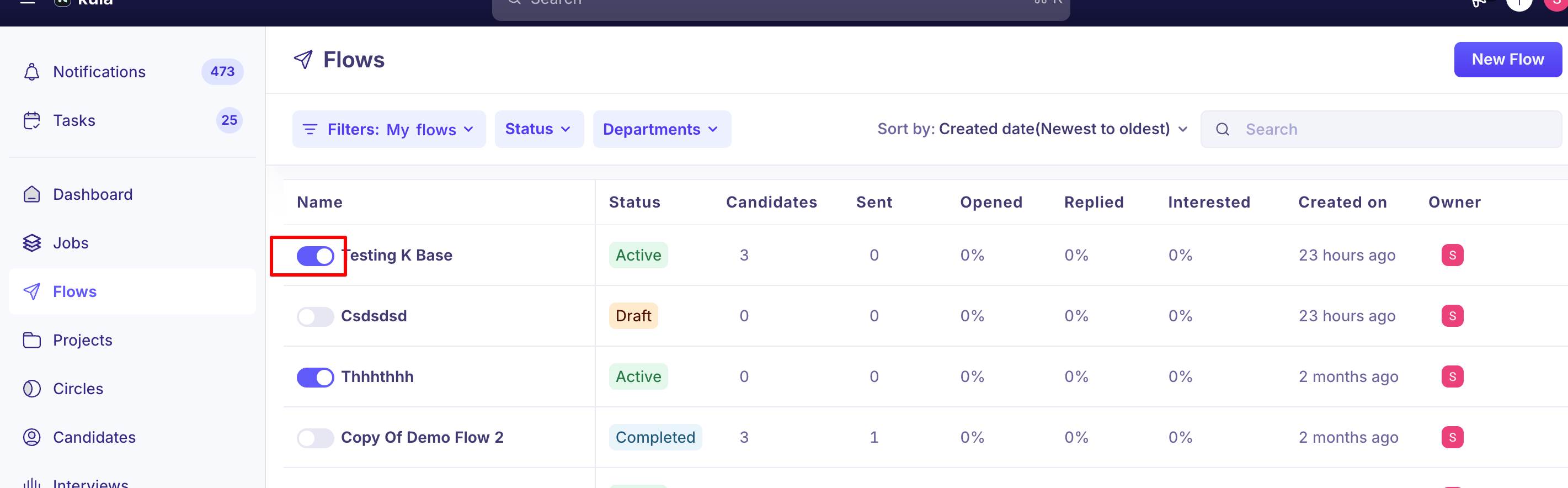
Sometimes you need to pause an entire flow temporarily, or stop outreach to a specific candidate for good.
This article covers the difference between pausing and stopping, what happens to scheduled steps either way, and the situations where Kula pauses or stops things automatically on your behalf.
Who can do this: Any user with flow management permissions — typically Recruiters, Admins, and Super Admins.
Where to find it: Flow settings for pausing an entire flow; a candidate's row or profile within a flow for stopping or removing them individually; bulk actions from a Flow or Project candidate list.
Pausing vs. stopping: what's the difference
Pause is temporary and resumable. A paused flow (or a paused candidate within one) can be picked back up later.
Stop is permanent for that candidate. Once a candidate is stopped in a flow, they can't be reactivated in that same flow — if you want to re-engage them, you'd add them to a different flow instead.
A candidate who's already reached an end stage (like "Flow not replied") or who's already stopped won't show a Stop option — there's nothing left to stop.
Stopping or removing individual candidates
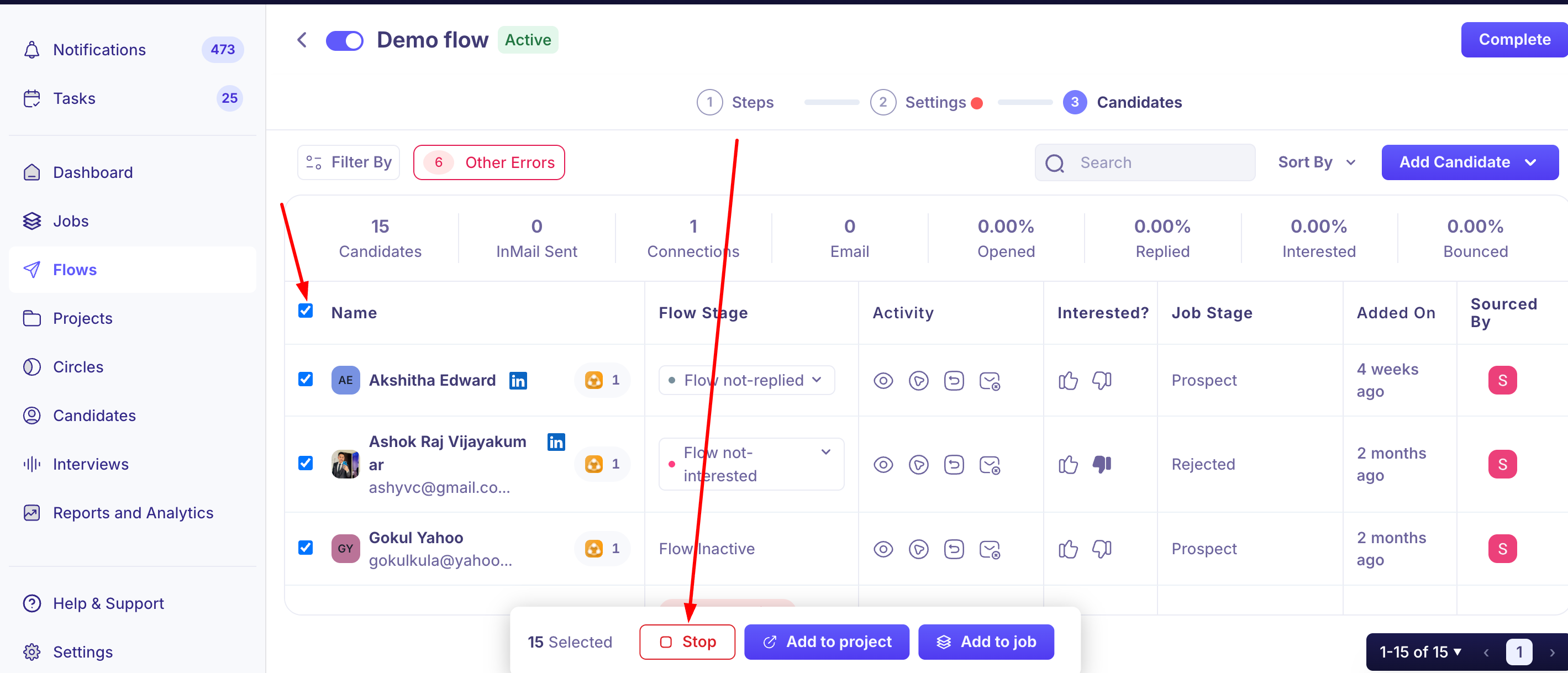
You can stop a specific candidate's progress through a flow, or remove them from it entirely, from their row or profile within the flow.
To do this for many candidates at once, go to a Flow or Project candidate list, select a page (20, 50, or 100 candidates) or Select All, and apply Stop Candidates or Remove Candidates as a bulk action.
When Kula pauses or stops things automatically
A few things can pause or stop outreach without you doing it manually:
A candidate replies. Kula automatically stops sending further steps to that specific candidate — this only affects them, not the rest of the flow's other candidates. See Creating an outreach sequence for more on reply behavior.
A sender's mailbox gets disconnected. Flows using that sender may stop, and the flow owner is notified with a reauthentication link — nothing resumes until the mailbox is reconnected.
InMail credits run out. Affected candidates are marked "Action Required" and the flow stops sending to them. This doesn't self-heal once credits refresh — you'll need to take action manually (see below).
A candidate is already active in the flow's linked job. The flow can show as paused with an error for those specific candidates, and there's currently no direct fix for this — a known, open limitation.
Recovering from a stopped or failed step
Out of InMail credits: go to the flow's Candidates tab, filter by Other Errors to find affected candidates, select them, and use Move Step from the bulk action bar to re-queue them to the InMail step (they'll send once your extension is active again) — or use Move Step to skip that step entirely and continue with the next one.
"Unexpected error" on a connection request: this usually means the request timed out (LinkedIn was slow, or the extension tab was navigated away mid-execution) — safe to retry. Go to Tasks → Flows, filter by Failed/Skipped, and re-run the task directly.
Good to know
Stop is permanent — there's no undo. Pause, by contrast, can always be resumed.
Pausing an entire flow supports a scheduled auto-resume date, useful for planned breaks like holidays.
A mailbox disconnection can quietly stall a flow. If a flow seems stuck, check for a disconnection notification before assuming something else is wrong.
Running out of InMail credits doesn't self-heal. Affected candidates sit in "Action Required" until you manually re-queue or skip them.
A flow paused due to the job-linked guard rail currently has no direct fix. This is a known limitation, not something you're doing wrong.
FAQ
What's the difference between pausing and stopping a candidate or flow? Pause is temporary and can always be resumed. Stop is permanent for that candidate — once stopped, they can't be reactivated within that same flow.
Can I pause every flow at once, like over the holidays? Yes — you can pause a flow with a scheduled date/time for it to automatically resume, so you don't have to manually turn it back on.
Why did my flow stop sending to a candidate? Common causes besides a manual pause or stop include the sender's mailbox disconnecting, running out of InMail credits, or the candidate replying (which stops just that candidate's steps). Check their status or an "Action Required" flag for the specific reason.
My flow ran out of InMail credits — will it resume automatically once credits refresh? No — affected candidates stay in "Action Required" until you manually re-queue them (filter by Other Errors, then bulk Move Step) or skip that step for them.
Can I stop or remove multiple candidates from a flow at once? Yes — from a Flow or Project candidate list, select a page or Select All, then apply the Stop Candidates or Remove Candidates bulk action.
Need help?
If you have questions or need assistance, reach out to us at support@kula.ai or use the in-app chat.