Requisition approvals
Last updated: December 9, 2025
Here, you can set up the requisition approval flows.
Create a requisition approval flow
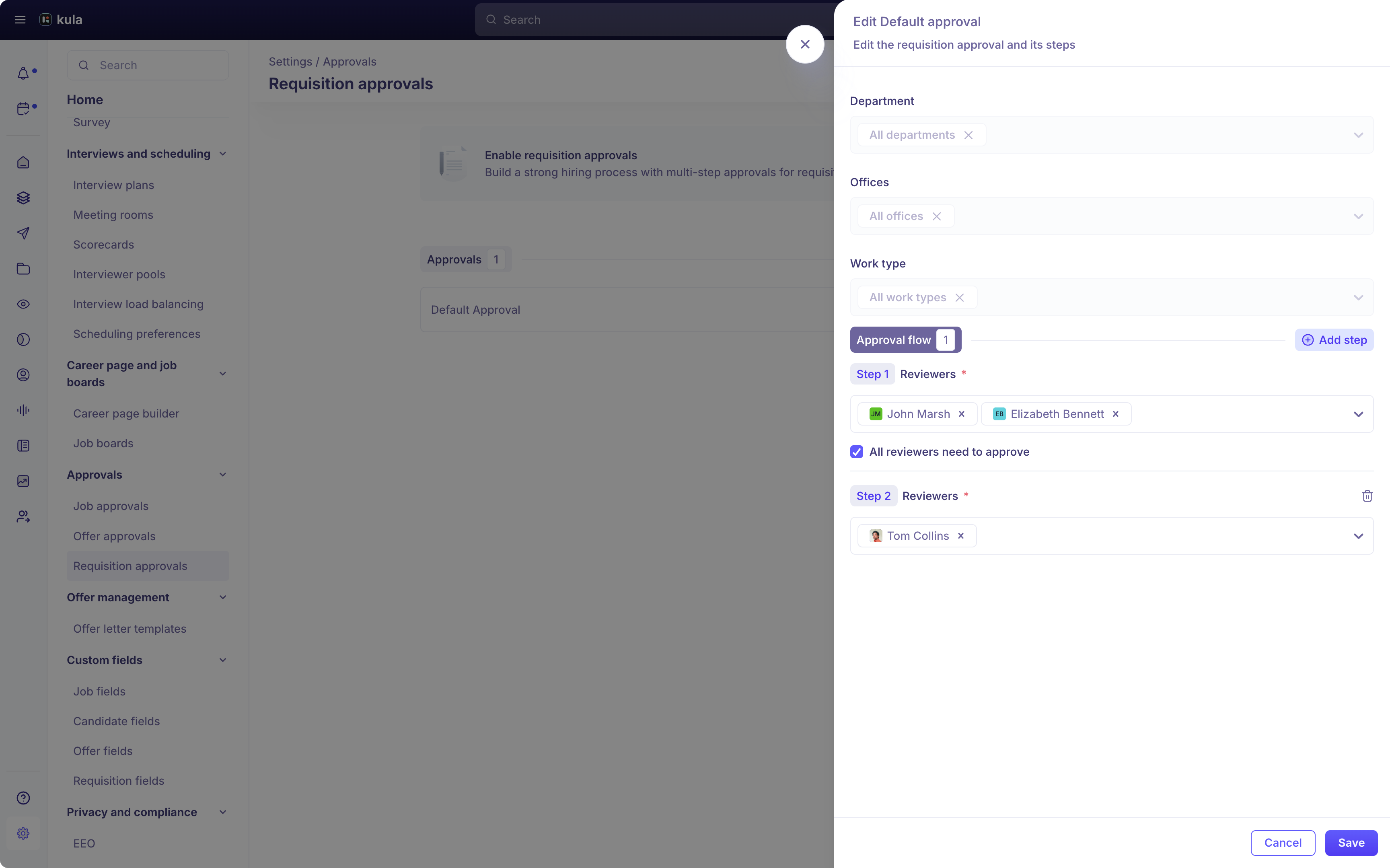
Create new requisition approval flows with the following steps
Click Add approval to add a new approval flow
Enter the Requisition approval name
Map the appropriate department, office, and work type to the approval flow. This flow will be triggered only for requisitions matching the department, office, and work type combination.
Add reviewers to each step of the approval process. Your approval process can have as many steps as you need. Click Add step to add more steps and add reviewers to them.
When you can add more than one reviewer to a step, you can choose if all of them have to approve to complete the step or if any one can approve.
Click Add to add the new approval flow.
You can always edit or delete the approval flow from this screen using the Edit and Delete icons for that approval flow.