Global search
Last updated: September 17, 2026
Global search lets you find candidates, jobs, flows, and interviews from anywhere in Kula, without navigating through menus.
Use it to jump straight to a candidate's profile, check a job's status, locate an outreach flow, or find an upcoming interview, all from one search bar.
Who can do this: Any user can open global search. Which result tabs you see depends on what you have access to — for example, the Flows tab only appears if you have Flows access, and the Interviews tab only appears if you have ATS access.
Where to find it: Open global search one of two ways:
Click the search bar in the top bar.
Press ⌘K (Mac) or Ctrl+K (Windows) from anywhere in the app.

Opening global search
Open global search one of two ways:
Click the search bar in the top bar.
Press ⌘K (Mac) or Ctrl+K (Windows) from anywhere in the app.
Recently viewed
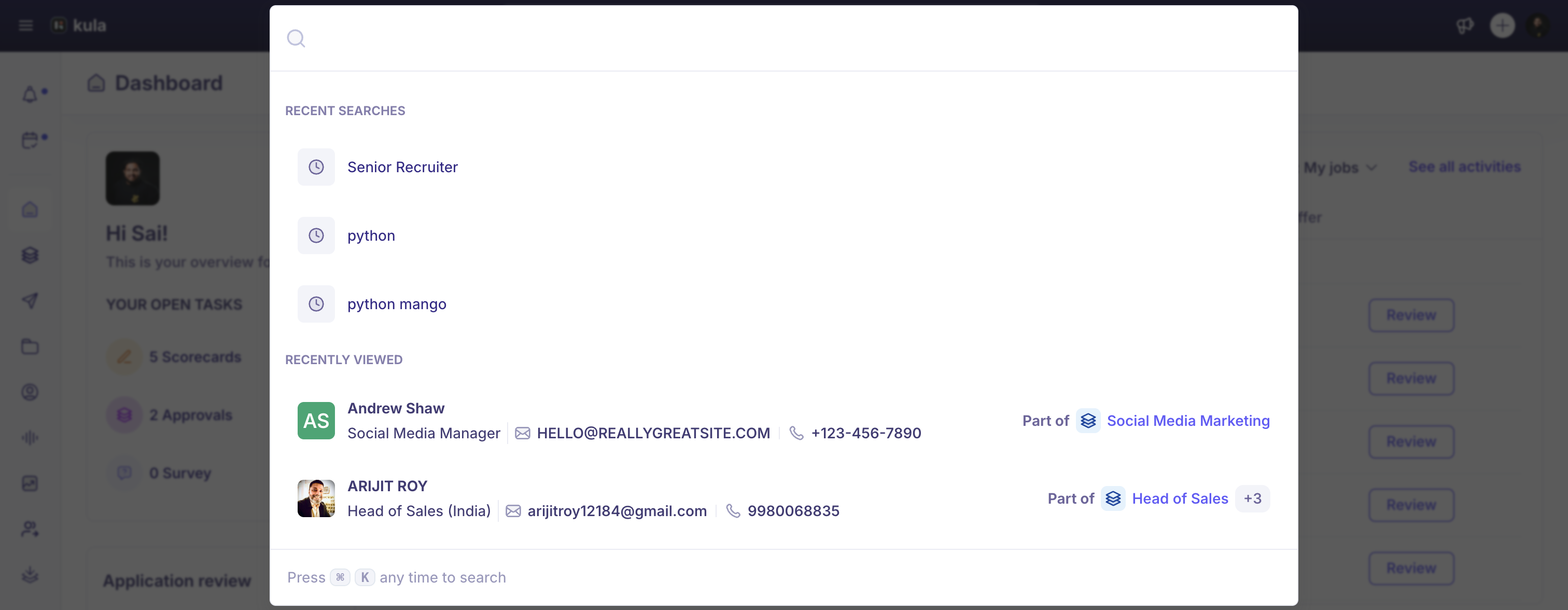
Before you type anything, global search shows a Recently viewed section with items you've accessed recently. Each item shows an avatar, name, title or email, and an associated context label, for example "Part of [Project name] +2".
Search results
Type in the search bar to see results. Results are grouped into tabs, each with a count: Candidates, Jobs, Flows, and Interviews.
Candidates: Each result shows the candidate's avatar, name, title, email, and associated context. Turn on Search resumes only to limit the search to resume content, or click See all candidates to open the full candidates list.
Jobs: Each result shows the job icon, name, status badge (Draft or Open), department, and office.
Flows: Each result shows the flow's name and a status badge (for example, Active). Click a result to open that flow.
Interviews: Each result shows the interview name, the candidate, the job, the date and time, and the meeting location (Zoom, Google Meet, Teams, phone, onsite, or HackerRank, each with its own icon). Click a result to open that interview.
Every tab has a See all [tab name] link to open the full list for that section, not just Candidates.
Closing global search
Click outside the search panel, or press Esc.
Good to know
Ad-hoc interviews show up in the Interviews tab, the same as interviews scheduled from an interview plan.
A tab only appears if you have access to that part of Kula — if you don't see a Flows or Interviews tab, that's a permissions difference, not a missing feature.
FAQ
No confirmed customer questions found yet for global search.
Need help?
If you have questions or need assistance, reach out to us at support@kula.ai or use the in-app chat.