Notifications & activity feed
Last updated: September 17, 2026
Notifications alert you in real time to items that need your attention, such as scorecards to fill out, interviews to confirm, and jobs waiting on your approval. The Recent activities page gives you a separate, system-level log of bulk operations run in Kula.
Use notifications to catch a scorecard reminder before it's overdue, confirm your attendance at an interview, or approve a job without leaving the panel. Use Recent activities to check whether a bulk candidate export, tag update, or email send finished successfully.
Who can do this: Any user can open their own notifications panel and Recent activities log.
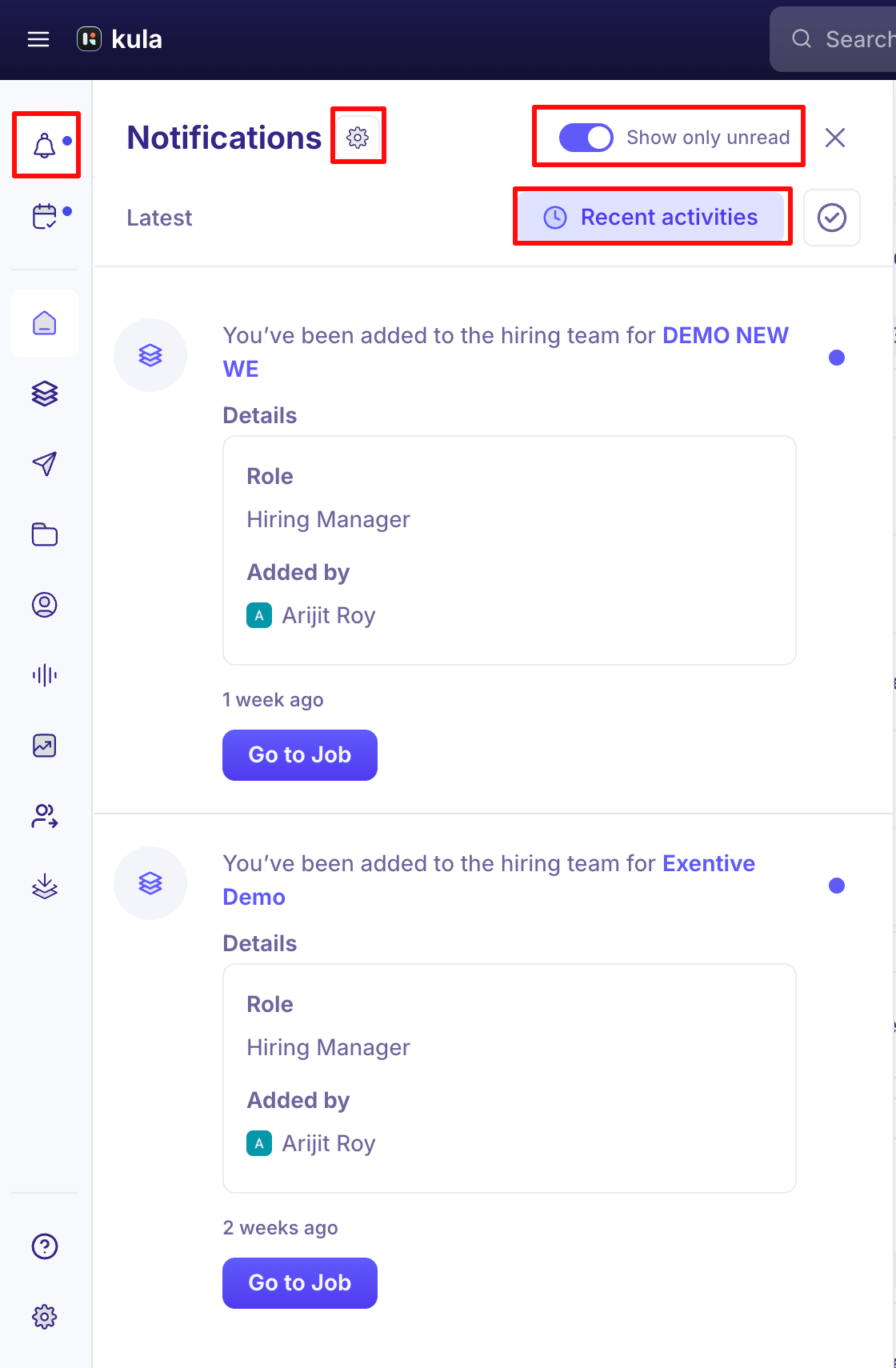
Where to find it: Click Notifications in the left sidebar to open the notifications panel. The badge next to Notifications shows your total unread count.
Opening notifications
Click Notifications in the left sidebar to open the notifications panel. The badge next to Notifications shows your total unread count.
Panel controls
Show only unread: Filters the panel to unread notifications only.
Mark all read (checkmark icon): Marks every notification in the panel as read.
Recent activities: Opens the full Recent activities page.
Close (X icon): Closes the notifications panel.
Notification feed
Notifications appear newest first, under a Latest section header. Unread notifications show a blue dot.
Notification types
Kula sends the following notification types:
Scorecard submitted: Sent when an interviewer submits their feedback. Action: Review scorecard now.
Scorecard reminder: Reminds you to complete a pending scorecard. Action: Fill out scorecard.
Interview scheduled or updated: Sent when an interview involving you is scheduled or changed. Actions: Review candidate, Send message.
Interview RSVP request: Asks you to confirm attendance at an interview. Actions: Yes, No, Maybe, Review candidate.
Interview reminder: Sent shortly before an interview starts. Actions: Review candidate, Send message.
Job approval request: Sent when someone requests your approval on a job. Actions: Approve, Reject.
Job approved: Sent when a job clears all its approval steps. Action: Go to job.
Candidate data export ready: Sent when a bulk candidate export finishes. Action: Download CSV.
Note: The download link in a candidate data export notification expires after 7 days.
Assessment submitted: Sent when a candidate completes an assessment. Action: View assessment.
Assessment scorecard submitted: Sent when a reviewer scores an assessment. Action: Review scorecard now.
Review request reminder: Reminds you of a pending review request for a candidate. Action: Submit review.
Recent activities
Recent activities is a separate, system-level audit log of bulk operations, not a list of your personal notifications. Open it by clicking Recent activities in the notifications panel.
The page shows a chronological log of bulk operations under an Ongoing section, including bulk candidate actions (adding tags, rejecting, reactivating, moving to a stage), CSV exports, and email sends. Each entry shows the operation name, its success or failure count, the associated job or flow, and a timestamp.
Good to know
Notifications and Recent activities are different things. Notifications are personal — items relevant to you. Recent activities is a shared log of bulk operations, not tied to any one person's to-do list.
A candidate data export's download link expires after 7 days — download it from the notification before then, or you'll need to re-run the export.
Need help?
If you have questions or need assistance, reach out to us at support@kula.ai or use the in-app chat.