Offer stages in your interview plan
Last updated: August 25, 2026
Every job's interview plan includes a built-in Offer stage that marks where a candidate sits once you're ready to extend an offer. This article explains how that stage fits into your pipeline and what you can and can't change about it.
Who can do this: Super Admin and Admin can edit a job's interview plan. Recruiter and Hiring Manager can move candidates through it.
Where to find it: Jobs → your job → Interview plan
How the Offer stage fits into your pipeline
Kula groups every stage in your interview plan under one of five milestones. By default, every new job's interview plan includes a stage called Offer, mapped to the Offer milestone.
Milestone | What it covers |
|---|---|
Lead | Sourced or applied, before formal review |
Applied | The candidate has applied and is being screened |
Interview | Any interview stages you've added |
Offer | An offer is being prepared or has been extended |
Hired | The candidate has accepted and been hired |
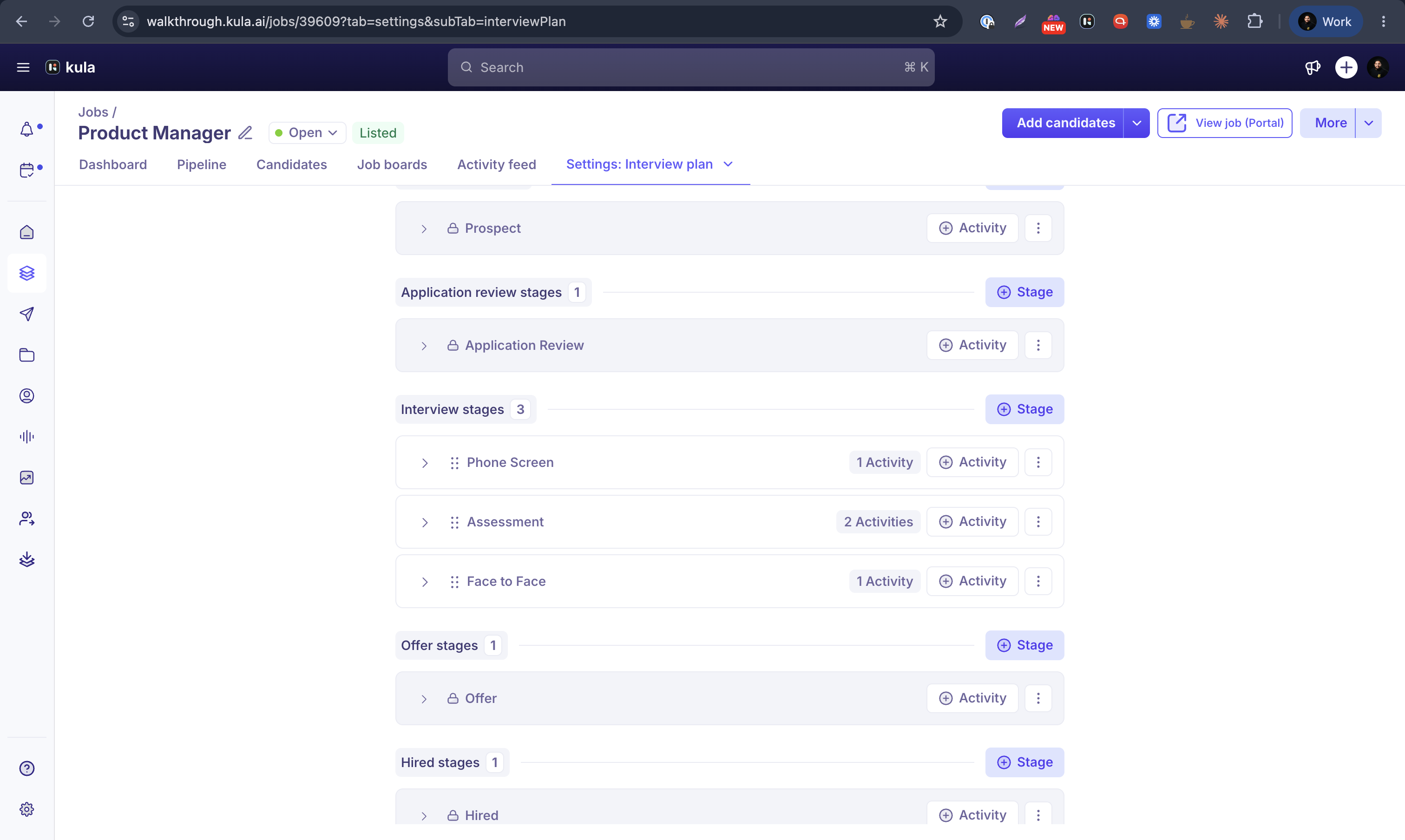
Can I rename, remove, or reorder the Offer stage?
The Offer stage — like Lead, Applied, and Hired — is mandatory, and these milestones can't be deleted. Only stages under each milestone can be removed. You can still add extra stages of your own in every milestone.
Running an e-signature step from a stage
Interview plan stages can trigger an automatic e-signature action — for example, kicking off a DocuSign send — when a candidate reaches that stage. See Sending offers with e-signature for how this connects to the Offer stage.
Good to know
The Offer, Lead, Applied, and Hired stages are mandatory and can't be deleted — you can only remove stages under the Interview milestone.
Moving a candidate into the Offer stage doesn't automatically create or send an offer — you still create the offer separately. See Creating an offer.
FAQ
Can I delete the Offer stage from my interview plan?
No. Offer, along with Lead, Applied, and Hired, are mandatory stages that can't be removed — only stages under the Interview milestone can be deleted. For more, see How offers work in Kula.
Does moving a candidate to the Offer stage send them an offer?
No — moving a candidate into the Offer stage just reflects where they are in your pipeline. You still need to create and send the offer yourself.
Need help?
If you have questions or need assistance, reach out to us at support@kula.ai or use the in-app chat.