Creating offer approvals
Last updated: September 26, 2026
Offer approvals let you require sign-off before an offer goes out — from one person, or a chain of up to five steps, scoped to whichever departments, offices, or work types need it.
Who can do this: Admin, Super Admin (with the permission to manage offer approval settings).
Where to find it: Settings → Approvals → Offer approvals.
Setting up an offer approval workflow
Offer approval lets one or more reviewers sign off on an offer before it can be sent to a candidate. This article covers turning it on and building the approval steps.
Turn on offer approval
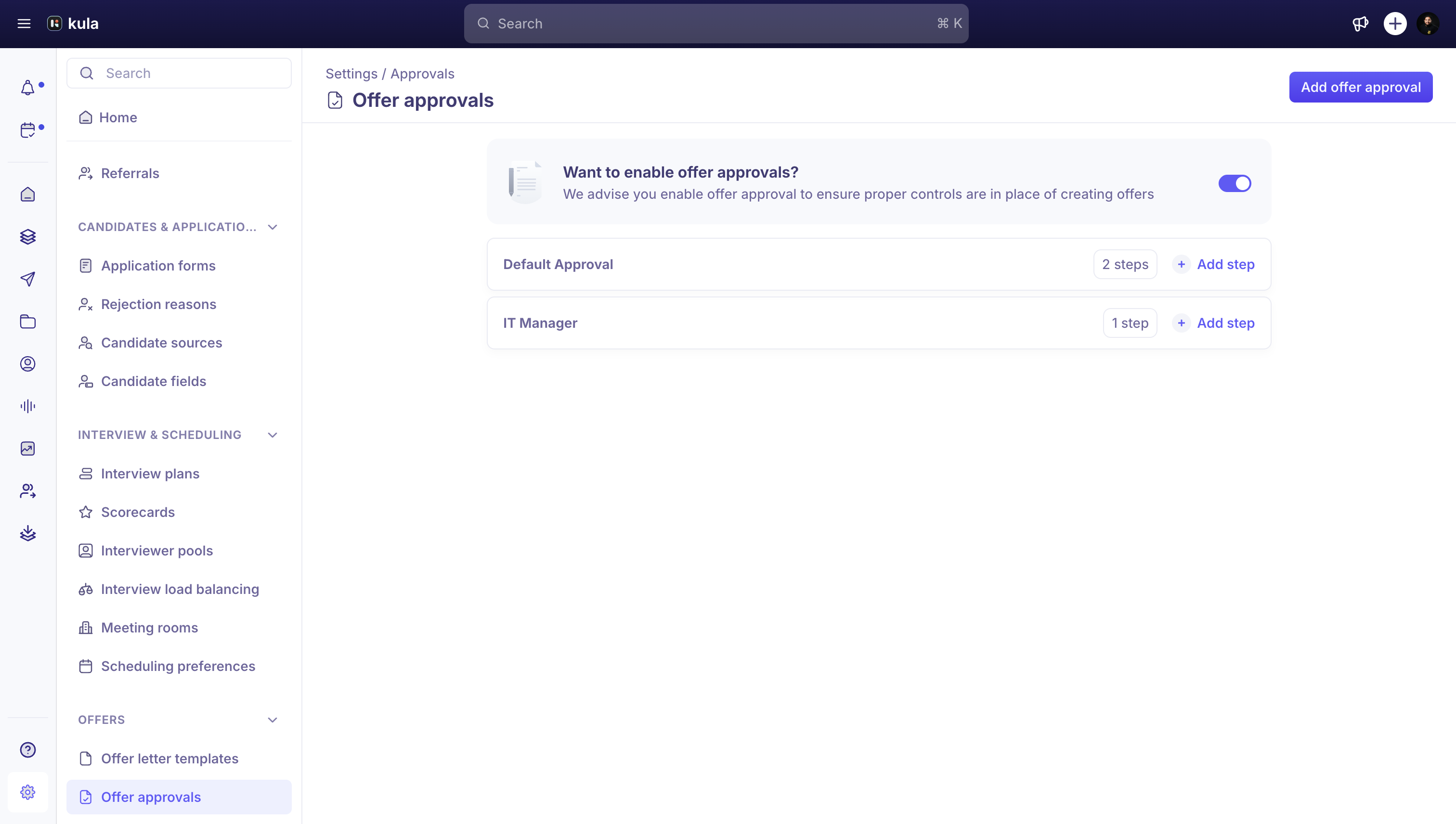
Go to Settings → Offers → Offer approvals
Turn on offer approvals for your organisation.
Click Add offer approval to build your first approval template.
Build an approval template
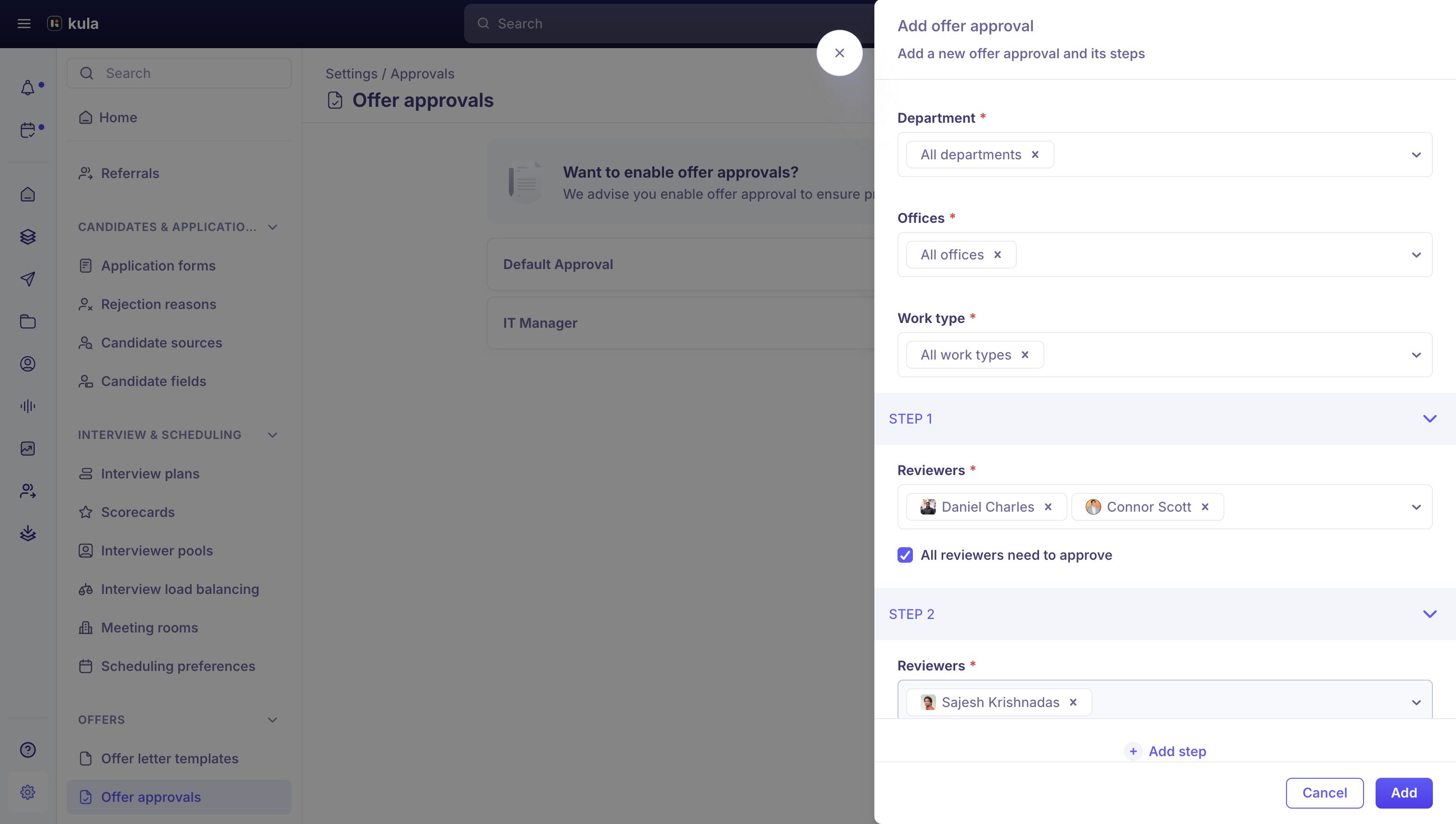
Each template applies to a set of departments, offices, and work types — or you can leave it as the default for everyone else. A template is made up of one or more steps that run in order.
Choose which departments, offices, and work types this template applies to (or leave as "All").
Add a step, and choose its reviewers — hiring managers or primary hiring managers on the job, an individually named person, or anyone in a relationship-type custom field on the offer.
If a step could resolve to more than one reviewer, choose whether all of them must approve, or just one is enough.
Add more steps if you need them, up to 5 in total. Steps run one after another — a step only opens once the one before it is approved.
Save the template.
Good to know
You can have more than one approval template, scoped to different departments, offices, or work types — Kula picks the best-matching one, falling back to your default template.
Templates support up to 5 steps, and steps always run in order. Kula doesn't have parallel-step or salary-threshold-based routing — every offer that needs approval goes through the same steps for its scope.
Turning off offer approvals removes them from every offer, not just new ones.
FAQ
Can I route an offer to extra approval steps if the salary is high?
No — approval templates are scoped by department, office, and work type only. Kula doesn't have salary-threshold-based approval routing. For more, see Approving or rejecting an offer.
Do reviewers need to approve in a specific order?
Yes — steps in an approval template run strictly in order; a step only opens once the previous one is fully approved. For more, see Approving or rejecting an offer.
Need help?
If you have questions or need assistance, reach out to us at support@kula.ai or use the in-app chat.