Customising offer details
Last updated: August 25, 2026
Once an offer is created, you can adjust its details — salary, start date, bonus, equity, and more — right up until it's approved or sent. This article covers every field and what happens when you change one after approval.
Who can do this: Recruiter, Hiring Manager
Where to find it: Candidates → open a candidate's application → Current job tab → Offer → Edit
The offer detail fields
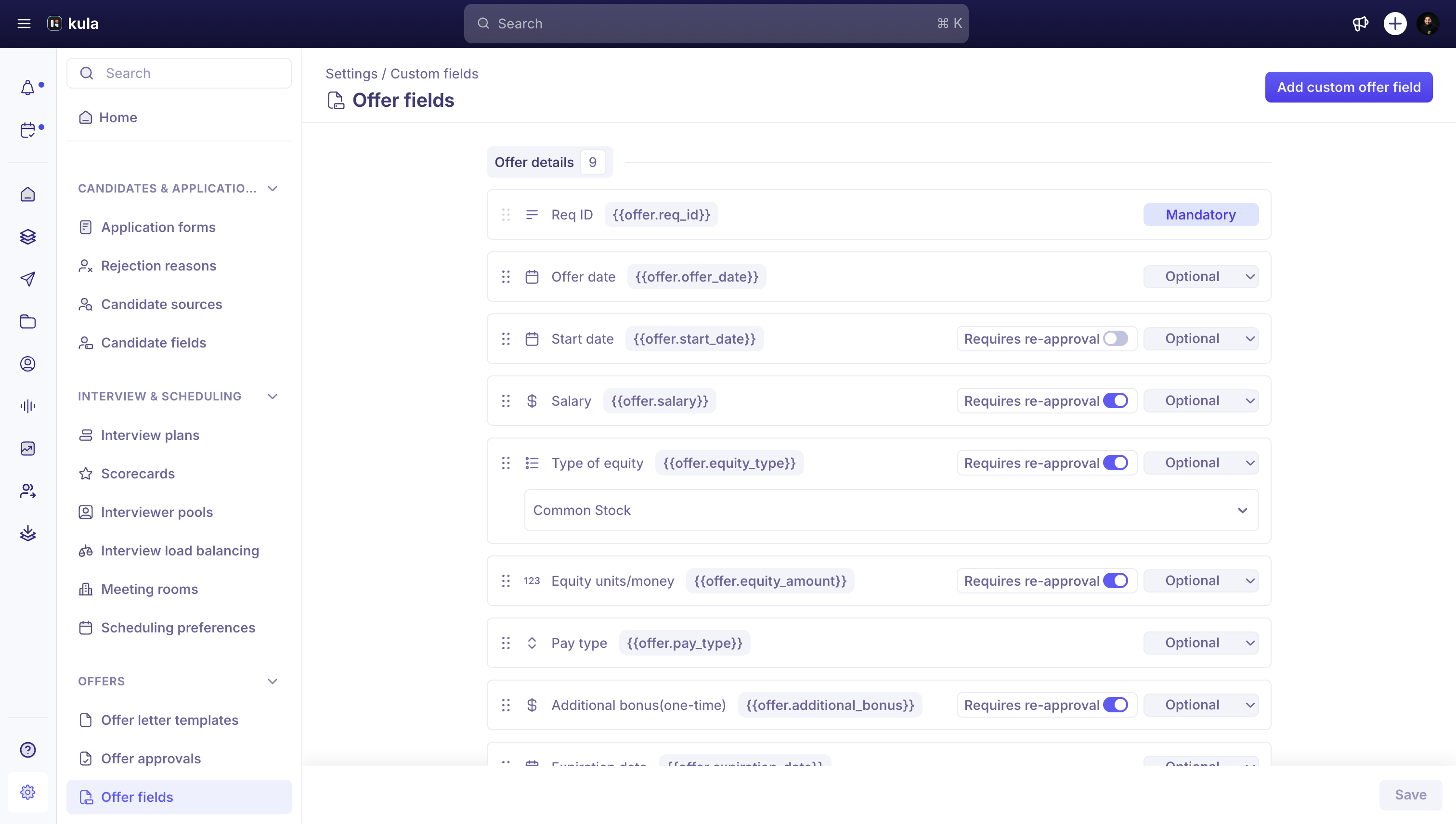
Offer fields are grouped into four sections. Which fields are visible or required depends on your organisation's settings.
Section | Fields |
|---|---|
Offer details | Offer date, start date, salary, pay type, additional bonus (one-time), expiration date |
Additional compensation | Type of equity, equity units/money, equity cliff, post-cliff vesting cycle, vesting period, equity strike price |
Candidate details | Name, email, phone, address |
Job details | Job title, reporting manager, department, office, req ID |
Your organisation can also add custom fields, which appear in their own Custom fields section.
Edit an offer's details
Open the offer and click Edit.
Update the fields you need to change.
Click Save.
What happens if you edit an approved offer
Some fields — like salary, job title, department, office, and every equity field — can be marked by your organisation as needing approval. If you change one of these on an offer that's already been approved, Kula sends it back for re-approval before it can be sent.
Candidate name and email can't be changed once the offer exists.
Good to know
Numbers like salary can include thousands separators (e.g. "120,000") — Kula strips them automatically.
If a salary exceeds the linked requisition's maximum, Kula flags it.
Equity is stored as either a share count or a money amount, depending on the currency you choose for it. See Compensation settings and equity awards.
FAQ
I changed the salary on an already-approved offer — why is it asking for approval again?
Certain fields, including salary, are configured by your organisation to require re-approval whenever they change after the offer was approved. This protects against a signed-off offer quietly changing. For more, see Offer statuses in Kula.
Can I change the candidate's email on an offer?
No — candidate name and email are locked once the offer is created. For more, see Creating an offer.
Need help?
If you have questions or need assistance, reach out to us at support@kula.ai or use the in-app chat.