Viewing assessment results on the profile
Last updated: August 18, 2026
Once a candidate completes an assessment, the result lands on their profile — their answer for a Kula assessment, or the provider's report for an external one. This article covers finding it, reading it, and what your reviewers are asked to do next.
Who can do this: Anyone on the job's hiring team as a recruiter, hiring manager or coordinator. External recruiters see only the candidates credited to them.
Where to find it: your job → the candidate → Overview, on the stage the assessment belongs to
Find the result
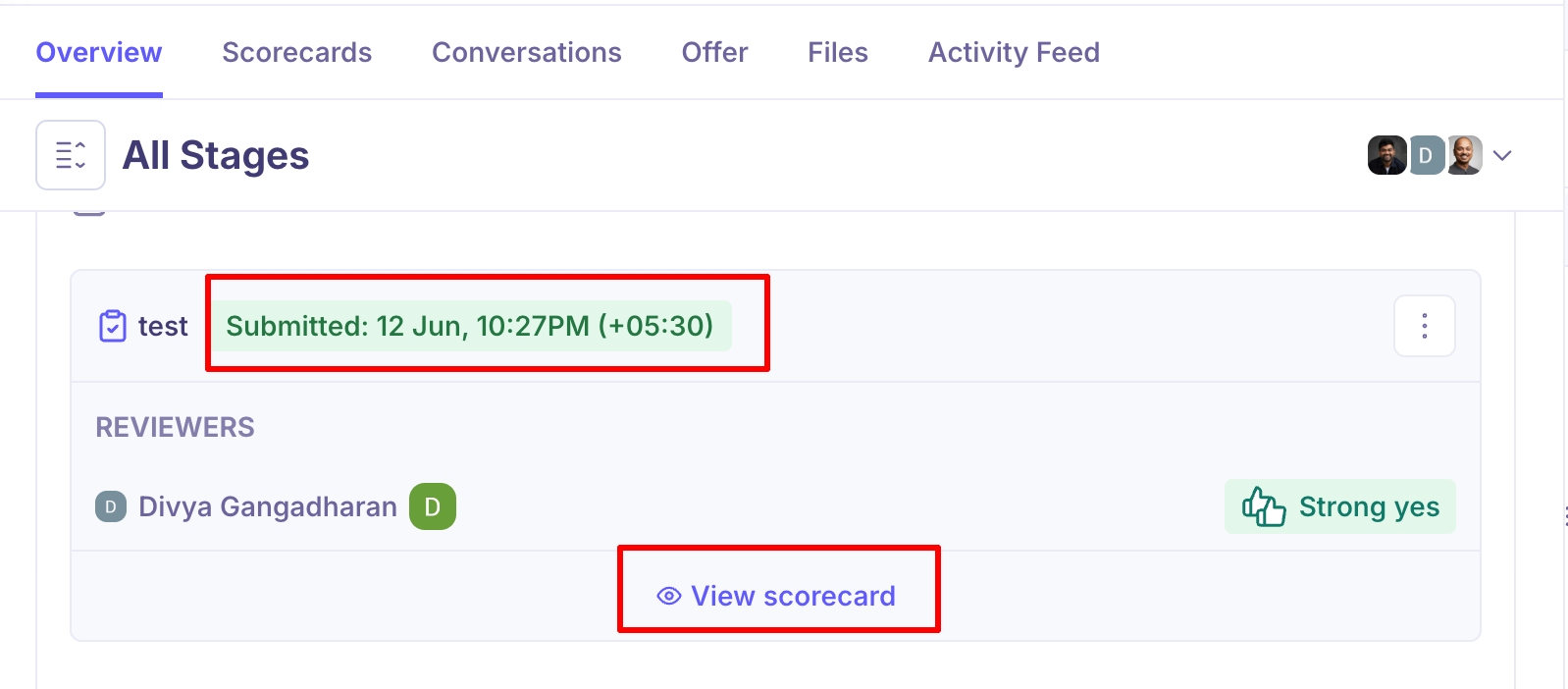
Open the candidate and go to Overview. Set the stage selector to All Stages if the assessment was in an earlier round, then expand the stage. The assessment activity sits there with its current status.
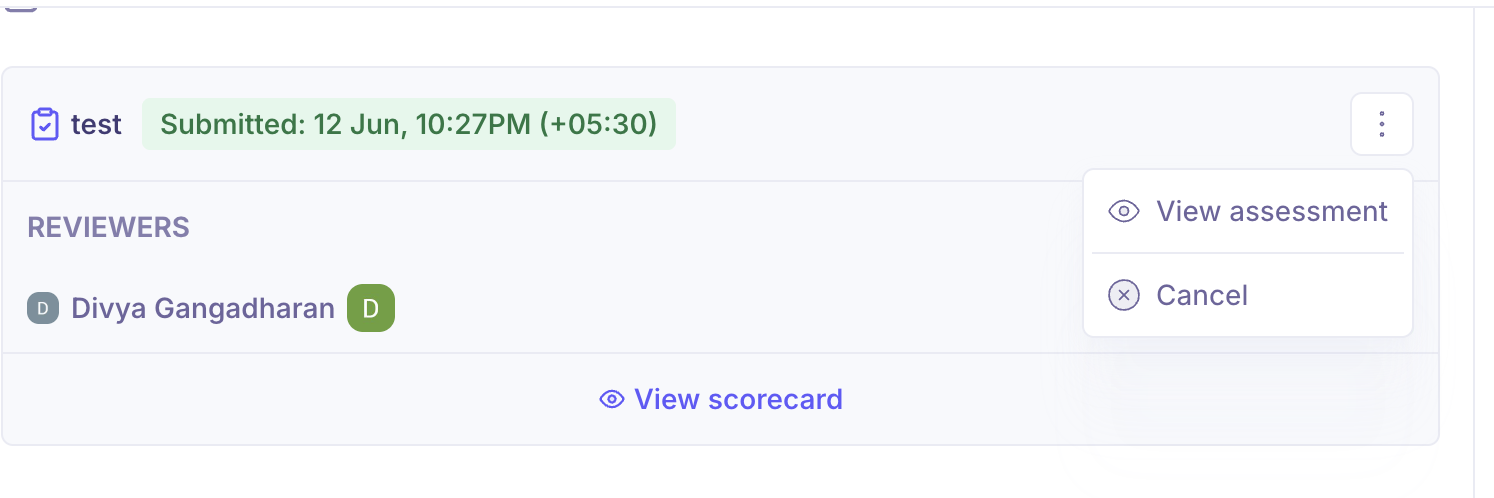
Once the candidate has completed it, the activity shows Submitted along with when it was completed, and gives you a menu to open the result.
Scoring the result
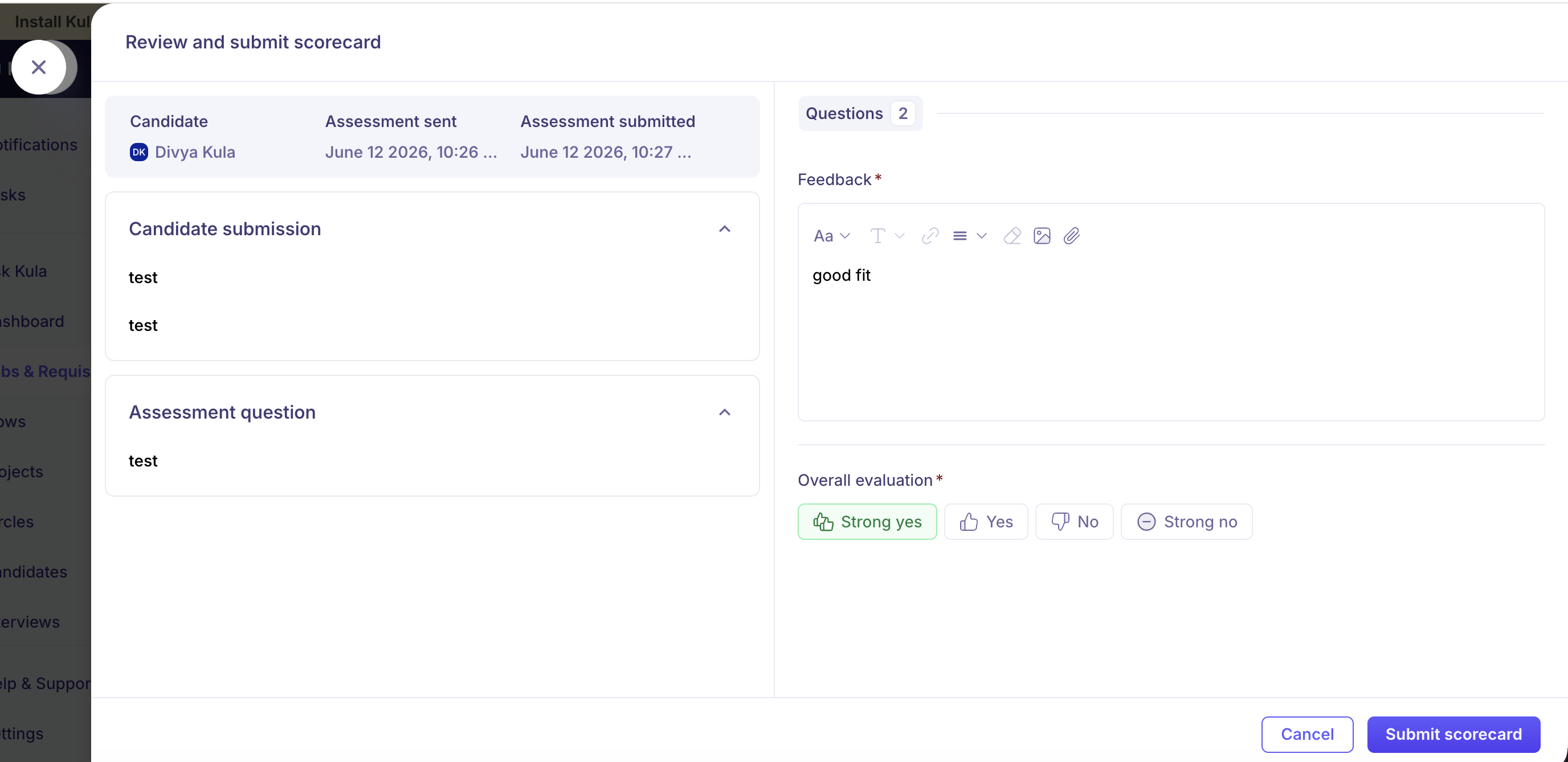
Sending an assessment usually asks specific people to score it. Once the candidate submits, those reviewers are asked for a scorecard, and Kula reminds them until they do — once every 24 hours, up to three times.
Their scorecards appear alongside the assessment on the stage and in the candidate's Scorecards tab, with the same Strong yes / Yes / No / Strong no rating used everywhere else.
Good to know
Editing is locked once someone has scored. The Edit assessment option disappears as soon as any reviewer submits a scorecard.
Results come back on their own. Kula receives the outcome from the provider, so nothing needs to be fetched manually.
An external report lives with the provider. Kula links to it rather than storing a copy, so access depends on your account with that provider still being connected.
FAQ
Where do I find a candidate's assessment result? On their Overview tab, in the stage the assessment belongs to. Set the selector to All Stages if it was an earlier round, then expand the stage and use View assessment.
Why can't I edit the assessment any more? Editing is blocked once a reviewer has submitted a scorecard against it, so the question can't change after someone has been scored on it.
The candidate finished the test but the status hasn't updated. Results are pushed to Kula by the provider, so there can be a short delay. If it stays stuck, contact support@kula.ai with the candidate and the assessment.
Need help? If you have questions or need assistance, reach out to us at support@kula.ai or use the in-app chat.