Hireflix video interviews
Last updated: August 19, 2026
Hireflix runs one-way video interviews: the candidate records answers to your questions in their own time, and you watch them back when it suits you. Connecting it lets you invite candidates from Kula and see their results on the candidate's profile.
Who can integrate it: Super Admin, Admin
Who can send invitations: Anyone on the job's hiring team as a recruiter, hiring manager or coordinator
Connect Hireflix
What you'll need: an API key from Hireflix. Keys are issued per workspace — create or rotate one from the Hireflix dashboard under Integrations.
Then connect Hireflix on the integrations page — see [Connecting Hireflix with Kula] for the steps.
Connecting also sets up the link that lets Hireflix tell Kula when something changes — a candidate starting, finishing, or being shortlisted — so statuses update without anyone refreshing anything.
Once connected, Kula reads the positions set up in your Hireflix workspace. A position is the set of questions a candidate answers, so you'll pick one when inviting.
How to send Hireflix assessment to Candidates
Hireflix is sent from the candidate, not from the interview plan. Unlike the other assessment integrations, you can't add a Hireflix activity to a stage — see Good to know.
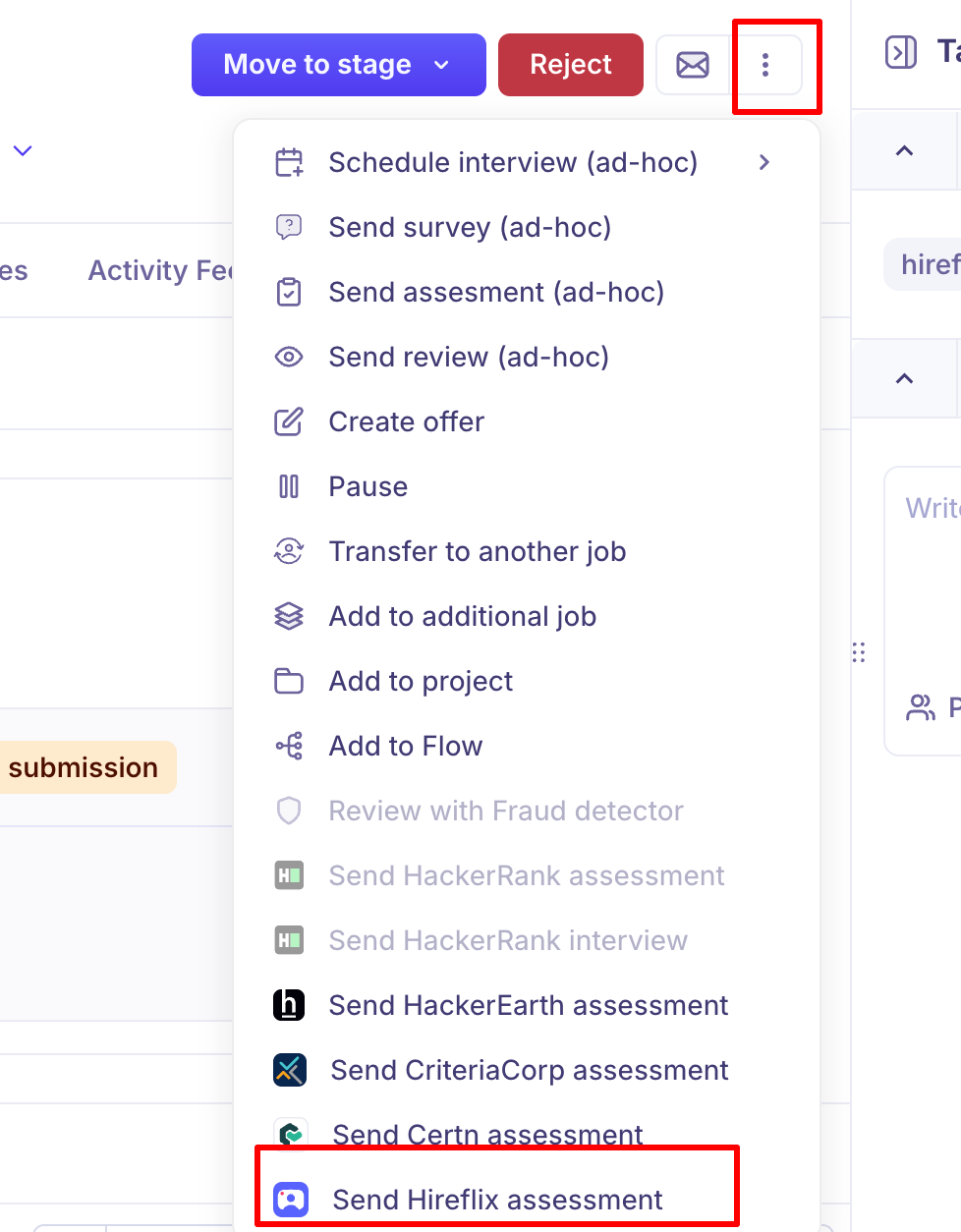
Open the candidate.
From their actions menu, choose Send Hireflix assessment.
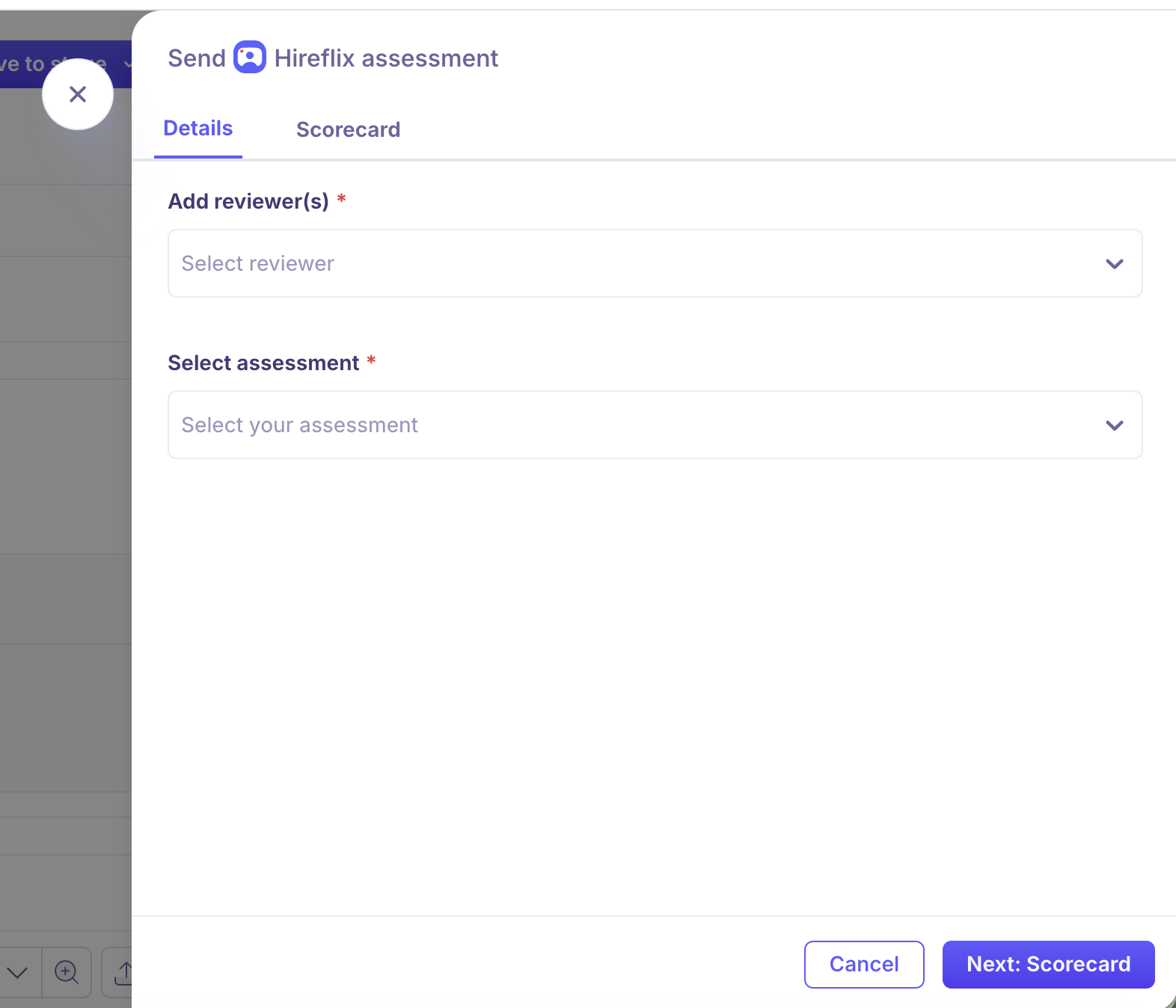
On Details, choose the reviewer(s) who'll score the result, and pick the position whose questions the candidate should answer.
On Scorecard, set the scorecard those reviewers will fill in.
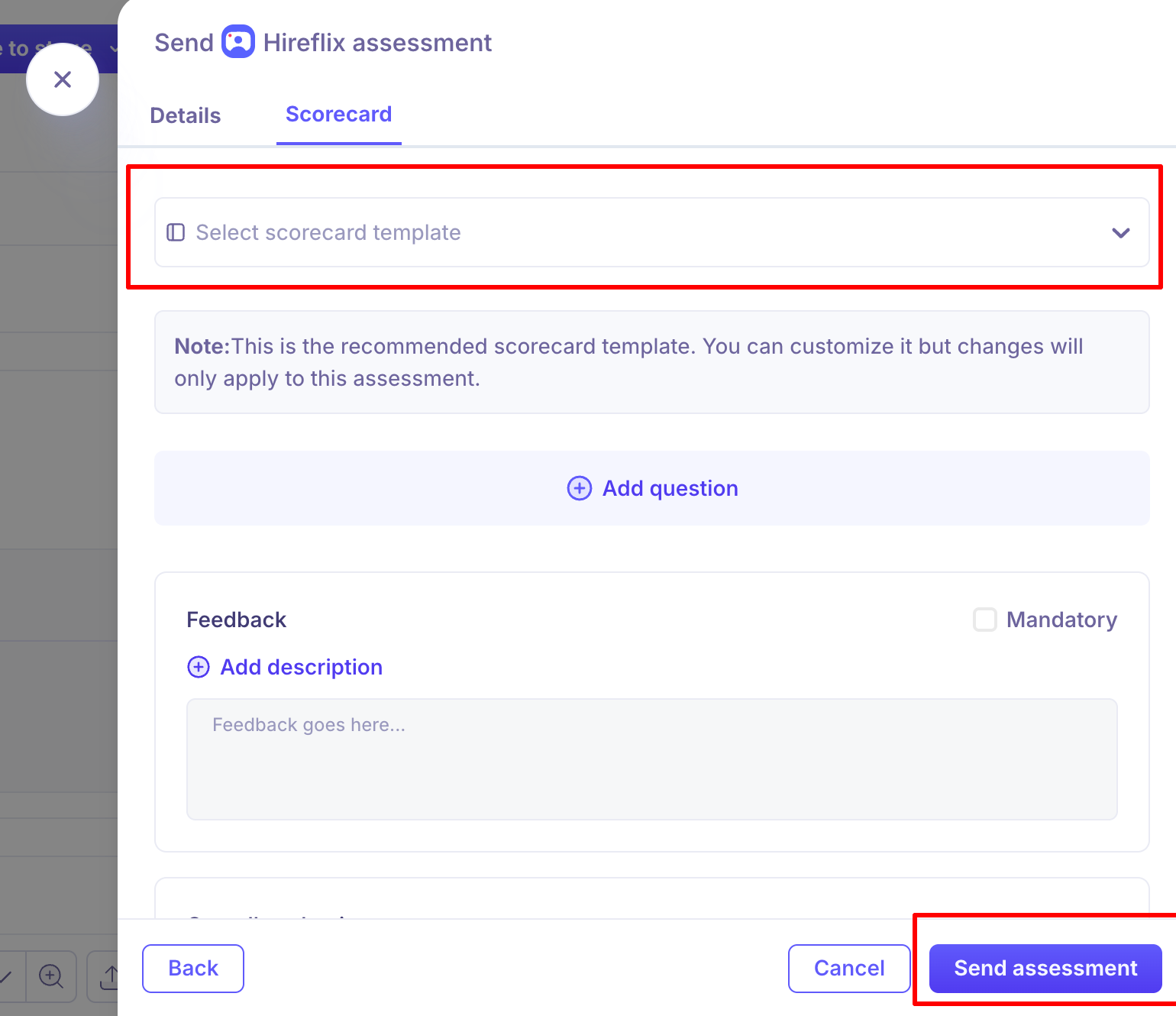
Click Send assessment.
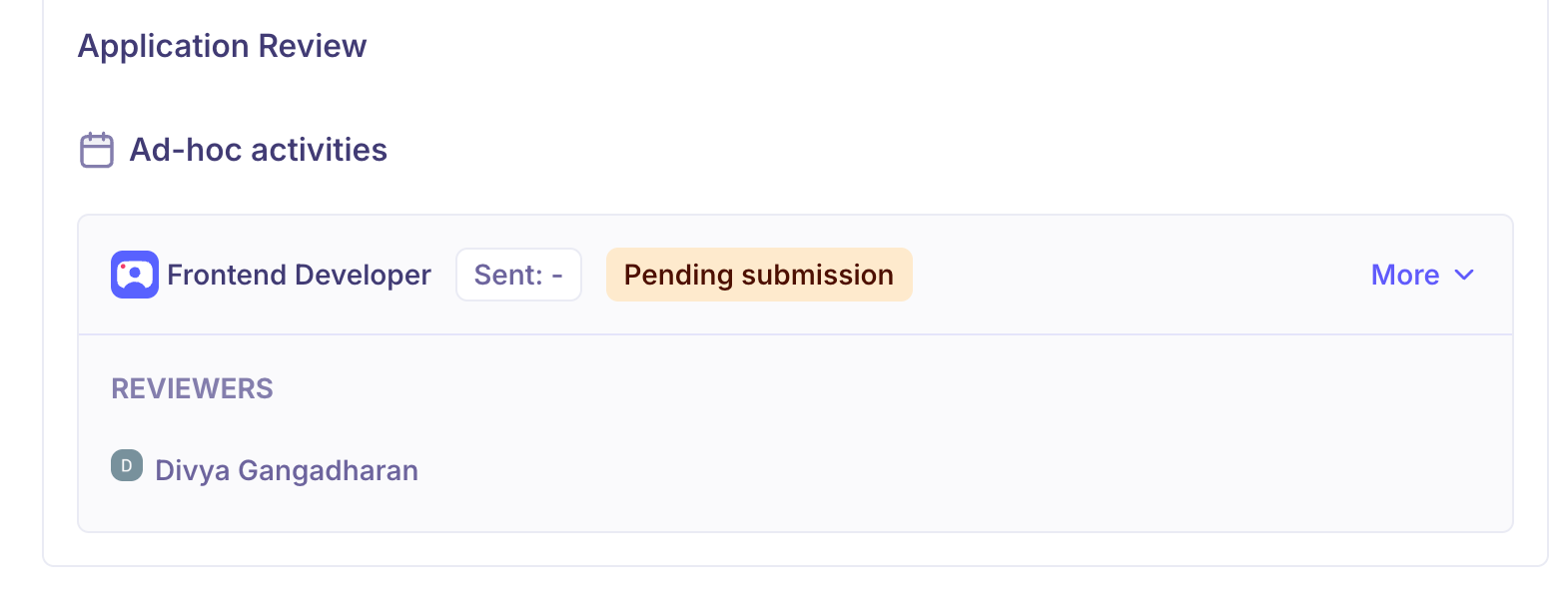
A confirmation message — "Hireflix assessment sent successfully" — will appear, and the assessment will show under Ad-hoc activities on the candidate's overview with a Pending submission status.
Invite several candidates at once
Select the candidates in the pipeline and send a Hireflix invitation in bulk. Kula checks the selection first and tells you if any candidate can't be included, so you're not left guessing which ones went out.

What happens next: Managing Assessments
After sending an assessment, you can track and manage it directly from the candidate's profile.
Status tracking: The assessment card shows real-time status (e.g., Pending submission, Submitted, Verdict published).
Edit or Cancel: Click More on the assessment card to access options:
Edit assessment — update the reviewer or scorecard before submission.
Cancel — revoke the assessment if it's no longer needed.
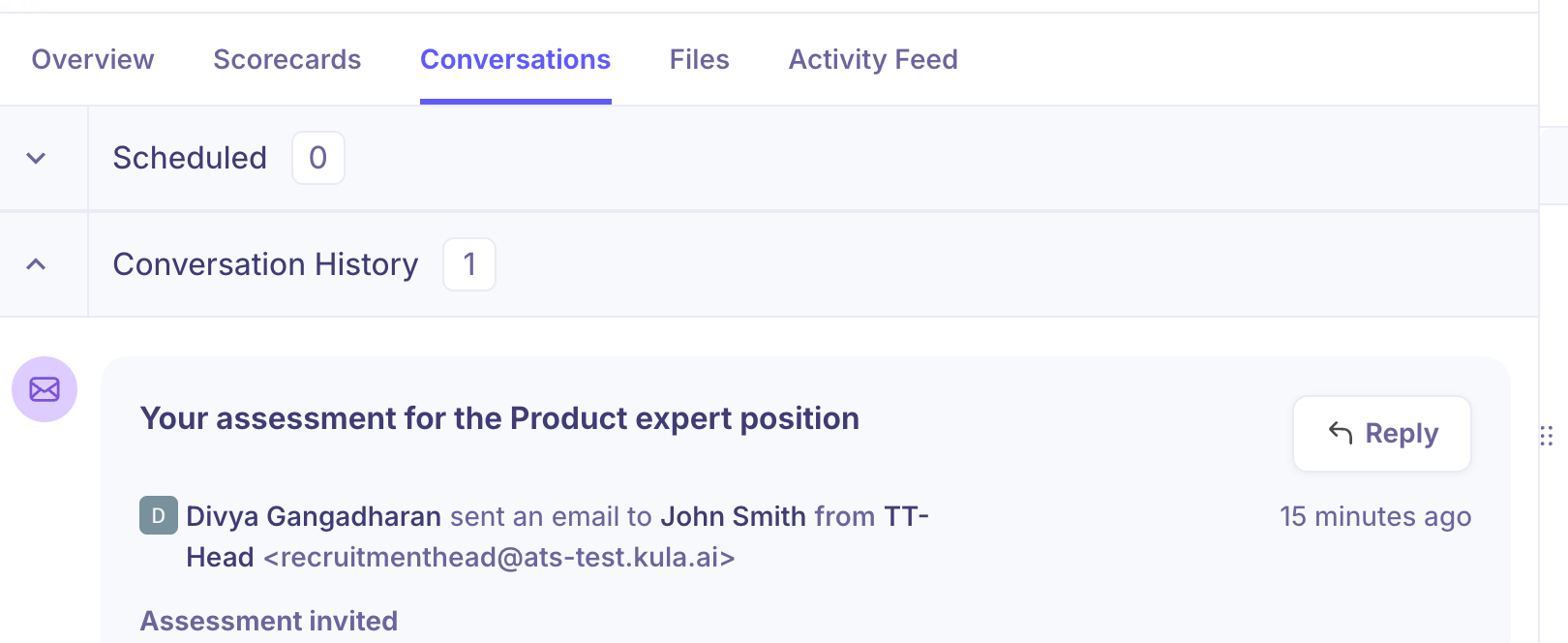
Conversations tab: An automatic email notification is logged under the candidate's Conversations tab once the assessment invitation is sent.
Good to know
Hireflix can't be added to an interview plan. It's sent per candidate or in bulk, not as a stage activity — so it won't happen automatically when someone reaches a stage.
The candidate needs an email address, or the send action is disabled.
Questions live in Hireflix. Kula reads your positions; build and edit the questions there.
Shortlisting and discarding happen in Hireflix and flow back to Kula.
Only Super Admins and Admins can connect or disconnect the integration.
FAQ
Can I add Hireflix to a stage in the interview plan? Not currently. Hireflix is sent to a candidate directly, or in bulk to several at once. If you need it to trigger automatically at a stage, tell us through the in-app chat — it's a known request.
Can I invite several candidates at once? Yes. Select them in the pipeline and send a Hireflix invitation in bulk. Kula validates the selection first and tells you if anyone can't be included.
I shortlisted a candidate in Hireflix. Does Kula know? Yes — shortlisted and discarded both flow back and show on the activity in Kula.
Need help? If you have questions or need assistance, reach out to us at support@kula.ai or use the in-app chat.