Job-level custom fields
Last updated: September 22, 2026
Job Fields capture details specific to a job that Kula doesn't track by default — things like an internal project code, a hiring initiative tag, or a compliance flag. Some job fields are built in and fixed; anything beyond that is a custom field you define yourself.
Who can do this: Super Admins and Admins can create, edit and delete custom job fields. Anyone who can create or edit a job fills in a custom field's value on that job.
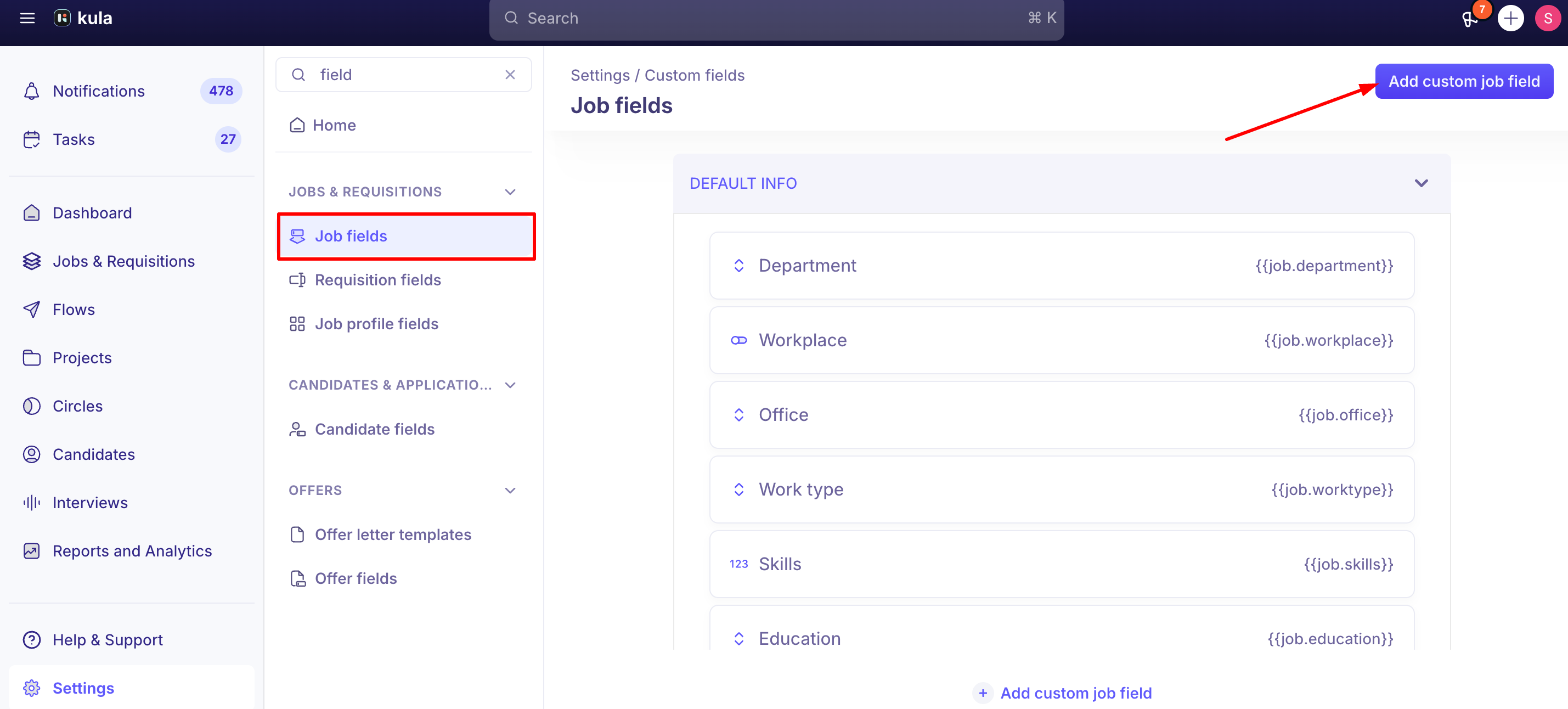
Where to find it: Settings → Custom Fields → Job Fields.
Default fields vs. custom fields
Default info — Department, Workplace, Office, Work type, Skills, Education and Experience. These are built in and can't be edited or reconfigured — for example, you can't make Skills optional if it's required, or vice versa.
Custom fields — anything you add yourself, using the field types below.
Creating a custom job field
Go to Settings → Jobs & Requisitions → Job fields.
Click Add custom job field.
Enter a Field name (mandatory).
Choose a Field type (mandatory, and it can't be changed once the field is created): Short Text, Long Text, Single Select, Multi-Select, Date, Number, URL, Yes/No, or Rich Text.
Add a Description if useful for context.
Enter a Token — it's required for every field. Avoid periods (.) or brackets ({ }) in the token value.
Add Placeholder text — the hint shown in the field before anyone fills it in.
Optionally restrict where the field appears: Only show for jobs in these offices and Only show for jobs in these departments.
Check Required field if the field should block job creation until it's filled in.
Click Add.
Editing works the same way — open the field from the Job Fields list and update it. Deleting removes the field via a confirmation modal.
About the Token field
The Token is what lets a custom field's value be pulled into an email template or another document as a placeholder — it's genuinely only necessary if you intend to reference that field's value somewhere else in Kula.
Kula requires a token on every custom field, whether or not you plan to use it that way.
Good to know
Field type can't be changed after creation. If you pick the wrong type, you'll need to delete and recreate the field rather than convert it.
Office and department scoping limits where a field appears. If a custom field shows on jobs outside the offices or departments you scoped it to, tell support.
Deleting a field isn't guaranteed to be instantly clean everywhere. A past bug allowed soft-deleted custom fields to still be validated during job creation, blocking jobs from saving — since fixed, but if job creation ever fails for no obvious reason, a recently deleted custom field is worth ruling out.
Custom job field values aren't available as columns on the Jobs list page. To compare a custom field's value across many jobs, open each job.
The Default info fields (Department, Workplace, Office, Work type, Skills, Education, Experience) can't be made mandatory or optional.
FAQ
What's the difference between a default field and a custom field? Default fields (Department, Workplace, Office, Work type, Skills, Education, Experience) are built into Kula and fixed. Custom fields are anything you create yourself to capture something Kula doesn't track out of the box.
Do I need to fill in a Token if I'm not using this field in a template? Yes. Kula requires a token on every custom field, even though it's only useful if you plan to reference the field as a placeholder elsewhere.
Can I change a custom field's type after I've created it? No — the field type is locked in at creation. You'd need to delete and recreate it with the new type.
I scoped a custom field to a specific office, but it's showing up on jobs in other offices — is that a bug? Office and department scoping should restrict the field to the jobs you selected. If you see it elsewhere, report it to support.
Can I see a custom field's values across all my jobs in a table or list view? No — job-level custom fields aren't available as columns on the Jobs list page.
Can I make a default field like Department or Skills optional (or required) for my account? No — default fields are fixed.
Need help?
If you have questions or need assistance, reach out to us at support@kula.ai or use the in-app chat.